When your business starts to grow, the tools that got you here aren't always the ones that will get you to the next level. That's especially true for your IT backbone. A standard desktop PC can only take you so far. Dell PowerEdge servers are the real deal—high-performance machines designed from the ground up for business. They're built for reliability, security, and the kind of scalability you need to grow without friction.
Think of a PowerEdge server as the central nervous system for your company. It’s the workhorse that manages your critical data, runs your essential applications, and never clocks out. It's not a luxury; it's a foundation.
Your Foundation for Growth: What Are Dell PowerEdge Servers?
Imagine your growing Philippine business is a popular restaurant hitting its peak dinner rush. Your team is the kitchen crew, working hard to get orders out. In this analogy, a Dell PowerEdge server isn't just another cook—it's the head chef. It directs the flow, keeps track of every ticket and ingredient, and makes sure the entire operation runs smoothly, even under intense pressure.
Many small businesses in the Philippines start out using a powerful desktop PC as their "server." It's a common first step, but it’s like asking a junior cook to run the entire kitchen. A desktop is built for one person to do one task at a time, not to handle the constant, simultaneous demands of a whole team accessing files, running applications, and serving customers.
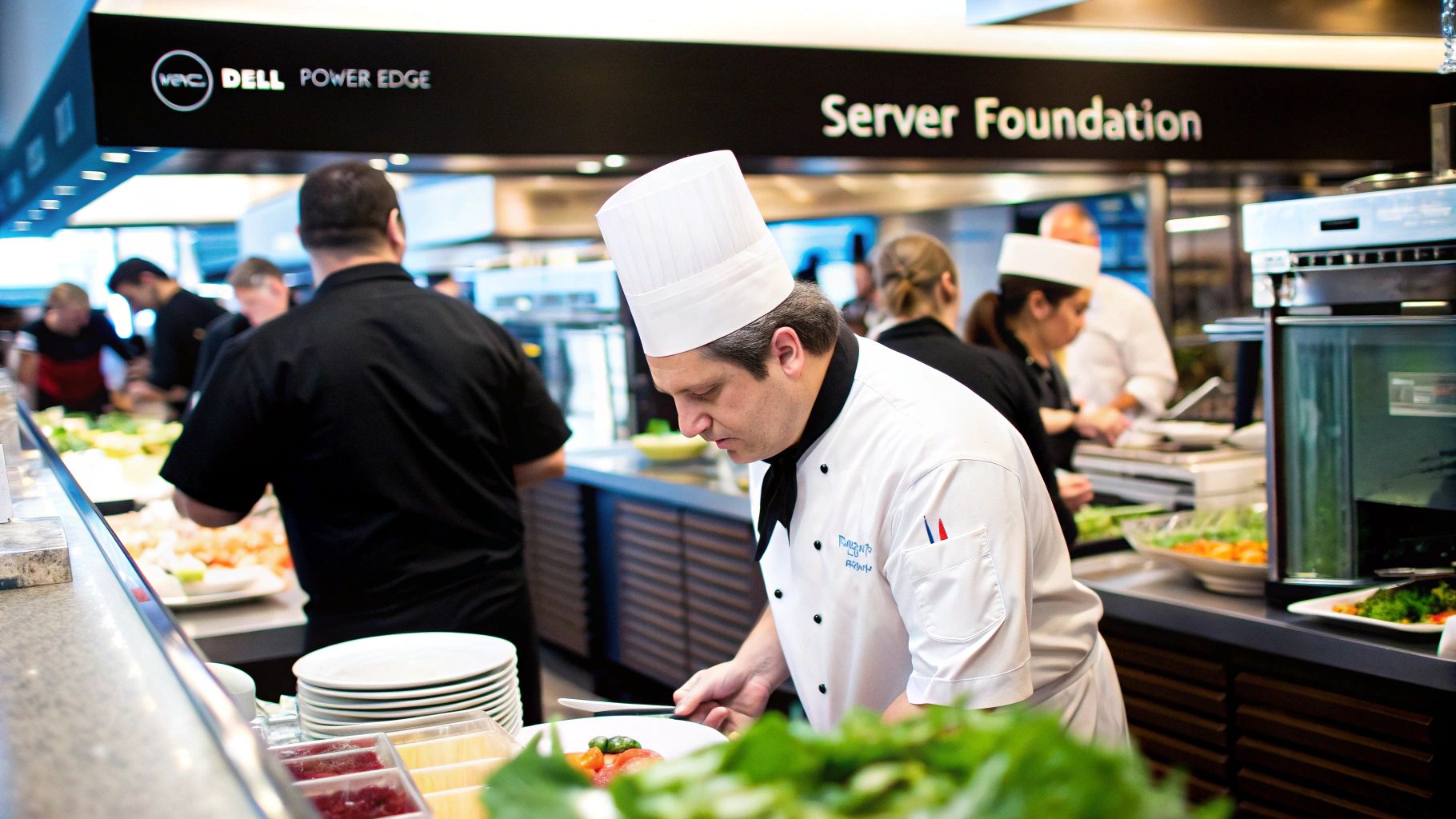
This is where a purpose-built server makes all the difference. Dell PowerEdge systems are engineered for non-stop operation, using components designed to withstand the constant workload of a business environment. They don't buckle under pressure.
Desktop PC vs Dell PowerEdge Server at a Glance
So, what really separates a server from the desktop PC sitting on your desk? It comes down to design, purpose, and reliability. This table breaks down the key differences.
| Feature | Standard Desktop PC | Dell PowerEdge Server |
|---|---|---|
| Designed For | Single-user tasks (email, browsing, office apps) | Multi-user, 24/7 business applications (file sharing, databases, virtualisation) |
| Reliability | Standard components, not built for constant uptime | Error-correcting (ECC) RAM, redundant power supplies, hot-swappable drives |
| Management | Manual, on-site management required | Remote management (iDRAC) for monitoring, updates, and reboots from anywhere |
| Scalability | Limited upgrade paths for RAM, storage, and CPU | Designed for expansion; supports multiple CPUs, vast RAM, and extensive storage arrays |
| Data Protection | Basic; relies on user-initiated backups | Hardware RAID for built-in data protection against drive failure |
| Operating System | Consumer OS (e.g., Windows 11 Home/Pro) | Server OS (e.g., Windows Server, Linux) built for networking and security |
As you can see, a PowerEdge server is in a completely different league. It's not just a more powerful PC; it’s an entirely different class of machine, built with business continuity as its primary goal.
Why a Dedicated Server is a Necessity
You'll know it's time for a dedicated server when your business starts handling sensitive customer data, running mission-critical software (like your accounting or inventory system), or when your team needs reliable access to shared files to do their jobs. To get a better sense of the hardware itself, understanding what a bare metal server is can provide great context for the raw power a Dell PowerEdge brings to your office.
A dedicated server isn't just about speed; it's about survival. It ensures your operations don't grind to a halt because a desktop PC crashed, got a virus, or decided to run a Windows update in the middle of your busiest workday.
Dell's track record here speaks for itself. They've become a go-to choice for data centres across the Philippines and are the world's No. 1 bestselling x86 server brand by units shipped. That kind of market leadership isn't an accident—it comes from rock-solid engineering that local businesses can depend on.
For Philippine SMBs, choosing Dell PowerEdge means you're investing in the same trusted platform that large enterprises use, but at a price point that makes sense for a growing company. It's a strategic move that sets up your IT for long-term success. Find out more about how the right technology in the Philippines can be a true game-changer for your business.
A Look Under the Hood: What Makes a PowerEdge Server Tick
To really get why Dell PowerEdge servers are a smart move for your business, we need to pop the hood and see what’s inside. It's easy to think of a server as just a "super-powered computer," but that's selling it short. Every single component is engineered specifically for performance, long-term reliability, and security—all working in concert to keep your business online.
Understanding these parts isn't just for the IT crowd. It helps you see exactly what you're paying for and how each piece translates into faster operations, safer data, and less downtime for your team here in the Philippines.
The Engine Room: CPU and RAM
At the very heart of any Dell PowerEdge server is its Central Processing Unit (CPU). Think of it as the engine, or the brain. It's the part that does all the actual work—executing every command and processing all the data, whether that's a staff member opening a file or your accounting software running a complex report. The more powerful the CPU, like the Intel® Xeon® or AMD EPYC™ processors used in PowerEdge servers, the more work it can juggle at once without breaking a sweat.
Let's put that into perspective. A BPO with 50 agents all hitting the CRM at the same time will feel the difference immediately. A server with a proper CPU can handle all 50 requests for customer records simultaneously, with no lag. A standard desktop CPU, on the other hand, would grind to a halt, frustrating both your agents and your customers.
Then you have the Random Access Memory (RAM), which is like the server’s high-speed workbench. When your team needs a file or opens an application, the server pulls that data from the storage drives and puts it onto this "workbench" for instant access. The more RAM you have, the bigger your workbench, allowing more people and more applications to run smoothly at the same time.
It's also worth noting that PowerEdge servers use a special kind of memory called ECC (Error-Correcting Code) RAM. This is a huge deal. It actively finds and fixes tiny data errors on the fly—the kind of errors that would cause a regular PC to crash. For a business, that layer of stability is absolutely critical.
Your Digital Warehouse: Storage and RAID
Storage is simply where all your company data lives. Dell PowerEdge servers give you a few options for storage drives, and each has its place.
- Hard Disk Drives (HDDs) are the classic choice. They give you enormous amounts of storage space for a very reasonable price, making them perfect for archiving old files, storing backups, or holding data that you don't need to access every minute of the day.
- Solid-State Drives (SSDs) are the speed demons. They have no moving parts, so they can read and write data incredibly fast. This makes them the go-to choice for running your operating system, databases, and any application where responsiveness is key.
But what if a drive fails? That’s where a brilliant piece of tech called RAID (Redundant Array of Independent Disks) comes in. RAID is a way of grouping multiple physical drives together so the server sees them as one. This setup gives you a huge boost in both performance and, more importantly, data protection.
Think of a simple RAID setup like having two identical logbooks. As you write in one, a ghost writer instantly copies every word into the second one. If you spill coffee all over the first book and ruin it, you haven't lost a thing because a perfect copy is already there, ready to go.
That's basically how RAID 1 (mirroring) works. If one of your hard drives fails, the server just keeps running off the mirrored copy without missing a beat. Your business stays online, and you can swap out the failed drive without any data loss or panic.
The On-Call IT Specialist: iDRAC
One of the best-kept secrets of Dell PowerEdge servers is something called iDRAC, the Integrated Dell Remote Access Controller. The best way to describe it is to imagine having a senior IT technician living inside your server, on call 24/7, that you can talk to from anywhere in the world.
This incredibly powerful management tool lets you or your IT provider remotely:
- Keep an eye on the server's health (like temperature, fan speeds, and power draw).
- Get alerts before a part is about to fail.
- Securely update software and firmware.
- Turn the server on or off, and even fix problems as if you were standing right there in the server room.
Here's a real-world scenario. Your server in your Manila office acts up late on a Friday night. Instead of having a technician sit in traffic for two hours, your IT support can simply log into iDRAC from their home, see exactly what's wrong, and often fix it in minutes. This feature alone drastically cuts down your potential downtime and saves a fortune on emergency call-out fees.
Choosing the Right Dell PowerEdge Model for Your Business
Picking the right server for your business is a lot like choosing a company vehicle. You wouldn’t use a small hatchback to haul construction materials, and you certainly wouldn't buy a ten-wheeler truck just for quick city deliveries. In the world of Dell PowerEdge servers, each model family is built for a specific job, making sure you get the perfect mix of performance, size, and cost.
Making the right call from the get-go saves you from overspending on power you don't need or, even worse, hamstringing your critical operations with a server that can't keep up. The whole point is to match the hardware directly to what your business actually does, whether you're running a small retail shop in Quezon City or a growing BPO in Clark.
This simple decision tree can help you zero in on where your primary IT headaches are, pointing you toward the server components that will give you the most immediate relief.
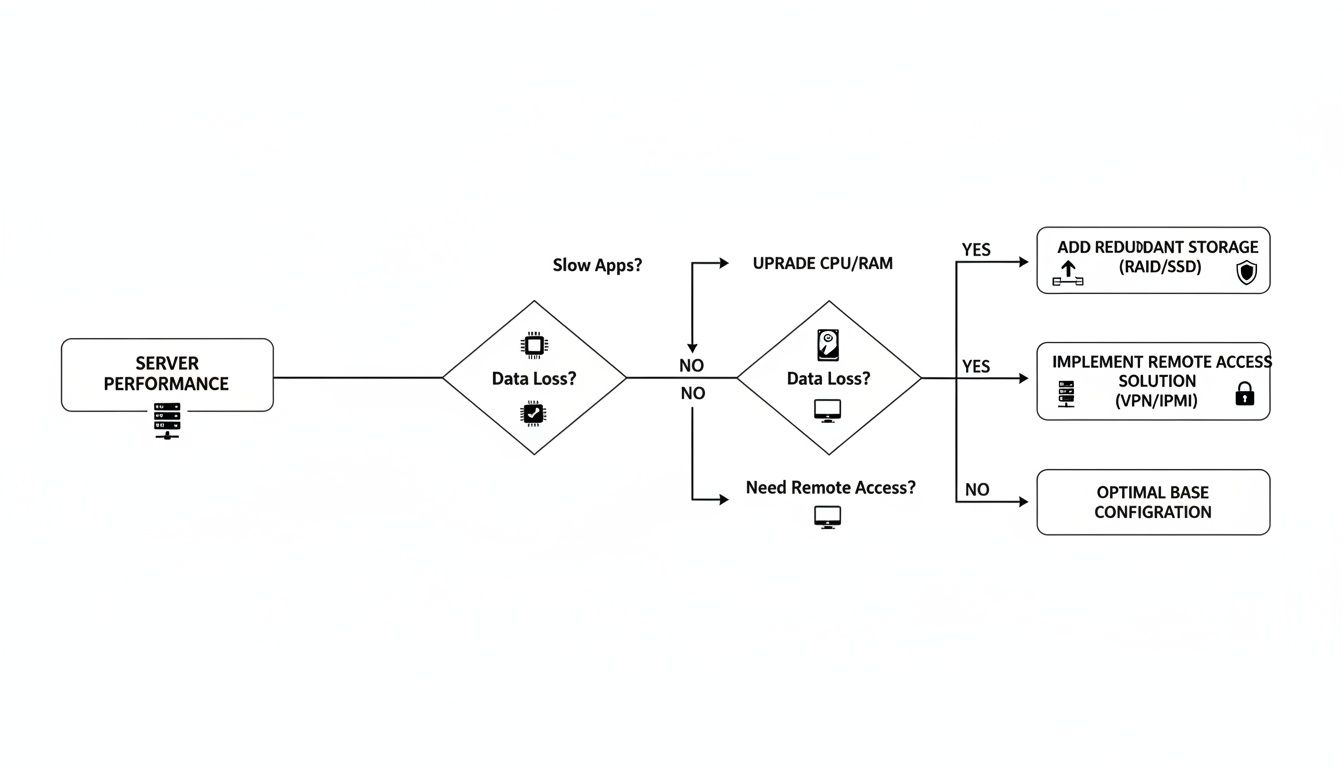
As the flowchart shows, different business pain points—like slow applications or the risk of data loss—point directly to specific hardware solutions, such as a faster CPU or a more resilient storage setup.
To help you navigate Dell's lineup, we've broken down the main server families and where they fit best in the Philippine business scene.
Table: Dell PowerEdge Server Models and Ideal Philippine Business Use Cases
This table serves as a quick guide to help you select the right server family based on your business environment and workload.
| Server Family | Common Models | Best For | Example Use Case (Philippine SMB) |
|---|---|---|---|
| Tower | T150, T350, T550 | Small offices, retail stores, and branches with no dedicated server room. Quiet, standalone, and easy to manage. | A multi-branch café using a T350 at each location to run its point-of-sale (POS), inventory, and local CCTV. |
| Rack | R250, R660, R760 | Growing businesses that need to scale efficiently. Designed for high density in server racks. | A BPO in Cebu IT Park using R760 servers to host hundreds of virtual desktops and manage call-logging software. |
| Modular (MX) | MX7000 Chassis | Data centres and large enterprises requiring massive, consolidated computing power in a shared chassis. | A local hosting provider using an MX7000 to offer cloud services to multiple clients from a single, efficient platform. |
| Edge (XR) | XR4000, XR8000 | Rugged environments outside a typical office, like factory floors, remote sites, or logistics hubs. | A manufacturing plant in Laguna using an XR series server to process real-time production line data right on the factory floor. |
Each family provides a clear purpose, ensuring that as your business evolves, your server infrastructure can grow right alongside it.
PowerEdge Tower Servers: The Dependable L300
Dell's PowerEdge Tower servers, like the T-series, are the true workhorses for small and medium-sized businesses across the Philippines. Think of them as the IT equivalent of a reliable L300 van. They're designed to sit quietly in a small office or a retail backroom, providing central services without needing a special, air-conditioned server room.
Their standalone design and quiet operation make them perfect for places where space and dedicated IT infrastructure are limited. For many, they're the ideal entry point into professional-grade servers, giving you enterprise-level reliability in a familiar desktop-like tower.
PowerEdge Rack Servers: The Scalable Shipping Container
When your business really starts to take off, so does your need for more computing muscle and efficiency. This is where Dell PowerEdge Rack servers, especially the popular R-series, step in. If Tower servers are the trusty utility van, then Rack servers are like standardized shipping containers—built for maximum density and easy scaling.
These servers are made to be mounted in a server rack, letting you stack multiple units vertically. This design is incredibly space-efficient and makes managing cables, cooling, and power much cleaner as you add more servers. For any business that expects to grow, starting with a rack server is a smart, forward-thinking move.
For a growing BPO in Ortigas or a software development house in Makati, PowerEdge R-series servers are the go-to choice. A single rack can hold enough power to support hundreds of virtual desktops for agents, run call-logging software, and manage a central database—all within a tiny physical footprint.
This modular approach means you can start with one or two servers and simply slot in more as your client base expands, all without having to knock down a wall to find more floor space.
Specialised Servers for Unique Demands
Beyond the common Tower and Rack models, Dell also builds specialised Dell PowerEdge servers for businesses with very specific, high-demand needs.
- Modular Infrastructure (MX-series): These are essentially "blade" servers. They slot into a shared chassis that handles power and cooling, allowing data centres to pack in massive computing power very efficiently.
- Edge Servers (XR-series): Built tough. These servers are designed to survive and operate in harsh conditions outside of a clean office, like on a dusty factory floor or at a remote agricultural site, bringing processing power closer to where the data is actually being created.
While most Philippine SMBs will find their perfect match in the Tower or Rack series, it’s good to know these other options are out there for more unique operational challenges.
How to Plan Your Server Capacity for Future Growth
Choosing a new server is a massive decision for any business. Think of it like buying a delivery van: get one that’s too small, and your operations will grind to a halt. Get one that’s too big, and you've just wasted a significant chunk of cash on something that's sitting idle. Sizing your Dell PowerEdge server correctly from the start means you get a workhorse that handles today's needs perfectly and still has enough grunt to power your growth for years.
This isn’t about pulling numbers out of thin air. It's a strategic process of looking at your business today and making a realistic projection of where you'll be in the next three to five years. Getting this right is the difference between a smart investment and an expensive bottleneck.
Start With Your People and Processes
Before you even look at server specs, look at your team. The first step is always to figure out your current and future user load. Don’t just count heads today; think about your hiring plans.
- Current User Count: How many people will hit this server every single day? This is everyone, from your accountant to your sales team.
- Future User Growth: Are you planning to grow the team by 20% over the next couple of years? The server needs to be ready for them on day one.
- Concurrent Users: This is the big one. What’s the absolute maximum number of people who will be using the server at the same time? Peak usage is often far more important than your total employee count.
A 30-person law firm, for example, might have all 30 lawyers trying to access huge case files at the same moment. That scenario demands a server with plenty of RAM and lightning-fast storage to avoid a frustrating crawl. On the other hand, a retail business with 50 staff might only have 10 tills and five back-office users hitting the server simultaneously.
Analyse Your Application Workloads
Next, let's talk about what the server will actually be doing. Different software places completely different strains on a server's CPU, memory, and storage.
Think of your server's resources like a budget. A heavy database application is a big-ticket item that eats up a lot of CPU and RAM. A simple file server is more like a small, recurring expense that mostly just needs storage space.
Make a list of the core applications that run your business and figure out what they need most.
- File and Print Services: This is all about storage. You need enough disk space for every company document, but the CPU and RAM requirements are usually pretty modest.
- Database Servers: These are beasts. They are hungry for CPU power, RAM, and especially fast storage—SSDs are non-negotiable here. Think of your accounting software, ERP, or CRM.
- Virtualisation: RAM is king. If you plan on running multiple virtual machines (VMs) to separate different functions, you need enough memory to give each one a healthy slice without starving the others.
- Web and Application Servers: These need a good balance. The CPU processes user requests, while RAM is crucial for handling lots of simultaneous connections without slowing down.
Two Practical Sizing Scenarios
Let's ground this in a couple of real-world examples for a typical Philippine business.
Scenario 1: The E-Commerce Store
A growing online shop in Manila knows their traffic will jump by 50% during the Christmas rush. Their server runs their website, processes all the orders, and manages the customer database.
- Primary Workload: Database-intensive, handling customer and order data.
- Key Requirement: Serious CPU and RAM to manage those sales spikes, plus fast SSDs for instant database searches.
- Sizing Strategy: They should be looking at a Dell PowerEdge Rack server with a powerful Intel® Xeon® processor, a minimum of 64GB of ECC RAM, and a RAID array of enterprise-grade SSDs. This ensures their website stays snappy and responsive on the busiest day of the year. For companies managing complex data, it's also smart to explore options like a relational database service that can grow as their business does.
Scenario 2: The BPO Centre
A 100-seat call centre in Cebu is deploying virtual desktops (VDI) for all its agents. Every agent runs a CRM and a softphone application on their virtual machine.
- Primary Workload: Virtualisation (VDI).
- Key Requirement: A massive amount of RAM. Each virtual desktop session consumes its own dedicated piece of memory.
- Sizing Strategy: They need a server built for density, like a PowerEdge R760. Their budget priority should be RAM—we're talking 256GB or more—to ensure all 100 virtual sessions run without a hitch. The CPU core count is also important, but in a VDI environment, RAM is almost always the first resource you'll run out of.
By taking the time to analyse your users, your applications, and your growth plans, you can choose a Dell PowerEdge server with confidence. You won't just be buying a box; you'll be investing in a powerful, reliable asset that will fuel your business for years to come.
Your Server Deployment and Best Practices Checklist
Think of your new Dell PowerEdge server as a high-performance race car. To get that winning performance, you need a professional pit crew for the setup—you can't just unbox it, plug it in, and expect to win the race. A proper deployment roadmap is what truly unlocks the reliability, security, and speed you invested in, making sure your server is a powerful business asset from day one.
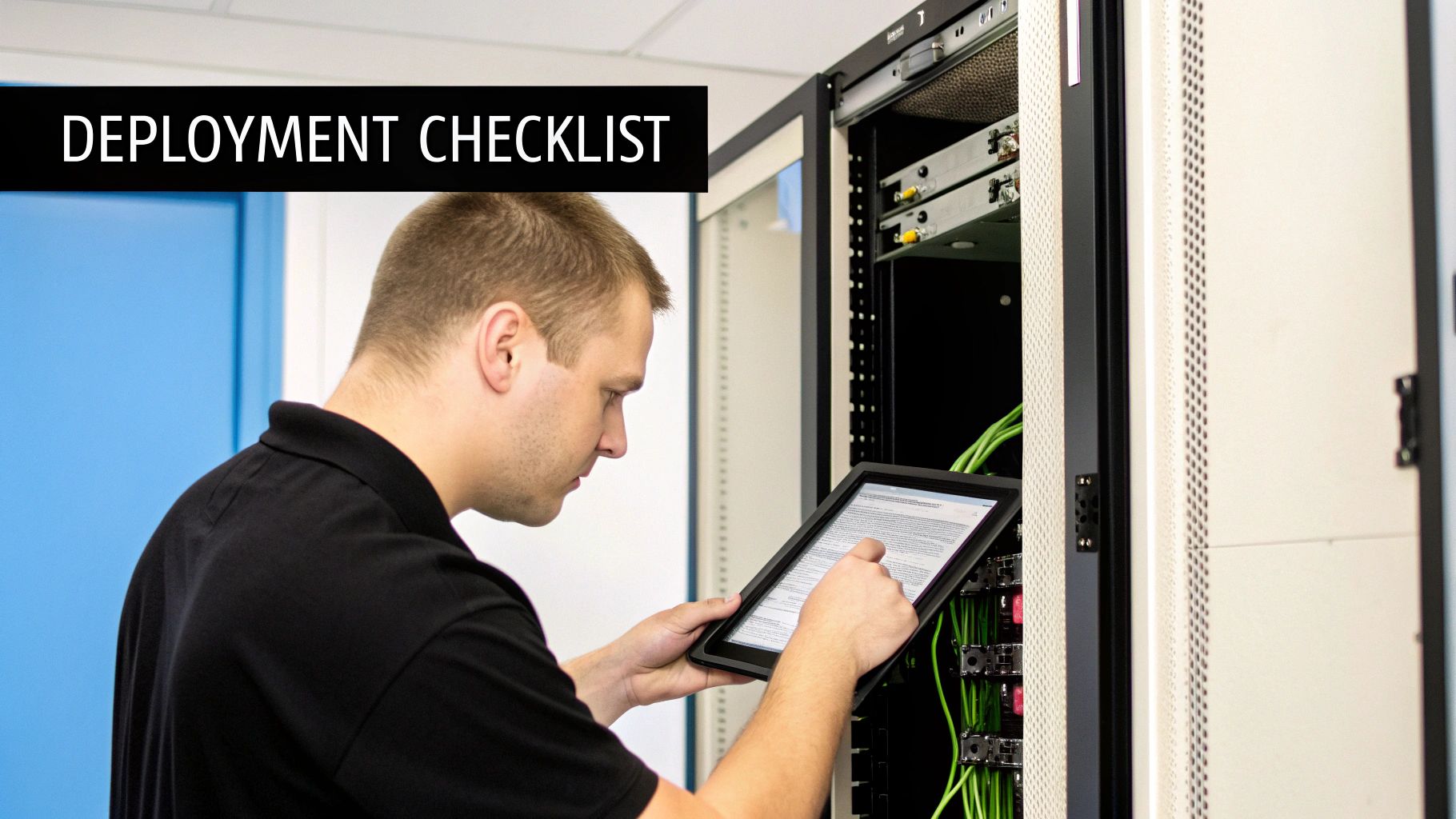
This checklist walks you through the essential steps for a successful deployment, covering everything from the physical environment to the initial software setup. Following these best practices ensures your server isn't just running, but running optimally and securely. This is where professional management really proves its worth, getting everything right from the very start.
Physical Setup and Environmental Checks
Before you even think about hitting the power button, where you place your server is critical for its long-term health. Servers generate a lot of heat and are sensitive to power fluctuations—both are common challenges here in the Philippines.
Ensure Proper Ventilation: Your server needs to breathe. Stuffing it into a tight, stuffy closet is a surefire way to cause overheating, which can drastically shorten its lifespan and lead to random shutdowns. Make sure there’s plenty of clear space around the server for air to flow freely.
Use an Uninterruptible Power Supply (UPS): Power outages or brownouts can corrupt your data and fry sensitive electronics in an instant. A UPS acts as a battery backup, giving the server enough time to shut down properly and safely during an outage, protecting both your data and your hardware.
Organise Your Cabling: A tangled mess of wires isn't just ugly; it’s a maintenance headache and can easily block airflow. Use cable ties and organisers to keep everything neat. This makes it much easier to trace connections when you need to make changes or troubleshoot an issue.
A well-organised server rack is more than just aesthetics—it’s the hallmark of a professionally managed system. It makes troubleshooting faster, improves cooling, and lowers the risk of someone accidentally unplugging the wrong thing during maintenance.
Initial Software Configuration and Security
With the physical setup sorted, it’s time to lock down the server and get it ready for your business applications. These first steps build a strong foundation for your security.
Secure Administrator Access: The first thing you should always do is change the default administrator passwords to something strong and unique. Just as important, limit who has admin access to only the people who absolutely need it.
Configure a Firewall: Your server’s built-in firewall should be switched on and configured to allow only the traffic you need. For example, if your server only hosts a website, you should only allow web traffic (ports 80 and 443) and block everything else.
Update Everything: Before you load a single application, make sure the server's operating system, firmware, and drivers are all updated to the latest versions. These updates patch critical security holes and improve overall stability.
Implementing a Robust Backup Strategy
Your data is easily your most valuable asset, and protecting it is non-negotiable. A solid backup plan is your safety net against hardware failure, human error, or a cyberattack. The gold standard for this is the 3-2-1 rule.
- Keep three copies of your data.
- Store them on two different types of media (like the server's own drive and an external drive).
- Have one copy stored off-site (this could be in the cloud or at another physical location).
For example, a law firm in Makati could have its primary data on the server (copy 1), a nightly backup to a local NAS device in the office (copy 2), and a third encrypted copy automatically synced to a cloud storage provider (copy 3, off-site). This means even a fire or flood at the office won't destroy their critical case files.
Speaking of long-term management, it's also critical to have a plan for when you eventually retire your hardware. Implementing secure data destruction methods for servers ensures that your sensitive information is properly wiped and doesn't fall into the wrong hands. Following this checklist from start to finish gives your business a secure, stable, and reliable foundation to build on.
Smart Procurement: Leasing vs. Buying Your Server
Figuring out which Dell PowerEdge server is right for your business is only half the battle. The other, equally critical part is deciding how to pay for it. This choice isn't just about money; it’s a strategic decision that shapes your company's cash flow and agility. For most SMBs here in the Philippines, it really comes down to two main options: buying it outright or leasing it.
Let's break down what each path means for your budget.
Buying a server is a classic Capital Expenditure (CAPEX). You pay for the whole thing upfront, and it becomes a fixed asset on your company’s balance sheet. The major upside is that you own it, free and clear. The downside? It ties up a significant chunk of cash—money that could perhaps be better spent on marketing, inventory, or hiring new people to grow the business.
Leasing, on the other hand, fits neatly into your Operating Expenditure (OPEX). Instead of one huge payment, you have a predictable, manageable monthly fee. This approach is much kinder to your cash flow, allowing you to get the enterprise-grade tech you need without having to empty the company coffers. It effectively turns a massive one-time hit into a simple, recurring operational cost.
A Three-Year Cost Breakdown
To put this into real-world terms, let's run the numbers for a hypothetical Dell PowerEdge server over three years, imagining we're a small business based in Makati.
Scenario A: Buying Outright
Let’s say the server you need costs ₱250,000. While you own it from day one, the spending doesn't stop there. You still need to account for ongoing support and the fact that you'll eventually have to replace it.
- Initial Cost: ₱250,000
- Estimated 3-Year Maintenance & Support: ₱45,000
- Total Cash Outlay: ₱295,000 (And remember, the server's value is dropping every single day).
Scenario B: Leasing
With a lease, your initial cash outlay is zero. Instead, you might have a monthly payment of ₱8,500, which typically bundles the hardware, maintenance, and support into one fee.
- Initial Cost: ₱0
- Monthly Cost: ₱8,500
- Total Outlay (over 36 months): ₱306,000
On paper, buying looks a little cheaper over the long run. But this simple maths misses a crucial point: the opportunity cost. What else could your business have done with that initial ₱250,000? That capital could have fueled a new sales campaign or helped you expand into a new market.
The Strategic Edge of Leasing
Leasing is about more than just predictable payments. It's about building a straightforward technology refresh cycle right into your operations.
Leasing keeps your business agile. After three years, you're not stuck with outdated hardware; you simply upgrade to the latest Dell PowerEdge server as part of a new agreement, ensuring your technology never falls behind.
Think of it as "hardware-as-a-service." All the costs are bundled, and you're freed from the headache of managing ageing equipment. For a growing Philippine business, this is a massive advantage. It lets you focus your capital and your team's energy on what really matters—serving your customers—while we ensure your IT foundation stays modern, secure, and fully supported.
Answering Your Top Questions About Dell PowerEdge Servers
Investing in a proper server is a big step, so it’s only natural to have questions. We talk to Filipino business owners every day, and a few key concerns always come up—longevity, software, and what happens after the purchase. Let's get right into them with some straightforward answers.
We'll skip the dense technical jargon and focus on what these things actually mean for your business operations and peace of mind.
How Long Does a Dell PowerEdge Server Actually Last?
A well-maintained Dell PowerEdge server is built for the long haul. You might be used to replacing a desktop PC every three years, but servers are a different breed entirely. They’re engineered for a much longer operational life, typically giving you a solid five to seven years of reliable service.
This isn't by accident. They use enterprise-grade parts like self-correcting ECC RAM and redundant power supplies, all designed to run 24/7 without breaking a sweat. With the right care and monitoring, a PowerEdge server isn’t just a purchase; it's a long-term asset that grows with your business.
What's the Real Difference Between a Server OS and Windows 10/11?
Here’s a simple way to think about it: a server operating system (like Windows Server) is the air traffic control for your entire office network. In contrast, Windows 11 is just the cockpit for a single airplane.
A server OS is specifically built to manage many users at once, enforce company-wide security rules, share files and printers efficiently, and run applications that the whole business depends on. For example, a server OS can manage login permissions for 50 employees, ensuring the sales team can only see sales files while the accounting team can access the financial software. A regular desktop OS, on the other hand, is made for one person doing their own work on one machine.
Can You Help Move Our Company Data to the New Server?
Of course. In fact, a smooth and secure data migration is a non-negotiable part of any professional server deployment. We know that your existing business data—from accounting files to customer records—is the lifeblood of your company.
Our team plans the entire migration process to cause as little disruption as possible. We’ll handle the secure transfer of all your information from your old setup to the new PowerEdge server, making sure everything is exactly where it should be. The goal is simple: your team should be able to log in and get straight back to work without missing a beat.
What Kind of Support is Included with a Managed Server?
Think of managed support as your dedicated IT safety net. It’s so much more than just a standard hardware warranty.
- Proactive Monitoring: We keep a close eye on your server’s health around the clock, often catching and fixing small issues before they can turn into major downtime.
- Helpdesk Access: Your employees get a direct line to our technical experts for any IT questions or problems that pop up.
- Security Management: We take charge of security patches, critical updates, and firewall rules to shield your business from online threats.
- Backup Verification: It's not enough to just have backups; we regularly check to make sure they're working perfectly so your data is always safe and recoverable.
This kind of comprehensive support lets you focus on running your business, not on becoming an IT expert.
At REDCHIP IT SOLUTIONS INC., we don't just sell servers; we deliver complete, managed IT solutions that power your growth. From initial consultation and data migration to ongoing 24/7 support, we handle the technology so you can focus on what you do best. Explore our flexible leasing and managed services at https://redchipcomputers.com.


