When we talk about professional CCTV camera installations, we're moving past the old idea of just sticking a camera on a wall. Think of a modern system as the digital nervous system of your company. It’s a tool that gives you sharp operational insights, keeps your people safe, and actively helps you manage risk. For any serious business in the Philippines today, a well-thought-out system isn't just nice to have; it's essential.
Why a Smart CCTV Installation is a Business Necessity
For businesses across the Philippines, whether you're running a busy BPO in Metro Manila or a quiet resort in Palawan, a professional CCTV setup is far more than a simple security gadget. It's a powerful way to boost efficiency and protect what you've worked so hard to build. Don't see it as a box that just records; see it as an active observer feeding you real-time information to make smarter business calls.
This change in mindset is everything. For instance, a retail manager can dive into footage to see how customers move through the store, figure out which displays grab the most attention, and rearrange the layout to drive sales. In the same way, a logistics company with multiple sites can keep an eye on warehouse activity, making sure safety rules are being followed and a Jollibee delivery is being loaded and unloaded smoothly. The value goes way beyond just catching a thief.
A Growing Priority for Philippine Businesses
It's no surprise that the demand for professional security solutions is on the rise. The Philippine CCTV camera market hit USD 2,582.14 million in 2024 and is expected to climb to an incredible USD 12,431.68 million by 2033. This surge is largely fuelled by growing public safety concerns, especially in urban areas, pushing businesses to invest in security they can count on. You can learn more about these market trends and their impact on local businesses.
A professional CCTV installation is really an investment in business intelligence. It gives you the visibility you need not just to protect your property, but to truly understand and improve how your business works day in and day out.
The Phases of a Successful Installation
Getting these benefits doesn't happen by accident. A successful CCTV camera installation isn't a one-and-done job; it's a careful, multi-stage process designed to ensure the final system actually meets your unique business goals. This guide is here to walk you through every critical phase, arming you with the knowledge to make smart decisions.
Here are the key stages we'll break down:
- Planning and Site Survey: This is where we create the blueprint for your entire system.
- Hardware Selection: We’ll talk about choosing the right cameras, cabling, and network equipment.
- Storage and Management: Figuring out the best way to record, store, and access your video footage.
- Security and Compliance: Locking down your system and making sure you follow data privacy laws.
- Budgeting and Maintenance: Understanding the costs involved and planning for long-term reliability.
By following this complete guide, you can be confident that your CCTV installation will become a genuine asset, supporting your business's security and growth for years to come.
The Blueprint for Success: Your Site Survey and Requirements
Jumping into a CCTV camera installation without a proper site survey is like trying to build a new office without a blueprint. Sure, you might get something up, but it will be full of critical flaws, won't work efficiently, and ultimately won't do the job you hired it for. A thorough site survey is easily the most important first step—it turns a vague idea of "needing security" into a concrete, actionable plan that saves you from costly mistakes later on.
Think of this initial phase as gathering intelligence. It’s about walking the property with a critical eye, not just looking for spots to stick a camera, but truly understanding the flow, the quirks, and the unique challenges of your space. This strategic approach ensures your investment pays off, moving your system beyond just recording footage to actively protecting assets and even providing operational insights.
Mapping Your Security Landscape
At its heart, a site survey is about figuring out exactly what you need to protect and where your weak points are. You have to put on two hats: one as a business owner and the other as a potential threat. What are your most valuable assets? Where are people constantly coming and going?
Start by breaking down your property into key zones:
- Critical Asset Points: These are the non-negotiables that must have eyes on them. We're talking server rooms, cash registers, inventory stockrooms, and safes. For example, a jewellery store in Greenbelt would have high-resolution cameras focused directly on display cases and the point-of-sale terminal.
- High-Traffic Areas: You'll want to map out the natural flow of people. This includes main entrances, reception desks, busy hallways, common areas like pantries, and, of course, the car park.
- Potential Blind Spots: Get into the mind of an opportunist. Look for poorly lit corners, areas blocked by pillars or big furniture, or remote parts of your property. These spots are often the first targets for theft or vandalism. A classic example is the back alley behind a restaurant where deliveries are made.
- Lighting Conditions: Pay close attention to how the light changes. An area that's bright and clear at noon might be pitch-black at midnight, which tells you you'll need cameras with strong infrared or low-light capabilities.
This initial walkthrough creates the foundation for your entire CCTV camera installation, ensuring every single camera has a clear and strategic purpose.
This visual shows how a well-planned project comes together, starting with the critical planning phase we're talking about now.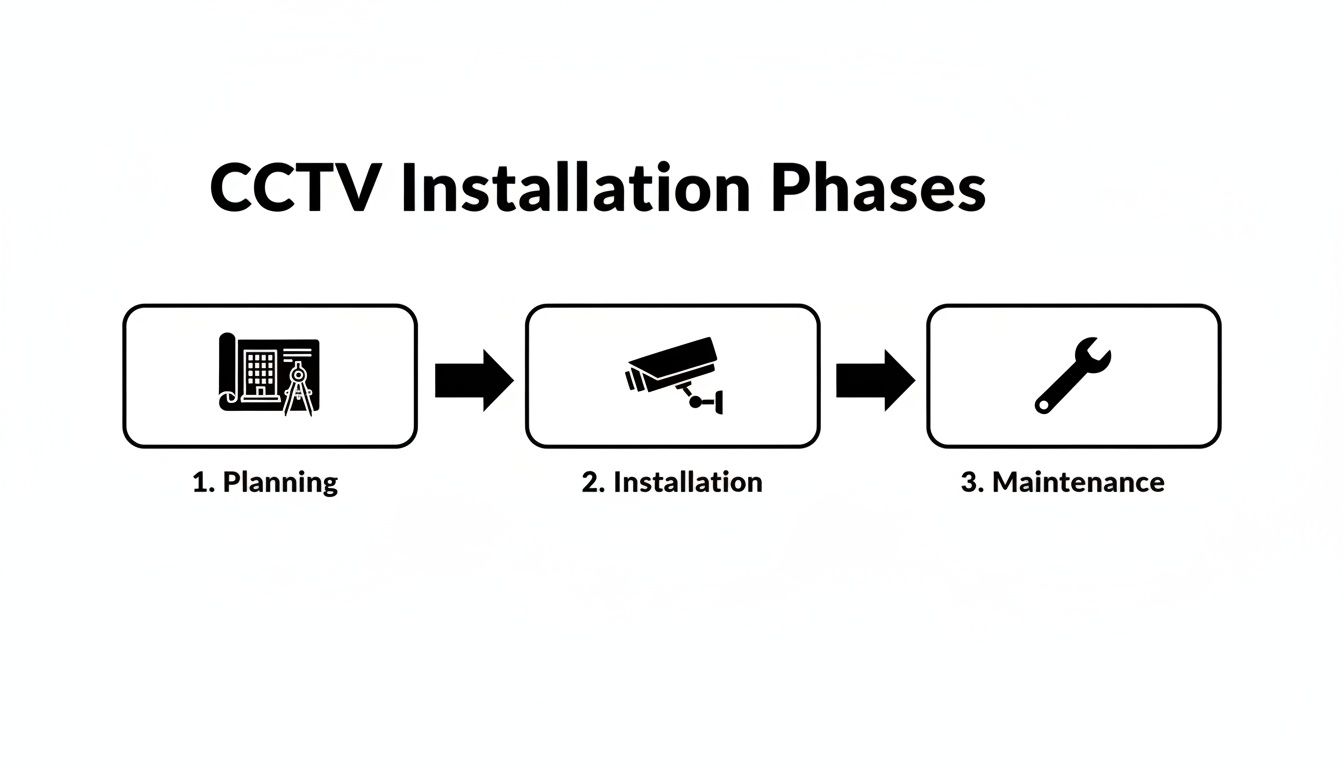
The flowchart makes it clear: a successful system isn’t just about the installation day. It's built on a solid plan and kept effective with consistent maintenance.
A Practical Example: A BPO Office
Let's picture a multi-floor BPO office in Makati. A site survey here would mean a detailed, floor-by-floor walk-through to pinpoint the different security needs of each area.
For a business, a site survey isn’t just about catching bad guys; it's about gaining operational clarity. When you really understand your physical space, you find new ways to improve safety, stop incidents before they happen, and even gather data to run your business better.
On the ground floor, the focus would be on the main lobby, the security desk, and the lift bays, making sure you get clear facial shots of everyone coming in. Up on the operations floors, the camera placement would shift to monitoring rows of workstations—protecting company-issued laptops—and watching common areas like pantries and breakout rooms. Finally, the server room would get special treatment, with a dedicated camera watching over the heart of the company's IT infrastructure.
Defining Your "Why" Before You Buy
Once you’ve mapped out the physical space, it's time to define the specific job for each and every camera. Just saying "I need security" is way too broad. To build a system that actually works, you need to ask some pointed questions to nail down your requirements. For businesses looking for expert help, bringing in a skilled CCTV cameras installer can provide this clarity and ensure a truly robust setup.
Here are the essential questions you need to answer:
- What’s the main goal? Is it for general surveillance? To deter theft? To positively identify people? Or to monitor a specific process, like a production line? For example, a restaurant kitchen might use a camera to ensure food safety protocols are followed, while a car park camera's goal is to capture license plates.
- What level of detail do you need? Is it enough to see that a person is there, or do you need to be able to read a car's license plate or clearly identify a face from a distance?
- What are the lighting challenges? Will a camera be staring into direct sunlight? Operating in a dim warehouse? Or will it need to see in total darkness?
- How long do you need to keep the video? Does your company policy or an industry regulation require you to store footage for 30, 60, or 90 days?
Answering these questions gives you the technical specs needed to choose the right gear. With this, your blueprint for success is complete and ready for the next phase.
Choosing the Right Hardware: Cameras, Cabling, and Network
With your site survey done and dusted, it’s time for the fun part: picking the gear. This is where a professional CCTV camera installation really comes together. Think of it like assembling a high-performance team—every piece of hardware, from the camera on the wall to the cable hidden behind it, has a critical role to play.
Getting this mix right is non-negotiable. The wrong choices can leave you with grainy, useless footage, a network that grinds to a halt, and blind spots you only discover after an incident. To get it right, you need to understand how these core components work in harmony to build a security system you can actually rely on.
Different Cameras for Different Jobs
Let's get one thing straight: not all security cameras are the same. You wouldn't use a pocket knife for a job that needs an axe. In the same way, you have to match the camera type to its specific purpose. This is how you ensure you capture the details that matter, exactly where they matter most.
Here’s a quick rundown of the most common types we see in businesses across the Philippines:
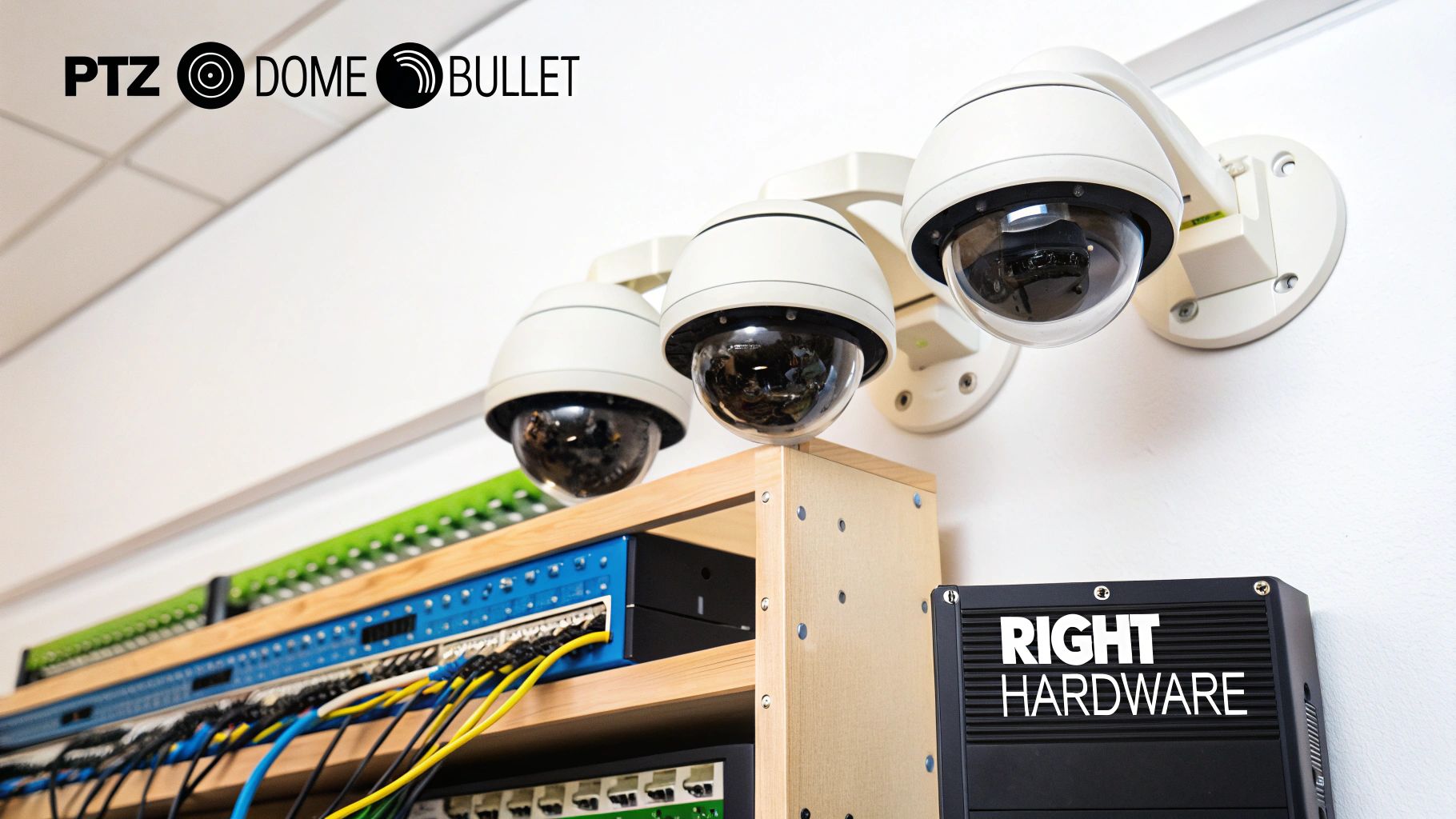
- Dome Cameras: These are your discreet, indoor workhorses. Perfect for office hallways, reception areas, or retail floors. Their dome shape makes it tough for anyone to know exactly where the lens is pointed. For example, a bank in BGC would use these over the teller counters.
- Bullet Cameras: These are impossible to miss, and that’s the point. Shaped like a rifle bullet, they scream "you're being watched," making them a fantastic deterrent for outdoor areas like perimeters, car parks, and building entrances. You'll see these mounted high on the exterior walls of warehouses.
- PTZ (Pan-Tilt-Zoom) Cameras: Think of a PTZ as your active digital guard. An operator can remotely pan across a huge area, tilt up and down, and zoom right in on suspicious activity. This makes them perfect for watching over large, dynamic spaces like warehouses, construction sites, or event grounds. A practical example is a security guard monitoring a large shopping mall car park from a control room.
Choosing the right camera is less about the tech specs and more about the job it needs to do. The best camera for your lobby is probably the worst one for your delivery bay. Define the purpose first, then find the hardware built for it.
For any business juggling multiple security needs, it pays to work with a dedicated security system supplier. A good partner won't just sell you boxes; they'll provide the expertise to build the most effective and cost-efficient hardware mix for your unique space.
IP vs. Analog: The Clear Winner for Modern Businesses
This is probably the most fundamental hardware decision you'll make. You're choosing between older analog technology and modern IP (Internet Protocol) cameras. While analog systems can sometimes look cheaper on paper, IP cameras are hands-down the better investment for almost any business today.
Why? First, resolution. IP cameras deliver stunningly clear, high-definition video, which is absolutely critical if you ever need to identify a face or a license plate number. Fuzzy footage is worthless as evidence.
Even more important is that IP systems are built on network technology, making them incredibly flexible and scalable. Adding another camera is as simple as plugging it into your network; you don't have to run a whole new set of proprietary cables back to the recorder. This digital backbone also unlocks powerful features like AI analytics, which can tell the difference between a person, a vehicle, and a stray cat wandering past at 3 AM.
To make the choice crystal clear, this table breaks down the key differences.
IP vs Analog Camera Systems A Comparison for Businesses
The table below compares the essential features of IP and Analog CCTV systems, helping you understand why modern businesses in the Philippines are overwhelmingly choosing IP-based solutions.
| Feature | IP Camera System | Analog Camera System |
|---|---|---|
| Resolution | High-definition (1080p, 4K, and higher), providing clear, detailed images. | Standard-definition, often resulting in grainy or blurry footage. |
| Scalability | Easy to expand by adding new cameras to the existing network. | Difficult and expensive to scale; often requires new dedicated cabling for each camera. |
| Analytics | Supports advanced features like AI-powered motion detection, facial recognition, and object tracking. | Very limited or no analytics capabilities. |
| Cabling | Uses a single Ethernet cable for both power (PoE) and data, simplifying installation. | Requires separate cables for power and video, increasing complexity and cost. |
| Remote Access | Natively designed for secure viewing and management over the internet. | Often requires complex workarounds and can be less secure. |
Ultimately, while analog had its day, IP technology provides the clarity, intelligence, and future-proofing that modern security demands.
Designing Your Data Highway
Finally, let’s talk about the unsung hero of every reliable CCTV installation: the network. Your structured cabling and network design are the highway system for all your video data. If you have dozens of HD cameras—the cars—all trying to send data at once, you better have enough lanes to prevent a catastrophic traffic jam.
A professional installation maps out this data highway meticulously. This means using high-quality Cat6 Ethernet cables and strategically placing network switches to manage data flow without bottlenecks.
Practical Example: A Multi-Floor Hotel
Imagine a hotel in Cebu running 50 IP cameras across five floors. A shoddy setup might try to run all those cameras back to a single, cheap switch. The result? During peak hours, video feeds would start to freeze, drop frames, or fail entirely. Worse, this video traffic could cripple the same network your guests are using for Wi–Fi.
Here's how a professional would tackle it:
- Segment the Network: A dedicated network switch is installed on each floor to manage the cameras on that level, preventing local traffic jams.
- Create a Backbone: A high-capacity fiber optic cable runs vertically through the building, connecting each floor's switch to the main server room. This is the superhighway.
- Isolate Traffic: The entire CCTV system is placed on its own network or VLAN (Virtual Local Area Network). This ensures that security footage never interferes with guest Wi-Fi or other business operations.
This structured approach guarantees the security system has the dedicated resources it needs to run flawlessly 24/7, without ever slowing down the rest of your business.
Managing and Storing Your Video Footage
Once your cameras are capturing crystal-clear video, the next big question is: where does all that footage go? Think of your cameras as the eyes of your operation. The storage and management system is the brain, where every second of video is recorded, organised, and kept safe for when you need it most.
Without a solid plan for your video data, even the most advanced CCTV cameras are practically useless. Imagine needing to pull footage of a theft from last week, only to find the system overwrote it two days ago. Proper management ensures your video evidence is always there and easy to find, turning raw data into a powerful business asset.
Your Digital Librarian: The NVR and VMS
Think of your video management system as a digital librarian. Its job is to meticulously catalogue every stream of footage, making it simple to retrieve the exact clip you need, right when you need it. The two main players here are the Network Video Recorder (NVR) and Video Management Software (VMS).
An NVR is a dedicated piece of hardware—a specialised computer built for one purpose: to record and store video from your IP cameras. It's a plug-and-play workhorse. A VMS, on the other hand, is a software platform that can run on a standard server. It typically offers more advanced features and greater flexibility, which is great for large, complex installations with hundreds of cameras.
For most SMBs, a high-quality NVR strikes the perfect balance between performance, cost, and simplicity.
The real power of your security system isn't just in what it sees, but in how it remembers. A robust storage plan is your guarantee that critical moments are captured, preserved, and easily accessible, turning your CCTV installation from a simple deterrent into an indispensable evidence tool.
Calculating Your Storage Needs
One of the most common pitfalls we see is underestimating storage capacity. It's a critical mistake. When you run out of space, your system starts deleting the oldest footage to make room for the new, which could mean erasing crucial evidence just before you realise you need it.
Fortunately, planning your storage is a straightforward calculation based on a few key factors:
- Number of Cameras: How many video streams will you be recording at once?
- Video Resolution: Are your cameras recording in 1080p, 4K, or another resolution? Higher resolution means much larger file sizes.
- Frames Per Second (FPS): Recording at a smooth 30 FPS uses significantly more data than a slightly less fluid 15 FPS.
- Recording Schedule: Will the cameras run 24/7, or will they only record when they detect motion?
- Retention Period: How many days of footage do you need to keep on hand? This is often dictated by company policy or compliance rules, with common periods being 30, 60, or 90 days.
Practical Example: Calculating for a Retail Store
Let’s walk through a real-world scenario. Imagine a retail store in Quezon City with 16 high-definition (1080p) cameras. The owner wants to record continuously (24/7) and needs to keep footage for 30 days to meet their insurance policy requirements.
Using an online storage calculator, we can quickly estimate that a single 1080p camera recording 24/7 at 15 FPS will consume roughly 1.5 terabytes (TB) of data over 30 days.
- 1.5 TB per camera x 16 cameras = 24 TB
This simple maths makes it clear that the owner needs an NVR with at least 24 TB of usable storage space. This insight prevents them from buying an off-the-shelf system with only 8 TB, which would fall desperately short and leave their business vulnerable. For businesses looking for a scalable and highly reliable storage solution, a dedicated NAS device is often the next logical step.
On-Premise vs. Cloud Storage
Finally, you need to decide where all this data will live: on-site (on-premise) or in the cloud. Each has its distinct advantages and disadvantages.
| Storage Type | Pros | Cons |
|---|---|---|
| On-Premise (NVR) | You have full physical control over your data. No recurring monthly storage fees. Recording isn't dependent on internet speed. | The initial hardware cost is higher. If the NVR is stolen or damaged in a fire, the footage is gone with it. |
| Cloud Storage | Your footage is safe from on-site theft or disaster. You can access recordings from anywhere with an internet connection. | It requires a stable, high-speed internet connection to upload footage. You'll have ongoing monthly subscription fees, usually per camera. |
Many businesses are now adopting a hybrid approach to get the best of both worlds. They record all primary footage to an on-site NVR for reliability and speed, then back up critical clips (like motion-triggered events) to the cloud for redundancy. This balanced strategy ensures your video evidence is secure, no matter what happens. To get a better handle on data protection, check out our guide on the different types of backup available.
Securing Your Security System and Ensuring Compliance
Let's be blunt: a CCTV system is only as strong as its weakest link. You can spend a fortune on the best cameras and recorders, but if the network they're on is left open to digital threats, you've just created a massive liability. An unsecured system is an open invitation for data breaches, which can hammer your reputation and land you in legal hot water.
Think of security hardening as bolting the digital locks on your business. You wouldn't leave your office front door unlocked overnight, so why leave your surveillance network exposed? It's all about methodically locking down your system to keep unauthorised eyes out and protect the sensitive footage it gathers.
Practical Steps for Security Hardening
You don't need a PhD in cybersecurity to get this right. Securing your system starts with a few powerful, common-sense actions that build layers of defence. For any business serious about protecting its assets, these steps are non-negotiable.
- Change Default Passwords Immediately: Every piece of hardware—from cameras to NVRs—ships with a default username and password like "admin" or "12345". These are public knowledge and the first thing hackers try. Change them to something strong and unique the moment they're unboxed. For example, a weak password
password123can be cracked in seconds, while a strong one likeTr0ub4dor&3would take centuries. - Configure Your Firewall: Your office firewall is your digital gatekeeper. A professional installer will set it up to block unwanted incoming traffic, creating a barrier that only allows trusted connections to talk to your CCTV system.
- Isolate the Network: Your security cameras should never, ever share a network with your guest Wi-Fi or even your staff computers. By creating a separate, isolated network (often called a VLAN) for your surveillance gear, you ensure that a problem on one network can't bleed over and compromise your security.
Protecting your surveillance system isn't just an IT chore; it's a core business function. A breach doesn't just leak video feeds—it can shatter customer trust and put your entire operation at risk.
Secure Remote Access for Multi-Site Businesses
If you're running a business with multiple locations—like a chain of cafés or a logistics company with depots across the country—secure remote access is a must. This is where a Virtual Private Network (VPN) comes in. A VPN creates a private, encrypted tunnel over the public internet, letting you safely monitor all your sites from one central point.
Imagine a manager in your Makati head office needing to check the feed from a warehouse in Cebu. A VPN allows them to log into the Cebu NVR securely. All the video data travels through that encrypted tunnel, making it completely invisible to anyone trying to eavesdrop. This is a standard, essential part of any professional CCTV installation for a multi-site business.
Navigating Compliance with Philippine Law
Here in the Philippines, running a CCTV system means you're collecting personal data. That automatically puts you under the Data Privacy Act of 2012 (RA 10173). Compliance isn't a suggestion; it’s a legal duty to protect the privacy of your staff and customers.
At a minimum, you're required to post clear signs letting people know they're being recorded. You also need a documented policy that outlines how video data is stored, who can access it, and when it gets deleted. For example, a clear sign at a convenience store entrance stating "For your safety, this area is monitored by CCTV" is a practical first step in compliance. To cover all your bases, expanding your knowledge to general information security compliance is a smart move that helps protect every part of your operation, not just your video feeds.
As technology marches on, the public sector is also stepping up its game, which puts an even bigger spotlight on data privacy. The MMDA, for instance, launched a command centre in Pasig City with over 400 HD cameras, with plans to add AI analytics. This shows the sheer scale at which video data is now being used, making it more critical than ever for private businesses to handle their data responsibly. These public sector advancements really drive home the importance of getting data handling right.
How to Budget for Your CCTV Installation
Figuring out the real cost of a CCTV system is one of the most important steps you'll take. It’s easy to get fixated on the price of the cameras themselves, but that's just the tip of the iceberg. To budget properly, you need to think about the Total Cost of Ownership (TCO). This includes everything: the hardware, the installation labour, ongoing maintenance, and even future upgrades.
Thinking in terms of TCO is what separates a smart investment from a costly mistake. It gives you a clear framework to compare different ways of paying for the system, helping you find a model that fits your cash flow and business goals. Here in the Philippines, you've got a few options, and picking the right one can make a huge difference to your company's bottom line.
Capital Expense vs. Operating Expense
At its core, the decision comes down to this: do you treat the CCTV system as a one-time purchase (a capital expense, or CAPEX) or as a recurring bill (an operating expense, or OPEX)?
- Outright Purchase (CAPEX): This is the classic approach. You buy all the equipment—cameras, recorder, cables, the lot—upfront. It becomes a company asset, and while the initial hit to your bank account is significant, you won't have any monthly payments for the hardware.
- Leasing or Rent-to-Own (OPEX): These options let you get a modern, high-quality system without draining your capital. Instead of a large upfront payment, you pay a predictable monthly fee. This is a great strategy for businesses that want to keep cash available for things like inventory, marketing, or expansion.
Choosing how you pay is a strategic financial decision, not just a purchase. Buying outright might seem straightforward, but a leasing model often bundles in the long-term support and technology refreshes that ensure your system remains effective for years to come.
Comparing Procurement Models: A Practical Scenario
Let's imagine a startup BPO in Ortigas. They need a professional 20-camera setup to meet client requirements but want to conserve cash for hiring new agents and growing the business.
| Procurement Model | Initial Cost | Monthly Cost (est.) | Key Benefit |
|---|---|---|---|
| Outright Purchase | High (Full system cost) | None | Full ownership of the asset from day one. |
| Leasing | Low (Installation/setup fee) | Moderate | Includes maintenance, support, and tech upgrades. |
| Rent-to-Own | Low (Initial deposit) | Higher than leasing | Ownership transfers to you at the end of the term. |
For a growing BPO like this, leasing is almost always the smarter move. It gets them the professional-grade system they need without a massive capital outlay. Better yet, the monthly fee usually includes a service plan, meaning if a camera goes down or the software needs an update, the provider takes care of it. That peace of mind is priceless.
The Real Value of Professional Maintenance
A "set it and forget it" mindset is a surefire way to waste your investment. CCTV systems aren't appliances you can just plug in and ignore. Dust will eventually cover the lenses, hard drives will fail, and software will become outdated, creating security vulnerabilities.
Ongoing maintenance isn't an optional add-on; it's what keeps your system working when you actually need it. For example, a quarterly maintenance visit would involve cleaning all camera lenses to prevent blurry footage, checking hard drive health to avoid data loss, and applying software updates to patch security holes.
A proper maintenance plan from your provider guarantees that the system remains reliable, giving you a much better return on your investment over the long haul. It's not just about functionality, but also about perceived effectiveness. A detailed study in Capiz found that police and security guards rated professionally managed CCTV systems far more effective than local officials did. This gap in perception often comes down to one thing: proper implementation and consistent upkeep. You can read the full research about these findings to see just how much of a difference it makes. By budgeting for managed services from the start, you're ensuring your security investment actually protects your business year after year.
Common Questions We Hear About CCTV Installations
Even with the most thorough plan, it's natural to have questions when it comes to the actual installation. Over the years, we've noticed that businesses here in the Philippines tend to ask about the same practical details. Let's tackle some of the most common ones head-on.
Getting clear answers to these questions helps bridge the gap between your blueprint and the finished system. It’s about making sure you’re confident in your investment and know exactly what to expect.
How Long Does a Typical Installation Take for a Small Office?
For a straightforward small business setup with 4 to 8 cameras, our team can usually get everything done in one or two business days. This isn't just a rush job; it involves carefully running the cables, mounting each camera for the perfect viewing angle, and configuring the recorder. For example, a small cafe or a mini-mart would fall into this category.
Of course, larger projects are a different story. If we're talking about a multi-floor office, a hotel, or a sprawling warehouse, the job can easily take several days, sometimes up to a week. The site's layout and unique challenges dictate the timeline.
The real goal isn't just speed—it's precision. A professional installation is about minimising disruption to your daily operations while guaranteeing that every part of your new security system works perfectly from the moment we switch it on.
Can I View My CCTV Footage Remotely on My Phone?
Absolutely. This is one of the biggest advantages of modern IP camera systems. You'll get a dedicated mobile app that connects securely to your NVR, allowing you to watch live feeds, playback recorded clips, and get motion alerts sent straight to your smartphone. It’s like having your business in your pocket, wherever you are. For example, a restaurant owner on vacation in Boracay can check the live feed of their kitchen in Manila to ensure operations are running smoothly.
This is where a professional setup is non-negotiable. We don’t just enable remote viewing; we secure it. Our technicians configure your network to lock down access, so your convenience doesn't accidentally create a security loophole for someone else.
What Happens if a Camera Stops Working After Installation?
How a faulty camera gets fixed really depends on the kind of service agreement you have. If you buy the system outright, you're typically relying on the manufacturer's warranty for the hardware. That process can sometimes take a while, leaving you with a blind spot.
This is where leasing or a managed service plan really shines. These agreements almost always include support. If a camera goes down, you just call the helpdesk. A technician is sent out to troubleshoot, and they'll either repair or replace the unit to get you back to 100% operational status with minimal downtime. It’s all about keeping your business protected without interruption.
A reliable security system is the backbone of a protected business. At REDCHIP IT SOLUTIONS INC., we provide expert CCTV camera installations, from planning and setup to ongoing maintenance, ensuring your assets and people are always secure. Learn more about our comprehensive IT solutions at https://redchipcomputers.com.



