Think of IT services & consulting as more than just a helpline for when your computer acts up. It's about having a strategic tech partner—someone who provides both the high-level brainpower and the hands-on support your business needs to thrive. This partnership blends big-picture planning with the nitty-gritty management of your entire technology setup. For example, a consulting team might advise a retail chain on the best point-of-sale (POS) system for their growth plans, while the services team handles the actual installation and ongoing support for that system across all branches.
What Exactly Are IT Services and Consulting?

The best way to picture it is having a Chief Technology Officer (CTO) on speed dial, but without the hefty C-level salary. This model is built to proactively manage every single one of your tech needs, and it rests on two pillars that work together seamlessly.
First, you have the "services" side. This is all the hands-on work that keeps your operations humming along every day. We’re talking about managing servers, defending your network from cyber threats, and providing fast helpdesk support. A practical example is when an employee can't access a critical shared file; the IT services team remotely troubleshoots the permission settings and gets them back to work in minutes.
Then there's the "consulting" half, which is all about strategy and looking ahead. This is where an expert steps in to create a technology roadmap that actually aligns with where you want your business to go. For example, a consultant would analyse a company's five-year growth plan and recommend a scalable cloud infrastructure to support the projected increase in data and users, preventing performance bottlenecks down the line.
Differentiating the Two Core Functions
Let’s break it down with a real-world scenario. Imagine a growing BPO here in the Philippines that needs to get 50 new agents up and running.
- IT Services in Action: The provider gets to work on the ground. They handle leasing the computers, installing all the right software, creating user accounts, and making sure every single workstation is connected and ready to go for the agents' first day. It's the "doing" part.
- IT Consulting in Action: Before a single piece of hardware is even ordered, the consulting team analyses the BPO's entire workflow. They'll recommend the ideal computer specs for their specific software, design a network that can grow with them, and map out a security plan to keep sensitive client data locked down. This is the "planning" part.
This two-pronged approach makes sure that technology stops being a nagging expense or a problem that needs fixing. Instead, it becomes a powerful asset that drives growth, boosts efficiency, and strengthens your security.
For businesses in the Philippines, this model is a game-changer. It unlocks access to enterprise-grade expertise without the massive overhead of building a full-time, in-house IT department. It truly levels the playing field, empowering smaller companies to compete with the big guys.
At the end of the day, the goal is to turn your tech from a source of headaches into a genuine competitive edge. By combining smart advice with dependable execution, a great partner ensures your systems don't just work today—they're ready for whatever tomorrow throws at them. You can check out a complete breakdown of consulting and IT services to see exactly how this can apply to your own operations.
What Does an IT Service Menu Actually Look Like?
When we talk about IT services, we're not just throwing around tech jargon. We're talking about real solutions to the everyday (and not-so-everyday) problems that can slow your business down. Let's pull back the curtain and look at what a modern menu of IT services & consulting looks like, using examples you’d see right here in the Philippines.
Think of each service as a specialised tool. You don't need every tool in the box, but knowing the right one to use can turn your technology from a headache into your biggest advantage.
Hardware Leasing and Rent-to-Own Solutions
Imagine you're launching a new BPO in Cebu City. You need to get 50 agents set up and ready to go before your launch date, but buying all that equipment outright is a massive cash drain. This is a classic problem with a smart solution: hardware leasing.
Instead of a huge upfront payment, you lease all 50 workstations—desktops, monitors, the works—for a fixed monthly fee. Suddenly, a crippling capital expense (CapEx) becomes a predictable operating expense (OpEx). This frees up your cash for what really matters in the early days: hiring top talent, marketing your services, and actually growing the business.
Managed IT and 24/7 Helpdesk Support
Now, let's head to a call centre in Metro Manila that never sleeps. For them, every single minute of downtime means lost revenue and unhappy customers. An in-house IT guy who only works 9-to-5 just won't cut it.
This is where managed IT services combined with a 24/7 helpdesk becomes a game-changer. It’s a proactive approach where a dedicated team monitors your systems around the clock, often spotting and fixing problems before you even know they exist. For example, monitoring software might detect a server's hard drive is failing and alert the team to replace it during off-hours, preventing a catastrophic crash during peak business time. When an agent’s PC acts up at 3 a.m., they get immediate help. It’s like having a full IT team on guard, 24/7, ensuring your operations run smoothly.
Network Design and Wi-Fi Optimisation
Picture a beautiful boutique hotel in Palawan. They’ve perfected the rooms and the service, but what about the Wi-Fi? In today's world, a weak or spotty internet connection can tank a guest's five-star experience and lead to scathing online reviews.
A professional network design service tackles this head-on. An IT consultant would perform a site survey using specialised tools to map out the entire property, finding the perfect spots for access points to kill any dead zones. They ensure strong coverage everywhere, from the lobby bar to the poolside cabanas. Just as importantly, they'll create separate networks for guests and staff, keeping your sensitive booking and payment systems totally secure.
The engine powering many of these services is a solid IT infrastructure. It’s no surprise that the Philippines' IT-BPM sector is absolutely booming, generating an estimated US$38 billion in export revenues in 2024. This industry now employs 1.82 million professionals, cementing the country's status as a global digital powerhouse. This incredible growth directly fuels the demand for expert support in structured cabling, server management, and always-on helpdesks.
Security Hardening and Data Protection
Let’s think about a financial advisory firm in the heart of Makati. They handle highly sensitive client data, and a breach would be more than just an embarrassment—it could be a complete disaster. We're talking huge financial losses, legal nightmares, and a reputation that’s damaged beyond repair.
Security hardening is the shield they need. This isn't just about installing antivirus software; it's a deep dive into their entire tech setup. A practical example includes configuring the company firewall to block traffic from known malicious IP addresses and enforcing a strict password policy that requires employees to use complex passwords and change them every 90 days. An expert will lock down everything from firewalls to employee laptops, implementing multi-factor authentication, encrypting critical files, and training the team to spot phishing scams. This layered defence makes it dramatically harder for cybercriminals to break through. Part of a complete security strategy also means having a plan for the worst-case scenario, where specialised data recovery services become absolutely essential.
Structured Cabling and Office Setup
Finally, consider a logistics company moving into a bigger office in Clark. The last thing they need is a "spaghetti junction" of wires tangled under every desk. It’s not just ugly; it’s a recipe for connectivity problems and a massive headache for troubleshooting.
Structured cabling is the professional answer. A team comes in to design and install an organised, logical network foundation. Every cable for every workstation, printer, and server is run neatly through walls and ceilings to a central patch panel. This creates a rock-solid backbone for their entire operation, ensuring reliable connections and making it simple to add new staff or tech down the road. For instance, when a new employee starts, connecting their computer to the network is as simple as plugging a single, clearly labelled cable into a wall port.
Which IT Service Solves Your Business Problem?
Feeling overwhelmed by the options? It's easier to think about what problem you're trying to solve first. This table connects common business challenges with the specific IT service designed to fix them.
| Business Challenge | Relevant IT Service | Example Scenario |
|---|---|---|
| High upfront hardware costs are hurting cash flow. | Hardware Leasing | A startup needs 20 laptops but can't afford to buy them all at once. |
| My team needs tech support outside of normal business hours. | 24/7 Managed IT & Helpdesk | A call centre agent's software crashes during a night shift. |
| Customers complain about slow or unreliable Wi-Fi. | Network & Wi-Fi Optimisation | A hotel gets bad reviews because of poor internet in the rooms. |
| I'm worried about cyberattacks and data breaches. | Security Hardening | A law firm must protect confidential client files from hackers. |
| My office move requires a new, organised network. | Structured Cabling | An expanding company needs a clean, scalable network in their new HQ. |
By starting with your specific pain point, you can quickly identify the IT service that will deliver the most immediate value and help your business run better.
Unlocking Key Benefits for Philippine Businesses
Working with a dedicated IT services provider isn't just about fixing broken computers. It's about building a technology foundation that actively helps you hit your business goals, whether that means boosting efficiency, delighting customers, or growing your operations. For different kinds of businesses here in the Philippines, these benefits show up in unique ways, but the core idea is the same: turning your IT from a cost centre into a real driver of growth.
For Small and Medium-sized Businesses (SMBs), the biggest win is immediate access to top-tier expertise without the staggering price tag. For example, a 15-person accounting firm in Quezon City needs robust data security to comply with regulations, but can't justify a full-time cybersecurity analyst's salary. By partnering with an IT services firm, they gain access to a team of security experts for a predictable monthly fee, achieving enterprise-level protection on an SMB budget.
Partnering with an IT services & consulting firm gives you that same brainpower on a fractional basis. You get a solid, secure technology strategy, levelling the playing field so you can compete with the big players.
Maximising Productivity and Performance
In the world of Business Process Outsourcing (BPO), every single second counts. For BPOs, the most critical benefit is a massive drop in system downtime, which directly translates to maximising agent productivity. When an agent’s computer goes down or their connection drops, they can't help customers. That directly hits service levels and, ultimately, revenue.
Managed IT services solve this with proactive monitoring and a lightning-fast helpdesk that can get issues sorted almost instantly. For example, if an agent's VoIP software starts lagging, a helpdesk technician can remote into their desktop, clear the cache, and optimise network settings within minutes, preventing a dropped customer call. This keeps agents online and working, protecting those razor-thin margins that are so crucial in the BPO industry.
This marks a huge shift in mindset for a business. Instead of constantly reacting to problems, you move to proactive performance improvement. Your IT partner isn't just waiting for something to break; they're actively working to prevent issues from ever happening in the first place, creating a rock-solid, reliable environment for your team.
For hotels and the wider hospitality industry, the benefits are twofold: seamless guest Wi-Fi and secure internal operations. A hotel's reputation today can live or die based on its digital experience. A strong, dependable Wi-Fi network isn’t a perk anymore; it’s an absolute expectation.
At the same time, protecting guest data and payment information is non-negotiable. Professional IT services ensure your network is robust enough to handle hundreds of users, all while being properly segmented and secured. A practical example is creating a separate, encrypted Wi-Fi network exclusively for the front desk and payment terminals, isolating it completely from the public guest network to prevent data breaches. This protects both your guests' experience and your hotel's good name.
This concept map shows how the core pillars of IT services—network stability, strong security, and responsive support—all work together to deliver these results.
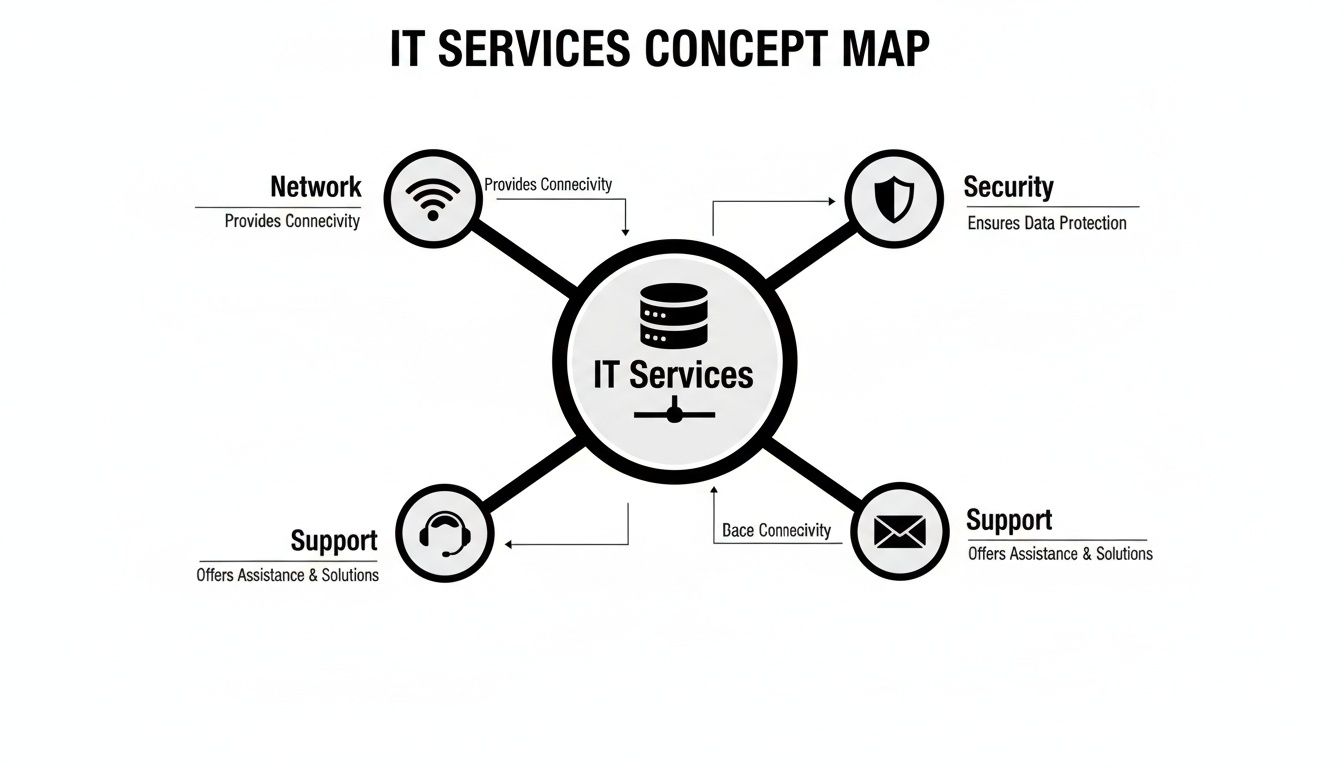
You can see how interconnected it all is. A secure network means nothing without reliable support, and a helpdesk can't do much if the network itself wasn't designed properly from the start.
Scaling Smart Without Breaking the Bank
Startups and fast-growing companies have their own unique puzzle to solve: how to expand quickly without sinking precious cash into equipment that loses value over time. This is where one of the most powerful benefits comes in: scaling on demand without capital lock-in.
This is exactly what flexible hardware leasing and rent-to-own programmes are built for.
- Example in Action: Imagine a new logistics startup in Manila. They plan to grow their operations team from 20 to 200 people over the next year as they land bigger contracts.
- The Challenge: Buying 180 new computers and the server upgrades to support them would completely drain their working capital, money they need for marketing and hiring more talent.
- The Solution: By leasing the hardware, they can equip new team members as they come on board. Their IT costs grow in step with their revenue, turning what would have been a massive one-time expense into a manageable monthly operational cost.
This approach gives them incredible agility. If plans change or growth explodes faster than expected, they can get more equipment quickly. If they need to scale back, they aren't stuck with a storage room full of dusty, unused computers. It allows Philippine businesses to stay nimble and responsive, making sure their technology is an enabler of growth, not a roadblock.
How to Choose the Right IT Partner for Your Business
Choosing a firm for IT services & consulting is a make-or-break decision for your business. This isn't just about finding someone to fix a broken computer; you're handing over the keys to the engine room of your entire operation. The right partner can turbocharge your growth and efficiency. The wrong one? You’ll be dealing with constant downtime, security scares, and headaches you don’t need.
To get it right, you have to look past the sales pitch and the price list. You need to dig deep into their actual technical skills, their day-to-day processes, and their genuine experience on the ground. This is how you find a partner that doesn’t just sell services, but actually solves the problems your business faces every day.
Verifying Technical Expertise and Industry Experience
First things first: can they actually do the job? You have to be direct and ask for proof of their skills. A solid provider won't hesitate to show you what they're made of, especially when it comes to businesses like yours.
For instance, if you run a BPO, you should be asking, "Can you show me a case study where you deployed and now manage over 200 workstations for another call centre?" That one question cuts through all the marketing fluff. A hotel manager could ask about their experience designing a secure Wi-Fi network that can handle hundreds of guests across multiple floors. The answers will tell you everything.
A provider's specialisation is a huge tell. If you look at their client list and see a bunch of businesses from your industry, that's a great sign. It means they already get your world—from your compliance headaches to the niche software you can't live without.
This kind of relevant experience is especially important here in the Philippines. Our ICT landscape is booming, with IT services commanding a massive 27.42% market share. And with cyber threats on the rise, IT security is growing at an 11.65% clip each year. For industries like BPO and hospitality, you absolutely need a partner who understands this local context.
Analysing Processes from Consultation to Support
Knowing what a provider does is only half the battle. You also need to understand how they do it. A clear, well-defined process from the first meeting all the way to ongoing support speaks volumes about their professionalism and reliability. You should never be left guessing what comes next.
This is where you need to grill them on their operational workflow.
- Initial Consultation: How exactly do they get to know your current setup and figure out what you really need? A practical example is a consultant spending half a day on-site to observe your team's workflow and identify technology bottlenecks firsthand.
- Quoting and Proposal: Is the pricing straightforward and broken down? Can they justify every line item?
- Deployment and Onboarding: What's their game plan for rolling out new gear or software? Who’s your go-to person during the transition?
- Ongoing Support: What response times do they guarantee in writing in a Service Level Agreement (SLA)? What’s the plan for a middle-of-the-night emergency?
If your company has a lot of people working from home, a killer question is, "What are your exact procedures for supporting our remote employees, from shipping them a new laptop to fixing a connection issue?" The detail in their answer will show you if they’re truly ready to support a modern, flexible workforce. For a closer look at what a top-tier information technology company can bring to the table, it's worth checking out their full capabilities.
IT Provider Evaluation Checklist
Feeling a bit overwhelmed? Use this checklist. It’s designed to help you cut through the noise and compare potential partners on the things that truly matter. Think of it as your guide to finding a true strategic ally, not just another vendor.
| Evaluation Criteria | Key Questions to Ask | Why It Matters |
|---|---|---|
| Proven Technical Skills | Can you show us certifications for your technicians? Do you have real-world expertise in cybersecurity and network design? | This ensures they have the foundational knowledge to manage your systems securely and keep things running smoothly. |
| Guaranteed Response Times (SLA) | What are your committed response and resolution times for critical, high, and low-priority issues? Can I see it in writing? | An SLA is your safety net. It's a contractual promise that they’ll be there when you need them, minimising expensive downtime. |
| Authentic Client Testimonials | Can we speak with a few of your current clients, preferably someone in our industry? | Hearing it straight from other customers is the most honest way to gauge a provider's service quality and reliability. |
| Transparent Processes | Can you walk us through your entire process, from quoting and onboarding to daily support and even offboarding? | A clear, documented roadmap shows they’re organised and professional. It sets clear expectations and prevents surprises down the line. |
By using this checklist, you're not just buying a service; you're making a calculated investment in your company's stability and future growth. Choose wisely
Cracking the Code on IT Costs and Timelines
When you're looking to bring in an IT partner, it almost always comes down to two big questions: "What's this going to cost me?" and "How long will it take?" These are fair questions. Knowing the numbers and the schedule is the only way to make a smart investment.
Let's pull back the curtain on how IT services are typically priced and what realistic timelines look like. A good IT partner won't hide this information; they'll be upfront about it so you can plan your budget and your calendar without any nasty surprises.
How IT Services Are Priced
IT pricing isn't a one-size-fits-all deal. It's designed to be flexible to fit how different businesses run. You'll usually come across three main ways providers structure their fees.
Fixed Monthly Retainers: This is the bedrock of managed IT services. You pay a consistent, predictable fee every month. For example, a 30-person law firm might pay a fixed retainer that covers 24/7 network monitoring, unlimited helpdesk support for all staff, and monthly security patching for all their servers and computers. This model is a lifesaver for budgeting because it turns unpredictable IT emergencies into a stable, planned expense.
Project-Based Pricing: Got a specific, one-time goal? Maybe you're overhauling your entire network or need a deep-dive security audit. For this kind of work, a project-based fee makes the most sense. For instance, a company moving to a new office would receive a single quote that covers the entire structured cabling installation, from design and materials to final testing and certification. It’s clean, simple, and ideal for projects with a clear endpoint.
Per-Device or Per-User Costs: This is common for things like leasing computers or specific software licenses. For example, you might pay a set monthly fee of ₱2,500 for each workstation you lease, which includes the hardware, software, and support. This approach is incredibly flexible because your costs scale up or down with your team size. It’s a fantastic model for growing BPOs or startups that need to manage cash flow carefully.
The big idea here is flexibility. You shouldn't be forced into a rigid contract that doesn't fit your business. The right provider will work with you, often blending these models, to create a plan that aligns perfectly with your financial reality.
Realistic Timelines for Common IT Projects
Knowing the cost is only half the battle. You also need a clear idea of how long things will take to avoid disrupting your day-to-day operations. While every project has its own quirks, we can map out some typical timeframes for common IT initiatives.
Having these timelines sets clear expectations from day one. It shows that a professional IT services & consulting team can get the job done efficiently, hitting your deadlines.
Here are a few real-world examples:
Deploying 100 New BPO Workstations: Setting up 100 new agents with their computers, software, and login credentials is a hefty task. A coordinated team can get this done from unboxing to ready-for-work in about one to two weeks. This means your new hires can start being productive almost immediately.
Structured Cabling for a New Office: The wiring in your walls is the skeleton of your network—it has to be done right. For a standard medium-sized office, planning and installing the entire cabling system, from design to final testing, typically takes around one month.
Optimising Wi-Fi for an Entire Hotel: To fix dead spots and secure the network across a 150-room hotel, an IT team needs to do a full survey, install new hardware, and configure everything. This kind of project can usually be wrapped up in seven to ten business days, with the work carefully scheduled to cause minimal disruption for your guests.
By getting a handle on both the "how much" and the "how long," you can build an IT strategy that’s not just powerful, but also practical and perfectly timed for your business.
Your Action Plan for Better IT Management
Alright, we’ve covered the what, why, and how of professional IT services & consulting. Now comes the important part: turning all that knowledge into real-world action. Let's create a straightforward roadmap to get your IT from a daily headache to a genuine business advantage.
The first step is simpler than you think. You don't need to be a tech wizard; you just need to be honest about what's not working for your team.
Start With a Simple Internal Audit
Before you can solve a problem, you have to get specific about what it is. Grab a pen and paper, or open a blank document, and start listing the tech issues that are holding you back.
What slows your people down? What frustrates them the most? Your initial audit could look something like this:
- Connectivity Issues: Example: "The Wi-Fi in the conference room drops during every client video call, making us look unprofessional."
- Outdated Hardware: Example: "Our graphic designers' computers take over 20 minutes to render a single image, killing their productivity."
- Security Concerns: Example: "An employee clicked on a phishing email last month, and we had to shut down the network for three hours. Are we protected from the next one?"
Jotting these down turns that vague feeling of "our IT is bad" into concrete, fixable problems. This list is the foundation of your entire plan.
Think about the real-world impact. A 50-person architectural firm in Manila was struggling with painfully slow project rendering times and constant security anxiety. After we helped them upgrade their hardware and lock down their network, they saw a 30% reduction in rendering times and haven't had a single security incident since.
From Audit to Actionable Steps
Once you have your list of pain points, the next steps are clear. This is where you bring in an expert to help turn your notes into an effective strategy.
- Book a No-Obligation Consultation: Reach out to an IT provider and just talk through your list. A good consultant will listen to your specific frustrations—the spotty Wi-Fi, the security gaps—and give you some initial ideas, no strings attached.
- Get a Customised Proposal: Based on that conversation, you should get a clear proposal that directly tackles the issues you raised. It should detail the solutions, costs, and timeline.
- Implement and Improve: After you give the green light, the provider gets to work. That could mean installing a brand-new network, deploying modern computers, or hardening your security defences.
This shift towards proactive IT management is happening all over the country. The Philippines IT services market is on track to hit USD 9.83 billion by 2033, a boom driven by businesses embracing cloud computing and better cybersecurity. This isn't just a trend; it's a sign that smart companies are investing in their tech to get ahead.
To build a solid action plan, it helps to dig into proven strategies. Following IT asset management best practices can save you a lot of money and headaches down the line. It's also vital to understand the difference between fixing things when they break and stopping them from breaking in the first place. You can learn more about our approach to preventive and corrective maintenance to see how you can get ahead of problems.
Your Questions About IT Services, Answered
Thinking about bringing in an IT services partner can feel like a big step, and it's natural to have questions. Business owners across the Philippines often ask the same things when trying to figure out if it's the right move. Let's clear up some of the most common queries with some straight-up, practical answers.
We'll break down how these partnerships actually work, so you can feel confident in your decision.
How Can IT Services Help My Small Business Compete?
Think of it as an equaliser. Outsourcing your IT gives you immediate access to the kind of high-level technology and expertise that large corporations have on their payroll, but without the massive overhead. It puts you on the same playing field.
For instance, a small e-commerce startup in Davao probably can't afford a full-time cybersecurity expert. But by partnering with an IT services firm, they get a whole team that can set up enterprise-grade firewalls and monitor for threats. Suddenly, their customer data is just as protected as a major retailer's.
Is Leasing Equipment More Cost-Effective Than Buying?
For most businesses trying to keep a close eye on cash flow, the answer is a resounding yes. Leasing turns a huge one-time capital expense (CAPEX) into a predictable, manageable monthly operating expense (OPEX).
A new call centre in Ortigas needs to set up 100 agent stations. Buying all those computers outright could easily run into millions of pesos, tying up cash that's desperately needed for recruitment and training. By leasing, they just pay a fixed monthly fee and get their operations up and running immediately.
This approach is a lifesaver for startups and businesses in a growth phase. You can scale your team without massive upfront hardware costs getting in the way.
What Is the First Step to Engaging an IT Consulting Firm?
It's actually a lot less formal than you might imagine. It all starts with a simple conversation. The very first step is an initial consultation, which is usually a no-strings-attached meeting to talk about what’s holding your business back.
You don't need to be a tech wizard. Just explain your pain points. Is it the slow Wi-Fi driving your hotel guests crazy? Are you losing sleep over data security? Do you need to set up a new office from scratch? A practical example of this would be telling the consultant, "Our team wastes about 30 minutes every morning just waiting for their old computers to boot up. How can we fix that?" The consultants will listen, ask the right questions, and then sketch out a potential game plan. This discovery call gets rid of the guesswork and makes sure any solution is built around what you truly need.
Ready to stop fighting with your technology and turn it into your biggest asset for growth? The team at REDCHIP IT SOLUTIONS INC. is here to help you design, deploy, and manage an IT infrastructure that just works. Explore our services and book your consultation today.



