Picking the right CCTV camera installer is more than just a line item on your expenses; it's a foundational piece of your company's security. For any business in the Philippines, whether you're a BPO in Metro Manila or a retail chain with branches across the islands, a professional installation is what separates a reliable security system from a very expensive headache.
Why the Right Installer Is a Strategic Partner
Don't think of your installer as just a technician. Think of them as a long-term security advisor. Their job goes way beyond screwing cameras into a wall. A genuine partner guides you through the maze of technology, compliance, and operational security to make sure your investment actually pays off.
Here in the Philippines, the stakes are real. Security isn't just about catching thieves. It's about ensuring a safe workplace for your team, protecting customer data, and keeping the business running without a hitch. A poorly designed system can leave glaring blind spots, conk out when you need it most, or even punch a new hole in your network security. For example, a budget installer might use a cheap, unbranded camera that has known security flaws, which could allow a hacker to access your entire business network.
The Real-World Impact of a Professional Installation
A smart approach to surveillance brings tangible benefits that show up in your daily operations and on your balance sheet. A good installer knows how to build a system that solves your specific problems.
- Better Operational Oversight: Imagine a logistics company in Laguna. They can use cameras aimed at loading docks to double-check shipments and cut down on "disappearing" inventory. A practical example is using high-resolution footage to zoom in and verify the number of boxes being loaded onto a specific truck, matching it against the shipping manifest in real-time.
- Quicker Incident Response: In a busy Makati condo, an integrated system means the security team can instantly pull up footage of a reported water leak in the hallway, identify which unit it's coming from, and dispatch maintenance before it causes major damage.
- Stronger Safety and Compliance: A BPO that handles sensitive data for overseas clients needs more than just a deterrent. A professional CCTV camera installer will set up a system that helps you meet tough data privacy laws, such as ensuring cameras don't capture employee screens displaying confidential customer information.
Your surveillance system should be a proactive tool, not just something you look at after a problem occurs. A skilled installer makes it part of your business's core, giving you insights that go far beyond just watching the door.
Moving Beyond a Basic Setup
The gap between a handyman and a professional security partner is massive. An experienced installer starts with a deep dive into your site, asking tough questions about your workflow, your biggest risks, and where you see your business going. They're not just selling you hardware; they're designing a solution.
This means they're thinking about things like network bandwidth, data storage needs, and how your cameras will play with other systems. For instance, they'll make sure your new high-def cameras don't bog down the Wi-Fi your call centre agents depend on every second. A practical example of this is creating a separate Virtual LAN (VLAN) for the camera traffic so it doesn't compete with the voice data from your agents' calls. This foresight is what makes a system a true asset. To see how this fits into your overall tech plan, you can learn more about comprehensive IT services and support that keep your entire business running smoothly.
Preparing for Your CCTV Installation
Before you even start looking for a CCTV cameras installer, a bit of homework on your end can save you a world of headaches and a significant amount of cash. Honestly, walking into a consultation with a clear idea of what you need is the difference between getting an accurate quote and a system that actually works for you.
This whole prep phase is about figuring out your "why." When you can turn a vague thought like "we need better security" into a concrete set of goals, a professional installer has something solid to work with. It makes communicating your needs a hundred times easier and smooths out the entire project from day one.
Start with a Simple Site Survey
You don't need to be a security pro to do a basic walkthrough of your own place. Just grab a floor plan—or even a simple notepad—and walk around. The trick is to think like someone looking for a weak spot. Your goal here is to map out your most vulnerable points and the areas you absolutely cannot afford to have a blind spot in.
As you walk, make a note of locations like:
- All Entry and Exit Points: Main doors, back doors for staff, fire escapes, you name it.
- High-Value Zones: Think server rooms, the cashier's area, stockrooms, and anywhere you keep expensive equipment. For example, a restaurant might focus on the walk-in freezer and the bar's liquor storage.
- Outside Areas: Don't forget loading docks, car parks, the perimeter fence, and even where your bins are kept. A manufacturing plant might specifically want a camera on the diesel tank for their generator.
- Common Areas: Lobbies, reception desks, main hallways, and lifts where people are constantly moving.
Think about it this way: a business process outsourcing (BPO) company in Ortigas has totally different needs from a warehouse out in Cavite. The BPO manager is probably focused on workstation areas to guard against data breaches and make sure staff are complying with privacy rules. The warehouse manager? They're going to be all about the loading bays and inventory aisles to stop theft in its tracks.
Define Your Security Objectives
Once you know where you need eyes, you need to be crystal clear on why. Different goals call for different kinds of cameras and system setups. Getting specific at this stage helps a potential cctv cameras installer recommend the right gear, not just a one-size-fits-all package.
Most business goals boil down to a few key things:
- Deterring Theft and Vandalism: This is the big one for most people, covering everything from shoplifters to internal shrinkage. A practical example is a convenience store wanting clear facial shots of everyone entering and leaving.
- Monitoring Productivity and Safety: This could mean making sure workers are following safety protocols on a factory floor, like wearing hard hats, or checking service quality in a café by observing staff-customer interactions.
- Ensuring Regulatory Compliance: Some industries, like finance or healthcare, have strict rules. For instance, a dental clinic might need cameras in waiting areas and reception for security, but absolutely not inside treatment rooms to comply with patient privacy laws.
- Investigating Incidents: When something does go wrong, clear, high-quality footage is your best friend for sorting out workplace disputes or handing evidence over to the authorities. For example, having a clear video of a "slip and fall" incident can help verify or disprove a customer's claim.
A clear objective guides every single decision. If you need to identify faces walking through your main entrance, you’ll need a high-resolution camera and good lighting. But if you’re just monitoring a stockroom to see if someone is there, a simpler, wider-angle camera will do the job just fine.
Budgeting: CAPEX vs OPEX
Finally, let's talk money. How you plan to pay for your system can really influence the kind of installer or solution you go for. For a CCTV project, you're generally looking at two financial models.
Capital Expenditure (CAPEX)
This is the old-school way: you buy everything—cameras, recorders, cables, software—outright. It’s a one-time, significant investment.
- The Good: You own it all. No monthly hardware fees to worry about. For an established company with available capital, this can be the most cost-effective option over five years.
- The Bad: It requires a big chunk of cash upfront, which might be better spent on other parts of your business, like marketing or inventory.
Operating Expenditure (OPEX)
This is the more modern approach. You lease the equipment or sign up for a managed service plan, paying a predictable monthly fee instead.
- The Good: It frees up your capital, makes budgeting a breeze, and often bundles in maintenance, support, and even future tech upgrades. A startup, for instance, can get a top-tier system without draining its initial funding.
- The Bad: Over the long haul (say, three to five years), you might end up paying more than if you had bought it.
Here in the Philippines, many IT solution providers now offer really flexible leasing or even rent-to-own programmes. This OPEX model is a big hit with growing businesses because it lets them get a professional-grade security system without that massive initial hit to the bank account. When you can tell an installer your budget and how you'd prefer to pay, you make the whole selection process much more efficient for everyone.
How to Vet and Select Your Installation Partner
Finding the right installer for your CCTV system is arguably the most important step in the entire project. The market is crowded, with everyone from one-man-band contractors to full-service IT firms competing for your business. Your job is to look past the price tag and find a genuine partner—someone who brings real-world security expertise and long-term value to the table.
This decision goes far beyond just getting cameras on the wall. The wrong choice could compromise not just your new security system, but the health and security of your entire company network. A basic installer might get the cameras up, but a professional partner ensures the system is secure, stable, and built to last.
This decision tree can help you frame your initial thoughts, especially when deciding between a significant upfront investment (CapEx) or a more manageable, service-based monthly plan (OpEx).
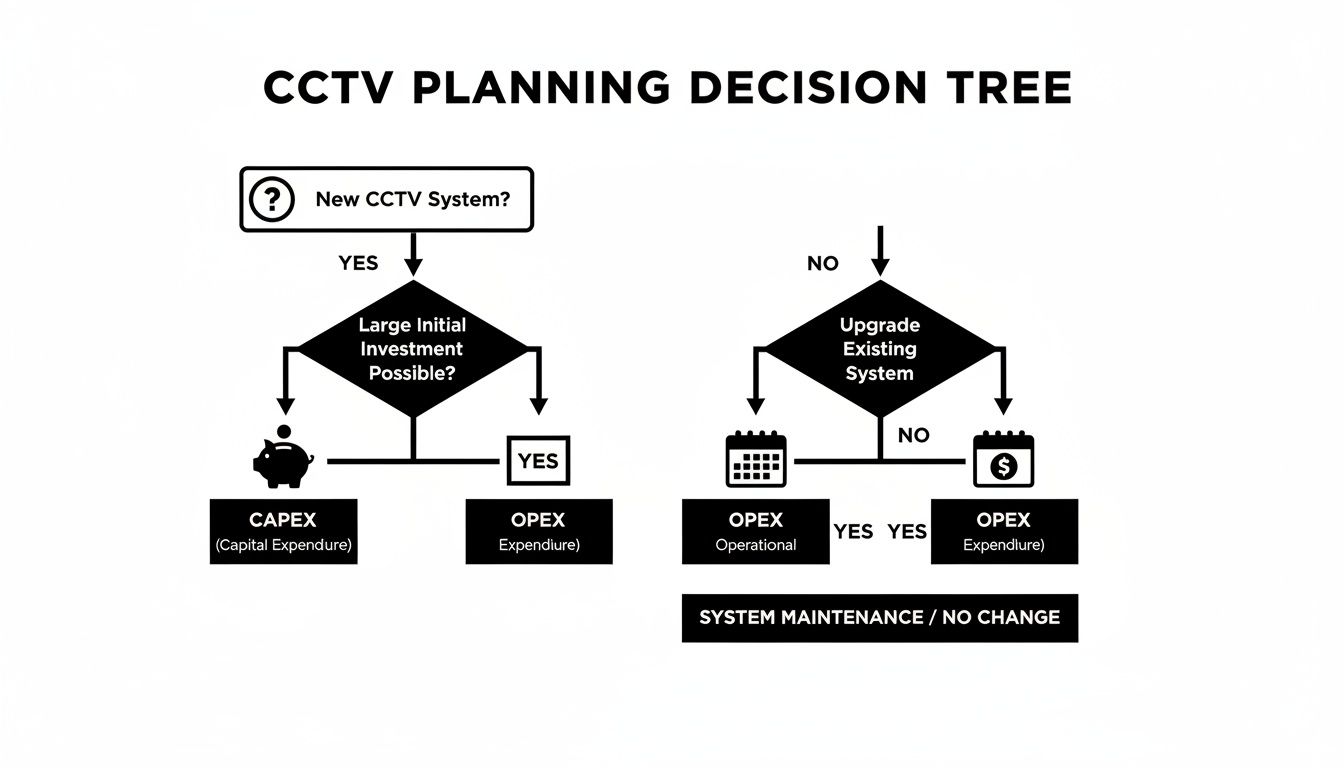
Knowing your budget approach from the start helps you zero in on installers who offer the financial models that work for your business.
Differentiating a Contractor from an IT Solutions Partner
On the surface, many installers look the same. Dig a little deeper, though, and you'll find a massive difference in capabilities. A standard contractor typically focuses on the physical work: mounting hardware and running cables. An IT solutions partner, however, sees your CCTV setup as a critical piece of your entire IT infrastructure.
A typical contractor will handle:
- Mounting cameras and doing some basic positioning.
- Connecting them to a recorder (NVR/DVR).
- Setting it up so you can view the footage locally.
A professional IT solutions partner delivers much more:
- Structured Cabling: They don't just run wires; they design and build an organised, scalable cabling system that protects signal quality and makes future maintenance a breeze.
- Proper Network Integration: They’ll configure your CCTV system to play nice with your existing network, preventing slowdowns that could cripple your other business operations.
- Security Hardening: This is a non-negotiable. They'll lock the system down by changing default passwords, setting up firewalls, and ensuring remote access is secure to keep cyber threats out.
- Ongoing Managed Services: They offer support plans that include proactive maintenance and system health checks to catch problems before they start.
Think about a retail chain with multiple locations. They need more than just functioning cameras. They need a partner who can standardise the setup across every branch, manage the network centrally and securely, and quickly troubleshoot a camera that goes down in a provincial store. That's where an IT partner shines.
The following table breaks down what you get from a basic installer versus what a dedicated IT partner like REDCHIP brings to the project. It’s a useful checklist to have on hand when you’re evaluating your options.
Installer Capability Comparison Checklist
| Feature/Service | Basic Installer | Professional IT Solutions Partner (e.g., REDCHIP) | Why It Matters for Your Business |
|---|---|---|---|
| Initial Consultation | Focuses on camera counts and placement. | Conducts a full site survey, including network assessment and risk analysis. | A deeper analysis prevents future bottlenecks, security gaps, and unexpected costs. |
| Cabling Strategy | Runs cables point-to-point, often surface-mounted. | Implements a structured cabling plan with proper labelling and termination in a server rack. | Ensures reliability, simplifies troubleshooting, and makes future upgrades far easier and cheaper. |
| Network Security | Connects devices with default settings (a major risk). | Implements security hardening: changes passwords, configures firewalls, creates VLANs. | Protects your entire business network from being breached through an insecure camera system. |
| System Integration | Provides a standalone system for security viewing only. | Integrates CCTV with other business systems (e.g., access control, POS) for enhanced functionality. | Turns your security system into a business intelligence tool, not just a passive recorder. |
| After-Sales Support | Offers break-fix support, often with slow response times. | Provides a Service Level Agreement (SLA) with guaranteed response times and proactive monitoring. | Minimises downtime and ensures your security system is always operational when you need it most. |
Ultimately, a professional partner doesn't just install hardware; they deliver a reliable, secure, and future-proofed solution that supports your business goals.
Key Questions to Ask Every Potential Installer
To get past the sales pitch, you need to ask sharp, specific questions that reveal an installer’s true depth of knowledge. Their answers will tell you everything about their technical skills and whether they’re genuinely invested in your success.
Make sure these questions are on your list:
- What’s your experience in our specific industry? An installer who understands the compliance needs of a BPO is going to be a much better fit than one who primarily works on residential homes. Ask for a case study or reference from a business similar to yours.
- Can you walk me through your process for structured cabling? A real pro will talk about using quality Cat6 cable, following standards, and creating a clean, labelled setup in a patch panel. If they just say "we run the wires," that's a red flag.
- How, specifically, do you secure the system and our network? Look for confident answers that mention firewall rules, setting up separate VLANs for camera traffic, and enforcing strong password policies. A great practical example is asking if they will disable any unused ports on the network switch to prevent unauthorised devices from being plugged in.
- What are the concrete terms of your after-sales support and SLAs? Ask for specifics on response times. A guaranteed 24-hour response for a critical failure is worlds away from a vague "we'll get back to you as soon as we can."
A top-tier cctv cameras installer won't just answer these questions—they'll welcome them. They’ll be eager to show off their expertise in network security and long-term system management, proving they’re much more than just guys with a drill. It’s worth exploring what a comprehensive security system supplier can provide beyond the initial installation.
The demand for qualified installers is surging. In the Philippines, the video surveillance market is expected to grow at a CAGR of 12% between 2025 and 2031. This is driven by security demands in business hubs like Metro Manila, where companies are deploying more cameras to combat rising crime—official police data showed over 150,000 incidents of theft and robbery in 2022 alone, pushing many businesses to upgrade their surveillance capabilities.
Getting to Grips with Your Technology Options
Diving into the technical side of a CCTV project can feel like a lot to take on, but you don't need an engineering degree to make smart decisions. A professional cctv cameras installer will walk you through it, but having a basic grasp of the core components helps you ask the right questions. Ultimately, this ensures the system you end up with actually does the job you need it to do.
It all begins with putting the right camera in the right place. Think of each camera type as a specialised tool—using the wrong one can mean dealing with frustrating blind spots, poor-quality video, or spending money you didn't need to.
The shift in technology is happening fast. For instance, the demand for professional CCTV installers in the Philippines has surged. Back in 2019, IP cameras were already capturing 55% of the market compared to 45% for older analog systems. Today, we're seeing projections that wireless IP cameras could hit 70% market share, largely because of how well they fit into the hybrid work setups that need solid Wi-Fi.
In regions like Visayas and Mindanao, experienced installers are crucial for adapting systems to local conditions. You'll often see a preference for elevated dome cameras over bullet types in flood-prone areas, for obvious reasons.
Picking the Right Cameras for the Job
Your installer will have recommendations based on the site survey, but knowing the main camera types helps you be an active part of that conversation. Each one has its own strengths.
- Dome Cameras: These are your go-to for indoor spots where you want surveillance to be discreet. Think hotel lobbies, BPO production floors, or retail shops. They're tough to tamper with and don't stick out like a sore thumb. A practical example is placing one in the corner of a restaurant dining area to monitor service without making customers feel watched.
- Bullet Cameras: Highly visible and built to withstand the weather, these are a fantastic deterrent for outdoor use. We install them all the time for parking lots, building perimeters, and loading bays—places where you want potential intruders to know they’re on camera. For instance, mounting a bullet camera prominently on the corner of a warehouse facing the main gate sends a clear message.
- PTZ (Pan-Tilt-Zoom) Cameras: When you need active surveillance, PTZ is the answer. A security operator can remotely pan, tilt, and zoom to follow a person across a large area or get a clear shot of a vehicle's plate number. They're perfect for wide-open spaces like a school campus or a large construction site.
- 360-Degree (Fisheye) Cameras: Just one of these can often cover an entire open-plan office or a school cafeteria, getting rid of the blind spots you’d have with multiple fixed cameras. It's an elegant solution for comprehensive indoor coverage. For a small café, one fisheye camera in the center of the ceiling could cover the entrance, seating area, and cashier all at once.
The real secret here is that there's no single "best" camera. The best system is almost always a strategic mix of different types, each chosen specifically for the location and task at hand.
The System's Backbone: Structured Cabling and PoE
Once the cameras are selected, the next critical piece is how they're all connected and powered. This is where a professional installer's skill with structured cabling really shines. A proper installation uses high-quality cables, like Cat6, to guarantee a stable, fast connection for crisp, clear video.
Most modern systems run on Power over Ethernet (PoE). This clever technology sends both data and power through a single network cable, which dramatically simplifies the installation. It cuts down on cable clutter and gives you the freedom to place cameras where you need them, not just where there's a power socket nearby. For example, you can easily mount a PoE camera on a high ceiling in a warehouse without needing an electrician to run a separate power line up there.
All these cables lead back to a central point, connecting to your Network Video Recorder (NVR)—the brains of the operation that records and stores all your video footage.
Data Security and Privacy Must Be Your Top Priority
A CCTV system is a powerful business tool, but it also handles sensitive information. Protecting that data isn't optional; it's a fundamental part of any professional installation. As you look at different technology, it's vital to ensure they align with general security principles.
Your installer has to take concrete steps to lock the system down and prevent unauthorised access. This goes way beyond just setting a password.
Essential Security Measures:
- Change all default credentials on cameras, NVRs, and other hardware. This is the first thing a hacker looks for. For example, changing the camera login from
admin/adminto a complex, 16-character password. - Implement strong, unique passwords and turn on multi-factor authentication wherever you can.
- Configure network firewalls properly to block unwanted access to the CCTV system. This could mean only allowing access to the NVR from specific IP addresses within your office network.
- Enable data encryption for both stored footage (data at rest) and video being transmitted over the network (data in transit).
These security protocols are non-negotiable for protecting your business, your staff, and your customers. Any conversation you have with a potential cctv cameras installer should include a deep dive into their security practices. It also helps to understand some networking basics yourself. You can get a good primer by reading about foundational concepts like what IP version 4 is in our detailed guide. This knowledge will empower you to have a much more meaningful discussion about keeping your entire surveillance system secure.
What to Expect During and After Your CCTV Installation
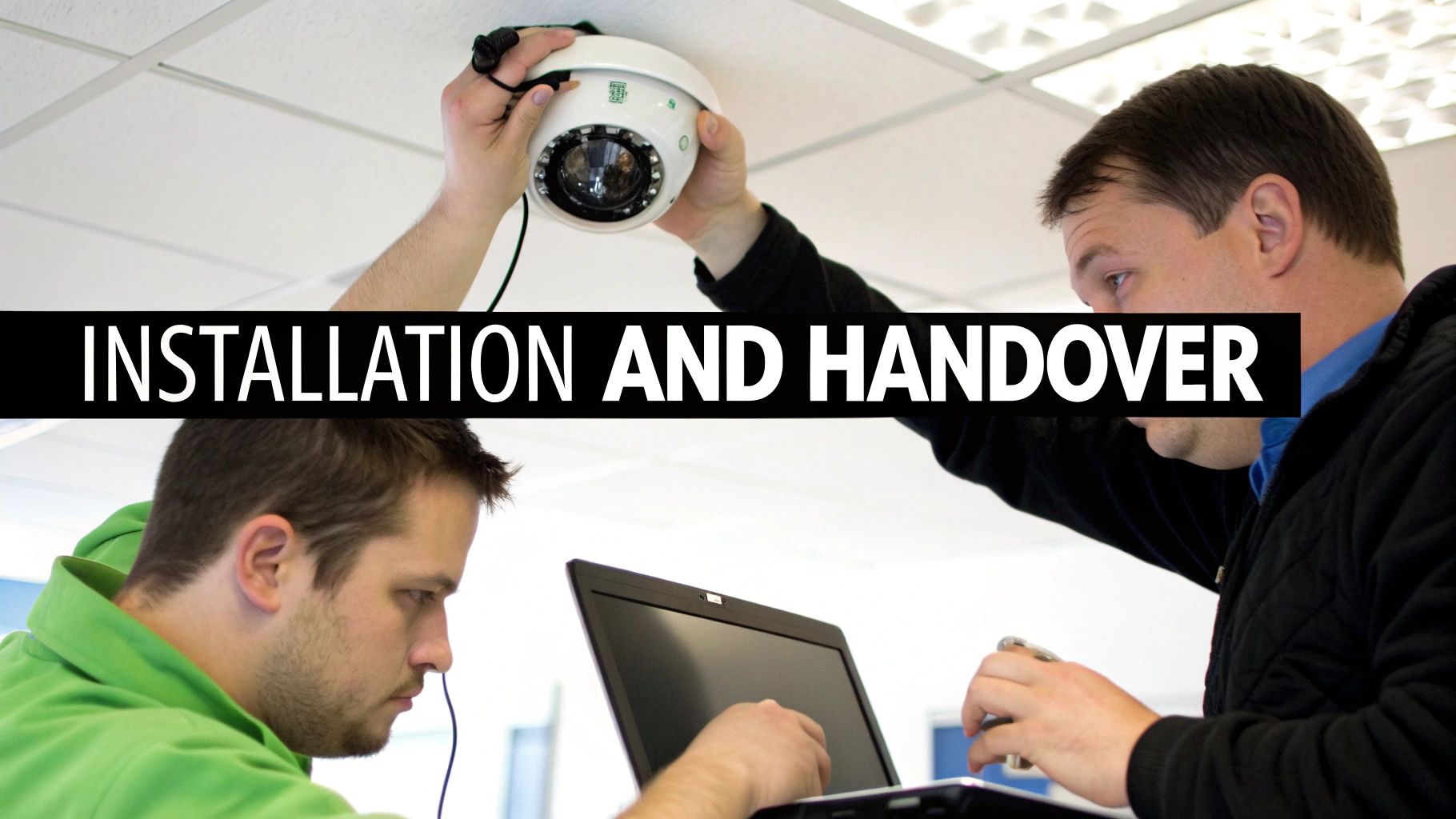
You've done the hard work of choosing the right system and picking your installer. But the project really kicks into high gear once the team arrives at your facility. A professional installation isn't just about screwing cameras to a wall; it's a well-oiled process designed to get your security system running with minimal disruption to your daily business operations.
A seasoned cctv cameras installer understands that your business can't just stop. They'll plan their work around your schedule, tackling disruptive tasks like pulling cables through busy reception areas or above workstations during your quietest hours. For a BPO centre, that might mean working through the night. In a retail shop, it could involve completing sections of the store before the morning rush.
Turning it On: Commissioning and System Checks
With the final camera mounted and the last cable connected, the crucial commissioning phase begins. This is much more than a simple "power on" test. It’s a meticulous, step-by-step verification to ensure every part of your new system is working exactly as it should.
During commissioning, the installation crew will methodically verify several key functions:
- Camera Views and Angles: They'll confirm every camera provides the exact field of view you planned for, with no unexpected blind spots and a crystal-clear focus. A practical check is making sure the camera at the entrance can clearly capture the face of someone who is 6 feet tall.
- Recording Functions: The team checks that the NVR is properly recording from all cameras and that sensitive settings like motion detection are calibrated for your environment. For example, they'll adjust the sensitivity so that tree branches swaying in the wind don't trigger constant recording alerts.
- Remote Access: They will test the network connection to ensure you can securely access live feeds and recorded footage from your authorised phone, tablet, or computer. This includes logging in from a mobile device using a 4G connection, not just the office Wi-Fi.
This detailed check-up is what separates a professional job from a rushed one. It’s the final quality control that guarantees the system you’ve invested in is fully operational and ready to protect your premises from the moment they leave.
The handover isn't just about giving you the keys; it's about making sure you know how to drive. A good installer will ensure your team is confident using the new system before they consider the job done.
The Handover: Training and System Documentation
Once the system is fully commissioned, the formal handover takes place. This should always include hands-on training for you and any key staff members who will be responsible for day-to-day operation or monitoring.
A proper training session will give your team the skills they need to handle the system confidently. This includes practical tasks like how to search for a specific event (e.g., finding all motion detected at the back door between 2 AM and 4 AM), export video footage for evidence, manage user permissions, and understand system alerts.
This is also when you should receive a complete documentation package. At a minimum, this should include a network diagram, a list of all device locations with their corresponding IP addresses, and the secure login credentials. This paperwork is absolutely vital for any future maintenance, troubleshooting, or system expansion.
Keeping it Running: The Value of a Service Level Agreement (SLA)
Your CCTV system is a critical business asset, and just like any other important equipment, it needs regular attention to stay in top shape. Proactive maintenance is always better than a sudden breakdown. This is where a Service Level Agreement (SLA) proves its worth.
An SLA is a formal contract you sign with your cctv cameras installer that outlines a guaranteed level of ongoing support. It effectively shifts your maintenance strategy from a reactive, "break-fix" approach to a proactive, preventative one.
A solid SLA will typically include:
- Guaranteed Response Times: This specifies exactly how quickly a technician will respond if a critical component fails. For a high-security area, this could be as little as 4-8 hours. For instance, if the camera covering your main cash register goes down, the SLA ensures an engineer is on-site within that window.
- Proactive System Health Checks: Regular, scheduled service visits (either remote or in-person) to clean lenses, update firmware, and confirm all cameras are recording correctly. A practical example is a quarterly check where the technician physically cleans spiderwebs off outdoor camera housings.
- Included On-Site Support: This defines how many service calls are covered by your plan, helping you avoid surprise labour charges and manage your security budget.
Think of an SLA as your system's insurance policy. It gives you peace of mind, knowing that a qualified expert is committed to keeping your security system online and performing optimally, protecting your investment for years to come.
Got Questions About Hiring a CCTV Installer? We’ve Got Answers.
When you're ready to secure your business, you're bound to have questions. Getting clear answers upfront is the key to finding the right CCTV installer and ensuring the system you get is the one your business actually needs. Let's walk through some of the most common things business owners ask.
How Much Should a Professional CCTV Installation Cost in the Philippines?
There’s no single price tag, as the cost hinges on your specific needs—the number and type of cameras, how much video you need to store, and the complexity of the installation itself.
For a small retail shop or office, a basic 4-camera setup can start around PHP 30,000. But for a larger operation like a BPO, hotel, or warehouse needing 16 or more high-definition cameras and a solid network to support them, you should budget for PHP 150,000 or more. Don't just look at the initial quote; think about the total cost of ownership. It's always a good idea to research the general cost of security cameras installation to get a solid baseline for your budget.
What Exactly Is Structured Cabling and Why Does It Matter So Much?
Think of structured cabling as the central nervous system for your surveillance network. It’s a standardised, meticulously organised approach to running high-quality, dedicated cables from each camera back to a central hub, like your server rack.
This isn't just about being neat. It's about performance. A properly cabled system gives you reliable, crystal-clear video feeds, cuts down on signal interference, and makes troubleshooting a breeze. For example, if one camera goes offline, a labelled patch panel allows a technician to identify and test that specific cable in seconds, rather than tracing a messy wire through the ceiling for an hour. More importantly, it sets you up for easy expansion later. Any professional cctv cameras installer worth their salt will insist on a structured cabling plan.
An organised cabling system is the foundation of a reliable surveillance network. Skipping this step to save a small amount upfront almost always leads to bigger, more expensive problems down the road.
Can I Check My CCTV Feeds When I'm Not On-Site?
You certainly can. Modern IP-based CCTV systems are built for secure remote access. You can view live and recorded footage from anywhere using desktop software or a mobile app. A professional installer will set this up for you, but their real value comes from doing it securely.
This means they’ll lock down your network. For a practical example, instead of just opening a port on your router (a common but insecure method), they might set up a Virtual Private Network (VPN). This creates an encrypted tunnel from your phone directly to your business network, making it vastly more difficult for anyone to intercept your video feeds. This level of network hardening is what separates a true security partner from a simple handyman.
How Long Will It Take to Install a CCTV System for My Business?
The timeline really depends on the scale of the job. For a straightforward 4-to-8 camera setup in a single-floor office, we can often get it done in one or two business days.
However, a large-scale project—think a multi-storey building, a sprawling warehouse with long cable runs, or a phased rollout across multiple retail branches—could take a week or longer. A good installer will give you a clear project schedule from day one. For instance, they might plan to install cameras in the administrative offices on Monday and Tuesday, then move to the main production floor on Wednesday and Thursday to align with your operational needs and keep disruptions to a minimum.
At REDCHIP IT SOLUTIONS INC., we design and install secure, reliable CCTV systems tailored to the unique operational needs of businesses across the Philippines. Let us help you build a smarter, safer workplace.



