So, what exactly is a Dell tower server? Put simply, it’s a dedicated, high-performance computer built to be the central pillar of your business's IT infrastructure. It’s not just another desktop PC; it’s designed from the ground up to manage data, run key applications, and bolster security for your entire team. Think of it as the digital heart of your office.
Your Business's Central Nervous System
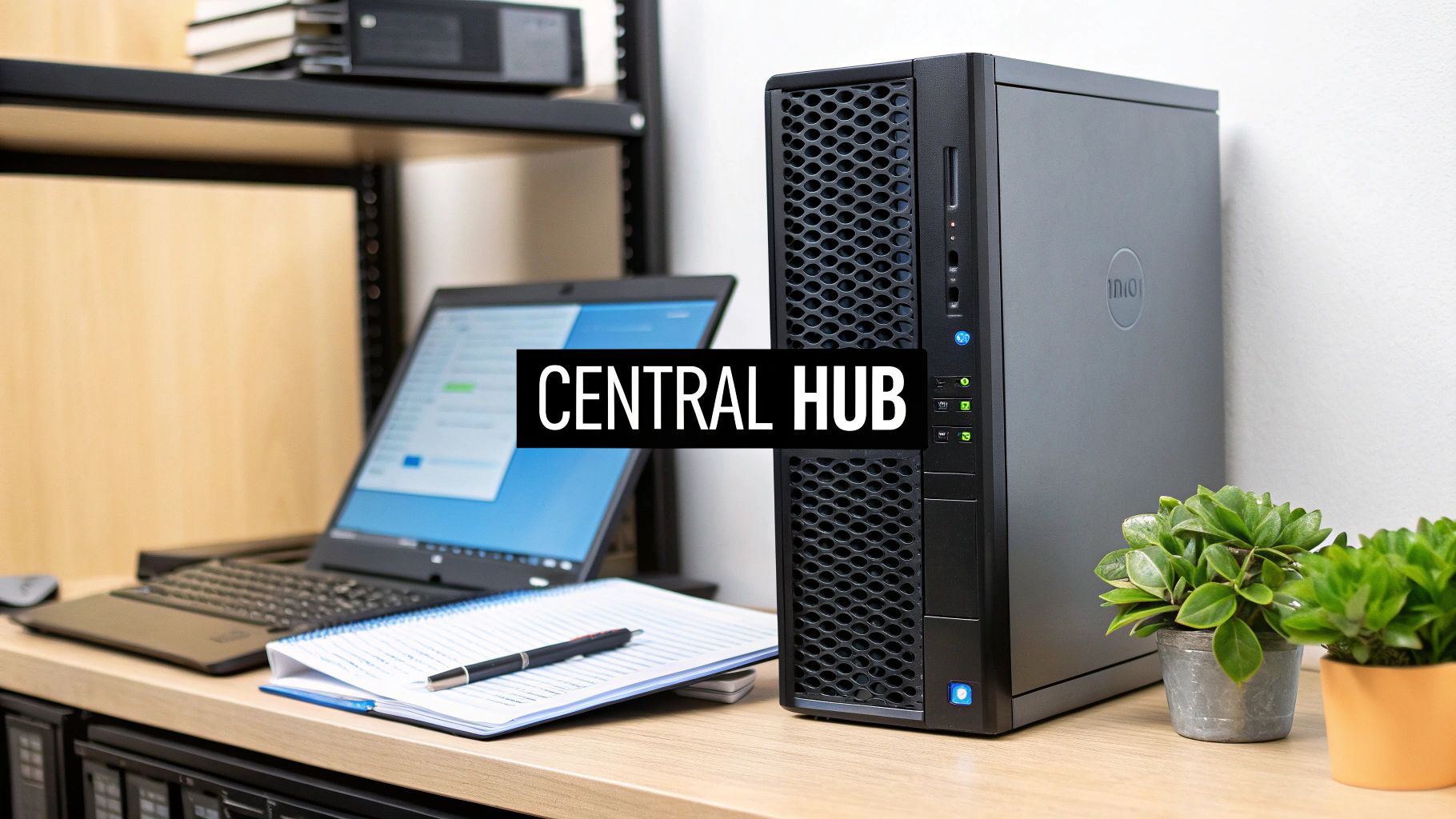
Imagine your office computers are like individual notebooks, each holding separate bits of information. A Dell tower server acts as the company's main library and command centre—a secure, shared resource that everyone with the right permissions can access at the same time.
Instead of your team saving important files on their own desktops—which can quickly turn into a nightmare of different versions and security gaps—a tower server gives you one protected, central place for all company data. For example, your sales team can access the latest client proposal from a shared folder, while the finance department updates the master budget spreadsheet—all in real-time, all from one location. For any growing business, this shift is a game-changer.
Dell Tower Server vs. Standard PC vs. Cloud Storage
It's easy to get confused about where a server fits in. This quick comparison should help clear things up.
| Feature | Dell Tower Server | Standard Office PC | Cloud Storage (e.g., Dropbox) |
|---|---|---|---|
| Primary Role | Centralised data/app management for multiple users. | Individual tasks for a single user (email, documents). | File synchronisation and remote access. |
| Performance | Built for 24/7 operation with server-grade CPUs, RAM, and storage. | Designed for 8-hour workdays; not for constant heavy loads. | Performance depends on your internet connection. |
| Control & Security | Full control over data, security policies, and access. | Limited to the individual machine; reliant on user compliance. | Data is stored on third-party servers; security is managed by the provider. |
| Best For | Running business apps (accounting, CRM), central file storage, backups. | General office work, creative tasks. | Sharing files with external partners, remote work access. |
While cloud storage is fantastic for collaboration and PCs are essential for daily work, a tower server provides the powerful, secure, and fully-controlled backbone that your business operations can rely on.
Who Really Needs a Dell Tower Server?
Many businesses hit a ceiling where scattered files and consumer-grade tools just don't cut it anymore. A Dell tower server is engineered for these exact situations, solving the common growing pains that show you need a stronger IT foundation.
You’re probably ready for a server if your team is facing these issues:
- Data Chaos: Key files are all over the place—on different PCs, in email threads, and on USB drives. Finding the "final" version of anything is a constant struggle. For instance, three different people have a file named
ClientProposal_FINAL_v3.docx. - Security Worries: Sensitive company and client data is sitting on individual laptops with varying levels of protection, leaving your business exposed.
- Application Bottlenecks: Your accounting software or CRM grinds to a halt when more than a couple of people try to use it at once.
- Collaboration Hurdles: Sharing large files is a slow, painful process, usually involving clunky email attachments or third-party services that lack proper control.
For example, a small architectural firm struggling to share massive design files can set up a Dell tower server as a central, high-speed repository. Or, a BPO team can run its specialised call management software directly from the server, guaranteeing stable performance for every single agent.
The Strategic Value in the Philippine Market
While big data centres are often filled with rack-mounted systems, the tower server plays a crucial role for businesses operating on the ground. Tower servers fill a specialised but important niche in the Philippines, especially where a full server rack is overkill.
Even though rack servers make up about 55% of the Philippines data centre server market share, tower servers are the go-to solution for smaller businesses, branch offices, and specific on-site needs. For example, a retail chain might place a tower server in each of its provincial branches to manage local inventory and sales data, syncing back to a central office.
A dedicated server isn't just an expense; it's an investment in operational stability and security. It creates a reliable platform that allows your business to function efficiently and scale without hitting frustrating technology roadblocks.
At REDCHIP IT SOLUTIONS, we help businesses across the Philippines make this critical leap. We can guide you in choosing and setting up the right Dell tower server, making sure your technology foundation is solid and ready for whatever comes next.
Why the Tower Form Factor Is a Smart Choice for SMBs
When you think "server," what comes to mind? For most people, it’s an image of massive, humming racks in a freezing-cold data centre. Those are called rack servers, built for cramming as much power as possible into a small space. But for most small and medium-sized businesses (SMBs), there's a much more practical, and frankly, smarter, choice: the Dell tower server.
At first glance, a tower server looks a lot like a high-end desktop computer. That familiar shape is actually its biggest advantage. Unlike their data-centre-dwelling cousins, tower servers are standalone units designed to work perfectly fine in a regular office. This is a game-changer for any business that doesn't have a dedicated server room or the budget to build one.
Built for Your Office, Not a Data Centre
The most noticeable difference is the noise—or lack thereof. Dell PowerEdge tower servers are engineered to be quiet. This means you can stick one in a shared office, a utility closet, or even safely under a desk without the constant, distracting drone of high-powered rack hardware.
Let's imagine a real-world scenario: a 30-person accounting firm in a standard Makati office building. They need a reliable, central server to host their financial software and store sensitive client files. A rack server would be a disaster—it’s loud, pumps out a ton of heat, and needs special equipment just to hold it. A Dell tower server, on the other hand, can sit quietly in a corner, doing all the heavy lifting without disrupting the team.
The real beauty of the tower server is that it brings enterprise-level power and reliability right into a typical office, without needing an enterprise-level environment to support it.
This self-contained design also handles cooling differently. Tower servers use internal fans that are perfectly happy with normal room temperatures. You can forget about the powerful, expensive, and energy-guzzling air conditioning systems that rack servers absolutely depend on.
A Cost-Effective and Scalable Starting Point
For any growing business, every peso of upfront investment counts. Tower servers help you control costs right from the start by cutting out all the hidden expenses that come with rack-based systems.
Here’s where you’ll see immediate savings with a tower server:
- No Rack Needed: You save thousands of pesos by not having to buy a server rack or cabinet.
- No Special Cooling: Avoid the cost of a dedicated air conditioning unit and enjoy lower electricity bills month after month.
- Simpler Setup: The cabling and installation are much more straightforward—closer to setting up a PC—which can reduce initial setup fees.
Better yet, a Dell tower server is the perfect foundation to grow on. You can start with a model that fits your budget and current workload, then easily add more RAM, storage, or even a more powerful processor as your business takes off. For example, a startup can begin with 8TB of storage and, a year later, easily slot in another 8TB of drives as their data grows, without replacing the entire server. This gives you a flexible path forward if you eventually graduate to a dedicated IT space, making it a truly future-proof investment for any ambitious SMB.
Choosing The Right Dell PowerEdge Tower Server Model
Picking the perfect Dell tower server can feel a bit overwhelming, especially with all the technical jargon and spec sheets. The secret is to shift your focus from the technology itself to what you actually need to accomplish in your business. This guide will cut through the noise, translating those specs into real-world benefits for your growing company.
Let's use a simple analogy. Think of a server's processor (CPU) cores as your digital workforce. A server with two cores is like having two dedicated employees who can handle two jobs at once. Bump that up to eight cores, and you've got eight "workers" on the clock, letting you run more applications and support more users without everything grinding to a halt.
That’s really the foundation for choosing the right Dell PowerEdge Tower model. You don't need to be an IT wizard; you just need a clear idea of what you expect this server to do for your business, day in and day out.
This decision tree offers a quick, at-a-glance way to decide between a tower and a rack server based on your physical workspace.
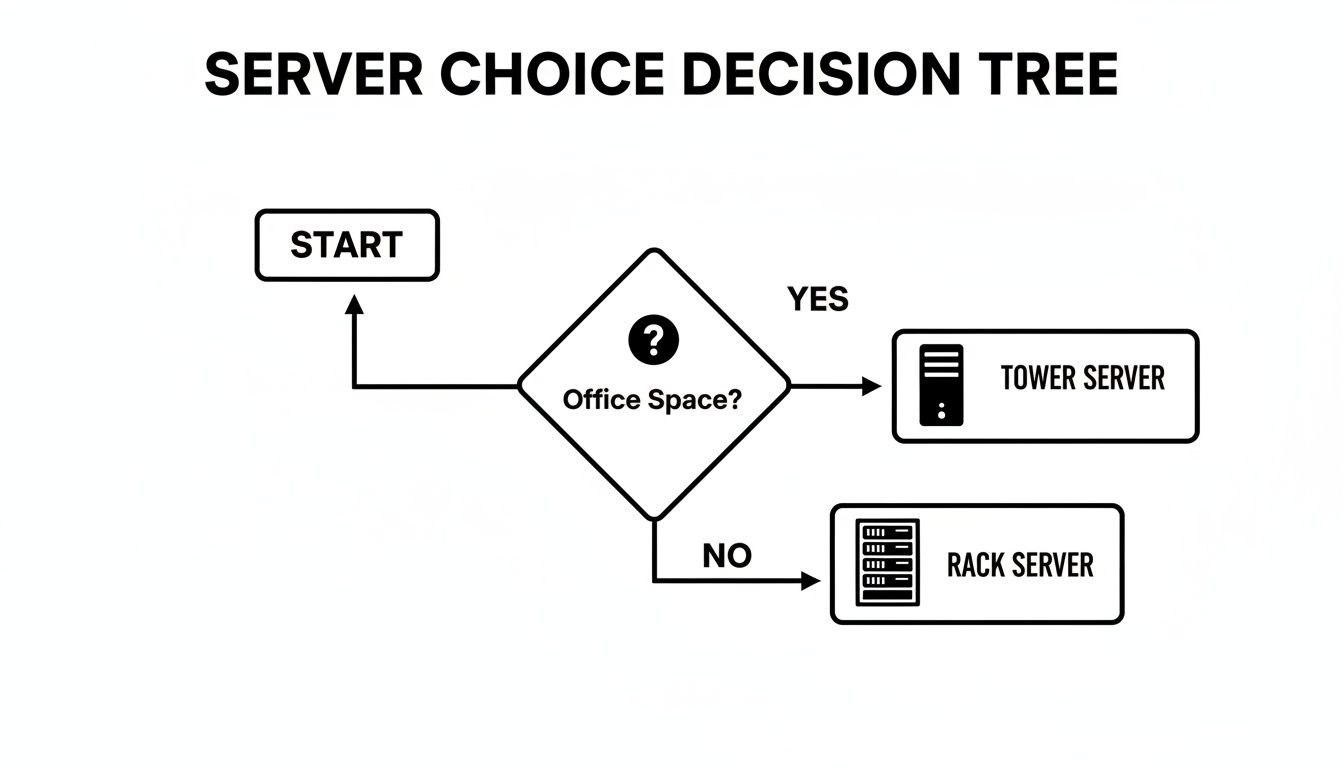
As you can see, the main question comes down to your space. If you're working out of a standard office without a dedicated, climate-controlled server room, a Dell tower server is the most practical and sensible choice.
Matching Dell PowerEdge Models To Your Business Needs
To make things even easier, we've put together a quick guide matching common business needs here in the Philippines with the right Dell PowerEdge model. This table breaks down typical scenarios to help you see where your business fits.
| Dell PowerEdge Tower Server Sizing Guide for Common Business Needs |
| :— | :— | :— | :— |
| Business Scenario (Users) | Primary Workload | Recommended Model | Key Spec Focus |
| Small Retail/Clinic (Up to 15) | Basic file sharing, print services, single POS or inventory app. | PowerEdge T150 | Reliability, low power draw, sufficient storage for daily data. |
| Growing SMB/BPO Team (15-40) | CRM, accounting software (e.g., QuickBooks), medium database. | PowerEdge T350 | CPU Cores, more RAM for multiple apps, redundant power supply. |
| Mid-Sized Business (40+) | Running multiple "virtual" servers, large databases, demanding apps. | PowerEdge T550 | High core count CPU, max RAM capacity, fast storage (SSD/NVMe). |
This table gives you a solid starting point. Now, let’s dig a bit deeper into what makes each of these models tick.
The Dell PowerEdge T150: The Reliable Foundation
Think of the T150 as your first "real" server. It's the perfect starting point for small businesses ready to centralise their files and applications. This is a massive leap forward from using a regular desktop PC for shared tasks, bringing proper security and 24/7 reliability to your operations.
- Best for: Small businesses with up to 15 employees, retail shops, or small clinics.
- Primary Tasks: Basic file sharing, print services, and running a single, lightweight application like a Point-of-Sale (POS) system.
- Real-World Scenario: A small boutique with two cash registers needs a dependable hub for its POS software and to store daily sales data. The PowerEdge T150 is perfect—it’s built to run non-stop without being overkill on cost or power.
The Dell PowerEdge T350: The Growth Engine
As your business picks up speed, so will your IT demands. The T350 is the workhorse of the lineup. It’s built to handle more—more processing power, more memory, and more storage options—to support a growing team and multiple applications running at the same time.
- Best for: Growing businesses with 15-40 employees, BPO teams, or professional firms like accounting or law practices.
- Primary Tasks: Hosting a CRM, running accounting software, managing a medium-sized database, and handling heavier file-sharing traffic.
- Real-World Scenario: A 25-person BPO team relies on a central CRM and database. The T350 has enough "workers" (CPU cores) and memory to ensure every agent gets fast, snappy access to client info, even during peak hours.
The Dell PowerEdge T550: The Virtualisation Powerhouse
For businesses looking to get the absolute most out of their hardware, the T550 is a game-changer. Its serious muscle allows it to run multiple "virtual" servers on one physical machine. It's like having several servers—one for email, one for your database, one for a specific app—all operating independently on a single piece of hardware.
- Best for: Medium-sized businesses, regional branch offices, or any organisation that wants to consolidate older, power-hungry servers.
- Primary Tasks: Virtualisation (running multiple operating systems), hosting several demanding applications, and managing large databases.
- Real-World Scenario: A regional logistics office needs to run its accounting suite, a dispatch application, and a file server. Instead of buying three separate physical servers, they use one PowerEdge T550 to create three virtual machines. This saves space, cuts down the power bill, and makes everything much easier to manage.
When you're choosing, try to think about your needs for the next 3-5 years. Making a slightly bigger investment today can save you from major performance headaches and expensive upgrades tomorrow. To explore more configurations, you can find out more about the full lineup of Dell PowerEdge servers available in the Philippines.
Seeing these scenarios laid out helps you have a more confident, informed discussion with an IT partner like REDCHIP. It ensures you invest in a server that’s not just a piece of technology, but a genuine tool that’s perfectly sized to help you hit your business goals.
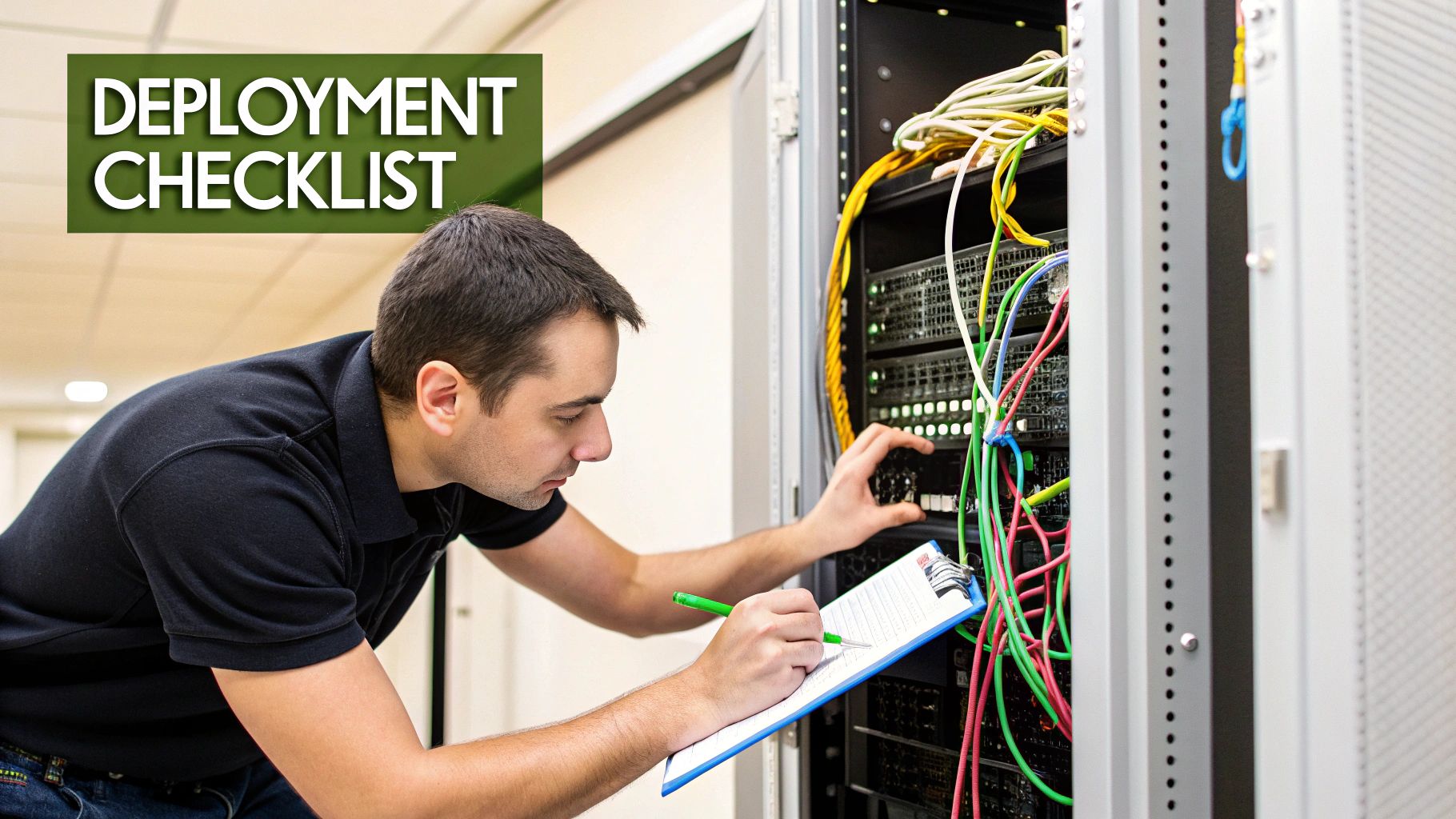
Your Server Deployment Checklist: Getting It Right From Day One
So, you’ve got your new Dell tower server. Unboxing it is exciting, but that's really just the first step. A proper deployment is about more than just plugging it in and hoping for the best; it’s about carefully building a secure and reliable foundation for your entire business. Getting this right from the start saves you from a world of future headaches like downtime, data loss, and security scares.
Think of it as laying the groundwork for a house. You wouldn't skip the foundation, and you shouldn't skip these four core areas of a server setup. Getting these details right ensures your server becomes a powerful asset, not a constant source of problems. And if you’re not a tech expert, that’s okay—partners like REDCHIP IT SOLUTIONS INC. live and breathe this stuff, ensuring a smooth, worry-free launch.
Step 1: Physical Setup and Power Protection
First things first: where will the server live? For a Dell tower, you need a spot that’s cool, clean, and secure from prying hands. Good ventilation is key to prevent overheating, and keeping it away from dusty areas will help it run smoothly for years. For businesses needing an extra layer of security, exploring an ultimate guide to server cages can provide some great ideas.
Even more important is protecting it from the grid. Plugging a server straight into a wall socket is just asking for trouble. Power outages and surges are a fact of life here, and they can be lethal to sensitive electronics.
This is where an Uninterruptible Power Supply (UPS) comes in. It's not optional; it's essential. Think of a UPS as a private bodyguard for your server. For example, if a thunderstorm causes a brownout in your building, the UPS battery instantly kicks in. It keeps the server running for 15-30 minutes, giving it plenty of time to shut down safely instead of crashing and corrupting your data. A good UPS also cleans up "dirty" power, shielding your investment from damaging voltage spikes and dips.
Step 2: Getting Connected to the Network
Once the server is physically safe, it's time to introduce it to your office network. This is how it will talk to all your computers, printers, and other devices. It's not just a matter of plugging in an ethernet cable; we need to give the server a permanent, static IP address. This ensures other devices on the network always know exactly where to find it, day in and day out.
This stage is also crucial for security. We'll configure firewall rules to act as a digital gatekeeper, controlling exactly what traffic can come in and go out. For example, we might set a rule that allows your team to access the server from within the office network, but blocks all access attempts from the public internet. This is your first line of defence, protecting the heart of your business data from threats.
Properly managed infrastructure like this is becoming more critical than ever. In fact, the data centre server market in the Philippines is booming, with some forecasts predicting it will grow to between USD 3.24 billion and USD 10.3 billion by 2031-2032. This shows just how vital reliable server setups are for Filipino businesses aiming to compete and grow.
Step 3: Installing the Brains—OS and Software
With the hardware buttoned down and the network ready, we can finally bring the server to life. This starts with installing its operating system (OS), like Windows Server or a popular Linux version. A professional installation isn't just about clicking "next"; it's about configuring the OS for peak performance and security, tailored to how your business will use it.
During this stage, we also tackle a few other critical tasks:
- Creating User Accounts: We'll set up logins for your team, carefully assigning permissions so people can only access the files and applications they need for their jobs. For instance, an accountant gets full access to the 'Finance' folder, but only 'read-only' access to the 'Marketing' folder.
- Installing Business Software: This is where we load your core tools, whether it's your accounting package, CRM database, or other specialised applications.
- System Hardening: We'll lock things down by turning off any unnecessary services and applying the latest security patches to close potential backdoors.
Getting this configuration right from the beginning is what separates a smooth-running system from one that's constantly plagued by performance lags and security holes. And to keep it that way, ongoing care is vital. It's smart to have a plan for professional preventive and corrective maintenance to ensure your hardware stays in top shape.
Step 4: The Unbeatable 3-2-1 Backup Strategy
Finally, and most importantly, no server is truly ready without a bulletproof backup plan. Hardware fails. People make mistakes. Cyberattacks happen. The ultimate safety net for your business is an industry-tested rule called the 3-2-1 Backup Strategy.
The 3-2-1 strategy is a beautifully simple yet powerful concept for protecting your data. It means you should always have three copies of your data, stored on two different types of media, with at least one of those copies kept off-site.
Let's see what that looks like in the real world for a small business:
- Three Copies: The original data on your server is copy #1. A daily backup to an external hard drive in the office is copy #2. A second backup to a secure cloud service is copy #3.
- Two Different Media: Your server’s internal drives are one type of media. The external hard drive or cloud storage is your second type. This protects you if one type of media fails completely.
- One Off-Site Copy: That cloud backup is your golden ticket. It's stored safely away from your office, protecting your business from a local disaster like a fire, flood, or even theft.
By putting this strategy in place, you ensure that no single event can destroy your critical business information. A professional server deployment always includes setting up and automating this process, so you can sleep soundly knowing your data is safe.
Leasing vs Buying Your Dell Tower Server
One of the biggest hurdles in getting a new Dell tower server has nothing to do with the specs—it’s figuring out how to pay for it. The choice between buying it outright or leasing it is a huge financial decision that directly impacts your cash flow, budget, and long-term tech strategy. There’s no single right answer; the best path is the one that fits your company’s financial reality and growth plans.
When you buy a server, it’s a Capital Expenditure (CapEx). This means you’re looking at a large, one-time cash payment to own the hardware. While the idea of owning your equipment is nice, it can lock up a serious amount of money that a growing business could use for other things like marketing, hiring new people, or stocking up on inventory.
Leasing completely changes the game. It turns that big purchase into a predictable Operational Expenditure (OpEx). Instead of one massive bill, you have a manageable monthly fee. This is an incredibly smart way to hold onto your cash and stay financially nimble.
The Strategic Advantage of Leasing
For many businesses, especially startups or those in a high-growth phase, leasing is a brilliant strategic move. It frees up your capital, letting you pump money into the parts of your business that actually make you money. Ask yourself: does owning a server that loses value every day help you land more clients? Or would that cash be better spent on a new sales campaign?
Here’s a real-world scenario: A new BPO in Cebu needs to set up 20 workstations and a central Dell tower server to run its operations. Buying all that equipment could easily cost over a million pesos, wiping out a huge chunk of their initial funding. But by leasing it through a partner like REDCHIP, they can get everything they need for a predictable monthly payment, keeping that precious capital for recruitment and training.
This approach also makes budgeting a breeze. A fixed monthly payment means your financial forecasts are clean and simple, and you don't have to worry about the surprise cost of replacing a server that suddenly dies.
Leasing shifts your focus from owning hardware to accessing the technology you need to succeed. It turns your IT infrastructure into a flexible service that scales with your business, not a financial anchor holding it back.
The benefits don't stop with the hardware, either. Many leasing deals, especially those from IT partners, come bundled with some fantastic extras.
- Managed Support: Your monthly fee can cover ongoing maintenance, monitoring, and tech support, taking a huge weight off your team’s shoulders.
- Seamless Upgrades: Technology moves fast. With a lease, you’re not stuck with outdated gear after three years. You can just upgrade to a new model when your term is up.
- Predictable Refresh Cycles: It establishes a healthy tech refresh schedule, stopping your business from getting stuck with slow, inefficient, or insecure old equipment.
When Buying Makes Sense
Of course, buying has its moments. If you’re an established company with steady cash flow and you plan to use your hardware for a long time, purchasing a Dell tower server can be cheaper over a five-to-seven-year period. You have total control, and once it's paid for, the monthly payments are gone.
Here's another example: An established manufacturing company in Laguna has been using the same server for seven years and is ready for a planned upgrade. They have the money saved and prefer the simplicity of owning their assets. For them, buying a new Dell PowerEdge tower server is a logical, straightforward investment.
This whole conversation is becoming more important as the Philippines' digital backbone gets stronger. The country's ongoing digital infrastructure expansion is fuelling more demand for all kinds of servers. In fact, the IT load capacity for local data centres is expected to hit 954.2 megawatts by 2029—a sure sign of serious growth. This trend makes flexible options like leasing even more attractive, as it allows businesses to modernise and grow without the huge upfront cost. You can learn more about the Philippine data centre market projections and see how they're shaping server demand.
Ultimately, deciding between leasing and buying your Dell tower server is a strategic choice. By partnering with an expert like REDCHIP IT SOLUTIONS, you can walk through both options and figure out the financial model that truly aligns with your business goals, making sure your technology powers your growth instead of draining your bank account.
Your End-to-End Server Partner for Business Growth
Choosing and setting up a Dell tower server isn't just a technical task; it's a major step for your business. Getting it right can feel overwhelming, but with the right partner, it becomes a clear path to growth instead of a series of technical headaches. That's where we come in. At REDCHIP IT SOLUTIONS INC., we're not just selling you a box—we’re your dedicated technology ally from day one.
Our process starts with a simple conversation. We sit down with you to understand your business, what you need to accomplish, and where you plan to be in a few years. For example, we'll ask: "How many employees do you expect to have in two years?" and "What software is essential to your daily operations?" This helps us pinpoint the exact Dell PowerEdge model that makes sense for you, so you're not overspending on features you don't need or buying a server you'll outgrow in a year.
A Partnership for the Entire Server Lifecycle
Once we've picked the right server, we figure out the best way for you to get it. Some businesses prefer to buy their hardware outright, while others need the financial flexibility of a lease. We can structure a plan that fits your budget.
But our job is far from over once you have the server. A real partnership means we're with you for the long haul. Here’s what that looks like:
- Professional Deployment: Our engineers take care of everything—the physical setup, network configuration, and locking down the security. We make sure it’s ready to go from the moment you turn it on.
- Ongoing Managed Services: We offer round-the-clock monitoring and support to keep your server humming along. We aim to catch small issues before they ever have a chance to cause downtime.
- Strategic Planning: Businesses change. As yours grows, we'll be right there to advise on upgrades, plan for more capacity, and eventually, handle the server's retirement. A good partner even helps with the final step; this handy server decommissioning checklist shows just how much goes into retiring old hardware responsibly.
The real value here is peace of mind. You get to focus completely on your business, knowing that the technology powering it is secure, optimised, and looked after by experts.
This is what a modern information technology company should do. It's about delivering results, not just hardware.
When you work with REDCHIP, you're not just buying a Dell tower server. You're gaining a partner who is genuinely invested in your success. We handle the IT complexities so you can get back to what you do best: moving your business forward.
Frequently Asked Questions
Jumping into a major tech investment like a Dell tower server naturally brings up a few questions. Let's tackle some of the most common ones we hear from business owners, giving you the straightforward answers you need to make a confident decision.
How Loud Is a Dell Tower Server in a Real Office?
Most people think of servers as noisy machines best kept locked away, but that's not the case with tower models. Dell PowerEdge tower servers are specifically engineered for office settings, running at a sound level that’s pretty much on par with a high-end desktop computer.
It's not dead silent, of course—you'll hear the low, steady hum of the cooling fans. But in a normal office with the usual background noise of chatter and typing, it fades away. You can easily tuck one into a shared workspace or a back office without it being a distraction.
What Is the Typical Lifespan I Can Expect?
A Dell tower server is built tough for the long haul, using enterprise-grade parts designed to run 24/7. If you keep it in a clean, stable environment with basic maintenance, you can expect it to run reliably for 5 to 7 years.
That said, its useful lifespan is often closer to 3 to 5 years. Technology moves fast, and after a few years, new processors and memory offer so much more power and efficiency that an upgrade just makes good business sense. For example, a new server model might handle your accounting software twice as fast, saving your team valuable time every day. This is actually a big reason why many businesses choose to lease—it keeps them on a predictable tech refresh schedule.
How Does a Server Improve Data Security Over the Cloud?
Cloud services are incredibly convenient, but they mean your company's private data is sitting on someone else's hardware. An on-premise Dell tower server puts you back in the driver's seat, giving you complete physical and digital control over your information.
With a tower server, you make the rules. You decide who gets access, what they can see, and how your data is backed up and protected. This sidesteps the risks of sharing infrastructure in the cloud and gives you total authority over your security.
For example, you can implement a strict policy that prevents sensitive client blueprints from ever leaving your office network, a level of control that's difficult to enforce with cloud storage. This is a game-changer for any business that handles sensitive client information, allowing you to build security policies that are a perfect fit for your specific needs.
What Level of In-House IT Expertise Is Needed?
While a Dell server is far from unmanageable, it isn't a "set it and forget it" appliance. It needs to be properly configured, monitored for security patches, and managed for user accounts and backups. At a minimum, someone in your business needs a solid foundation in IT to look after these tasks.
But here’s the good news: you don't need a dedicated, in-house IT department. Many small and medium-sized businesses find a sweet spot by partnering with a managed service provider. This gives them access to expert-level support for the initial setup, ongoing maintenance, and any troubleshooting, delivering all the benefits of a powerful server without the cost of hiring a full-time IT specialist.
Ready to build a powerful and secure IT foundation for your business? REDCHIP IT SOLUTIONS INC. offers expert consultation, flexible leasing, and managed support for Dell tower servers across the Philippines. Explore our IT services and get a quote today!


