Dealing with old IT equipment is a whole lot more than just clearing out a dusty storage room—it's a critical business function. For any company in the Philippines, a solid e-waste management plan means securely handling data on old devices, staying on the right side of environmental laws, and protecting your hard-earned reputation. When you get it right, what could have been a major liability becomes a real strategic advantage.
The Real Risks and Opportunities of E-Waste
Think about it. Whether you're a BPO in Cebu upgrading hundreds of workstations or a startup in Manila cycling through leased laptops, old electronics pile up incredibly fast. You can't just ignore them. Disposing of them improperly exposes your company to some serious risks that are way worse than a bit of clutter.
The most immediate danger? A data breach. For example, a healthcare clinic discards an old desktop computer without properly destroying the hard drive. That drive contains thousands of patient records. If it falls into the wrong hands, the clinic faces massive fines under the Data Privacy Act, lawsuits from patients, and a complete loss of public trust. On top of that, environmental regulations are getting tighter, and the fines for not complying are a very real threat.
Turning Liability into an Asset
But here's the flip side: a structured e-waste management plan is also a strategic opportunity. This isn't just about dodging penalties; it's about building a stronger, more respected business. Getting proactive with your electronic waste can really pay off.
- Boost Your Brand Reputation: A hotel chain that publicly partners with a certified recycler for its old TVs and front-desk computers can use this in its marketing, appealing to eco-conscious travelers.
- Hit Your Sustainability Goals: A manufacturing company can track the exact tonnage of e-waste recycled each year and include this concrete data in its annual Corporate Social Responsibility (CSR) report.
- Recoup Some Value: Not all old equipment is junk. For instance, a graphic design firm upgrading to new high-end monitors can often sell its two-year-old models, recovering a portion of the original investment.
The Philippines' e-waste management market is absolutely booming, projected to jump from USD 9.7 billion in 2025 to a massive USD 22.4 billion by 2031. This growth is being fired up by the country's rapid tech adoption—from huge BPO upgrades to hybrid teams using rented PCs—which makes it crystal clear why we need formal disposal solutions, and fast.
Knowing why this matters is the first step, but taking action is what counts. Following a guide on how to reduce electronic waste can give you some great, practical ideas for your business and even for your employees at home. As technology in the Philippines keeps racing forward, our methods for managing its entire lifecycle have to keep pace. A smart e-waste strategy isn't just a nice-to-have anymore—it's essential for running a modern, sustainable business.
Creating Your IT Asset Inventory and Assessment
Let's start with a foundational truth: you can't manage what you don't measure. This is the absolute first step in building a solid e waste management program. Before you decide what to do with your old electronics, you need a crystal-clear picture of every single asset your company owns. We're talking about everything from the servers humming away in a data rack to the laptops used by your remote team.
A simple spreadsheet might seem like enough for a small startup, but trust me, that method quickly becomes a headache and is riddled with errors as you grow.
Imagine a hotel chain with properties scattered across the Philippines. They need to track not just the computers at the front desk but also every network switch, router, and security camera at each location. A robust inventory system is non-negotiable for them to handle upgrades and disposals without chaos. For more advanced tracking, it’s worth looking into a comprehensive information technology asset management strategy.
How to Categorise Your Electronic Assets
Once you've got a complete list, the real work begins: assessing and categorising each item. This isn't just about counting devices. It’s about digging deeper to understand their real-world value, current condition, and the level of risk they carry. This assessment is what helps you make smart financial and security decisions later on.
Think about a law firm in Makati managing workstations for dozens of lawyers. Each one of those computers holds incredibly sensitive client information. A simple inventory note like "50 desktops" just won't cut it. Their inventory needs to flag these devices as high-risk, making sure they're first in line for secure data destruction, not just tossed aside.
To help you get started, I've put together a simple framework for sorting through your old equipment.
IT Asset Categorization Framework
This table offers a straightforward way to classify your electronic assets, guiding you toward the most logical and responsible action for each type of device.
| Asset Category | Condition | Recommended Action | Example |
|---|---|---|---|
| High-Value Assets | Good (Under 3 years old) | Refurbish & Remarket | A two-year-old executive laptop with a high-end processor. |
| Mid-Value Assets | Fair (3-5 years old) | Donate or Internal Redeployment | An older office desktop that can be used for a temporary staff member. |
| Low/No-Value Assets | Poor (Over 5 years old) | Responsible Recycling | A ten-year-old office printer that no longer functions reliably. |
| Data-Sensitive Assets | Any | Secure Data Destruction | Any hard drive, server, or mobile phone that stored company data. |
This framework helps turn a daunting task into a manageable process, ensuring no device slips through the cracks.
Assessing Data Sensitivity and Risk
Getting this part wrong introduces serious risks that go far beyond just having a cluttered storage room. The consequences of mishandling e-waste can be severe, as this visual breakdown shows.
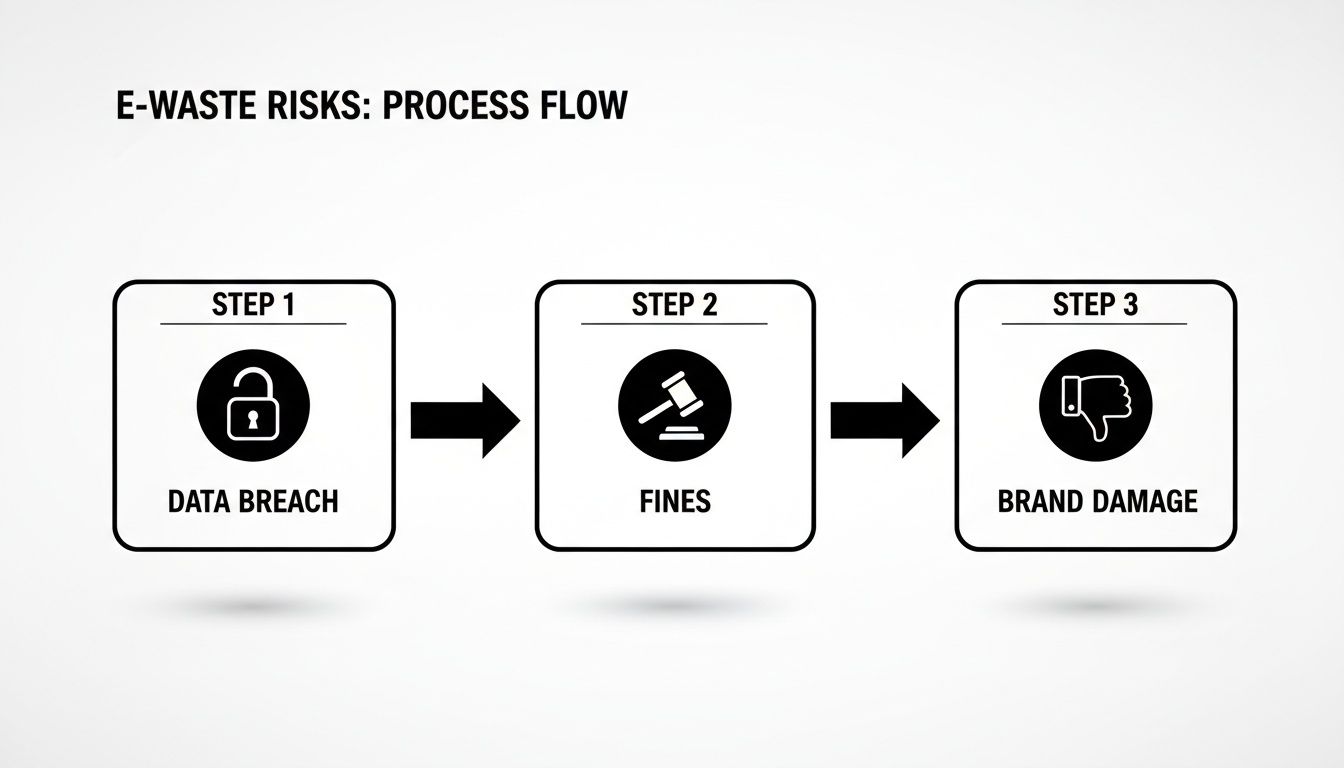
As you can see, it only takes one unsecured device to trigger a data breach, which can lead to hefty regulatory fines and do lasting damage to your company's reputation.
An inventory is more than just a list of stuff. It's a strategic tool that maps out potential risks and recovery opportunities, forming the very foundation of your entire e-waste management plan.
How to Secure Your Data Before Asset Disposal
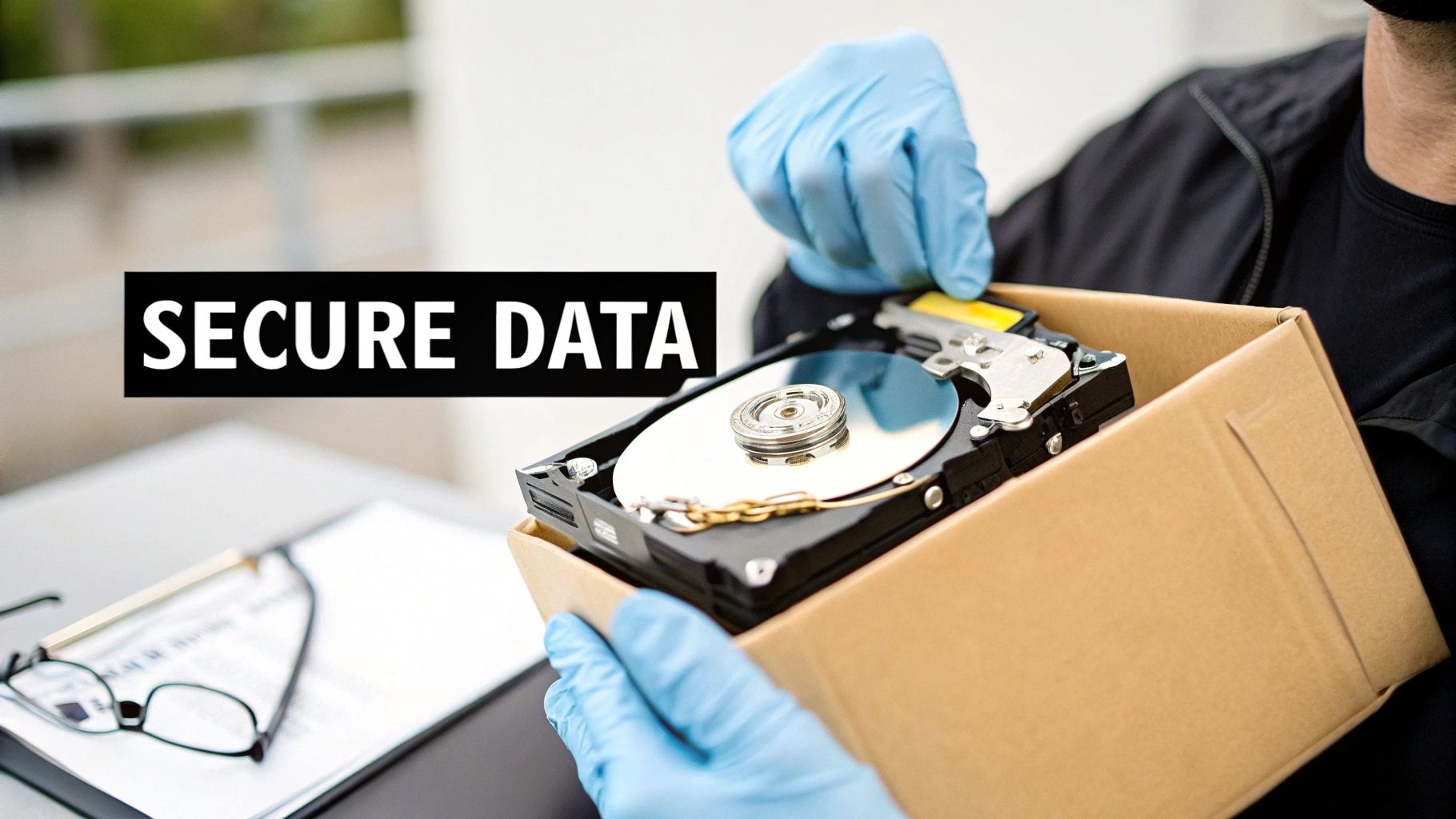
Once you've got your inventory sorted, the next—and arguably most critical—step is dealing with the data living on those devices. Let me be clear: hitting ‘delete’ or doing a standard reformat is nowhere near good enough for business equipment. Those actions just hide the data, making it incredibly easy for someone with basic recovery software to pull everything back. For any Philippine business, especially those in finance or BPO, cutting this corner is practically inviting a data breach.
Proper e-waste management is built on a foundation of true data sanitisation. This isn't just deleting files; it's the process of permanently and irreversibly destroying data so it can never be recovered. Letting a device leave your premises without doing this is like handing over an unlocked filing cabinet full of your most sensitive company and client information. The risk is immense.
Choosing Between Wiping and Physical Destruction
You're looking at two main routes here: wiping the data with software or physically destroying the drive. Your choice really boils down to how sensitive the information is and whether you want to reuse or resell the hardware.
Data Wiping Software is your best bet for devices that still have some life in them. If you're planning to sell or donate old laptops, this is the way to go. This kind of software overwrites the entire drive with junk data, not just once but multiple times, effectively burying the original information. Make sure you use software that meets standards like NIST 800-88 or DoD 5220.22-M. Think of a creative agency upgrading its MacBooks; they can wipe the drives securely, sell the machines, and put that cash towards their new gear.
Physical Destruction is the ultimate solution for top-secret data. We’re talking about shredding, crushing, or degaussing (using incredibly powerful magnets) the hard drives until they're nothing but scrap. This is non-negotiable for industries like law or healthcare. For example, a bank in BGC replacing an old server that processed financial transactions must have those drives physically shredded to guarantee client data can never be recovered. There’s zero chance of recovery when the storage platter is in a million tiny pieces. To properly protect that data, it’s vital to understand the full process for the secure disposal of hard drives, which covers these very methods.
Establishing a Defensible Audit Trail
Wiping or destroying the data is one thing, but being able to prove you did it is just as important. This is where meticulous documentation comes in. A clear audit trail is what will protect your business if questions ever arise. For total peace of mind against all kinds of digital threats, it often makes sense to work with a dedicated cyber security firm.
Your documentation absolutely needs to cover these bases:
- A Chain of Custody Record: You need to track every single data-bearing device from the moment it’s decommissioned to its final destruction. For example, when a laptop is taken from an employee's desk, note down who collected it (e.g., "John Doe, IT Support"), the date, and when it was handed over to the disposal partner.
- Certificates of Data Destruction: Your e-waste partner must give you a formal certificate for every single item they sanitise or destroy. No exceptions.
- Serial Number Logs: This is key. You must be able to match each certificate of destruction back to the specific serial number of the device you logged in your initial inventory. This proves that "Laptop SN: 12345" was the exact one that was wiped.
A well-documented, verifiable data destruction process is your best defence in a security audit or legal dispute. It shows you've done your due diligence to protect sensitive information right through to the end of an asset's life.
Finding the Right Recycling and Remarketing Partners in the Philippines
So, you've successfully wiped all the sensitive data from your old company laptops and servers. Great. Now for the million-peso question: what do you do with the hardware itself? This is where your e-waste management plan really shows its teeth. How you answer this separates the responsible businesses from those unintentionally creating environmental headaches and data breach risks.
You're essentially at a fork in the road. One path leads to the local junkshop. It seems easy and convenient, but these informal operations rarely have the right processes for handling hazardous materials safely or guaranteeing your data is truly gone for good. That’s a massive liability waiting to happen. The other path leads to accredited Treatment, Storage, and Disposal (TSD) facilities—the pros who offer a secure, compliant, and fully documented process.
Spotting Resale Gold vs. Recycling Fodder
Before you haul everything off, remember that not all old tech is just scrap. The first, most crucial step is to figure out what still has value. A little bit of sorting can actually turn what you thought was a disposal cost into a surprising source of revenue.
-
Good for Remarketing: Think about that two-year-old laptop from the marketing department. After a certified data wipe, it can definitely be sold. The same goes for high-end monitors, recent-model servers, or network switches that are still humming along perfectly. For example, a BPO might sell its three-year-old workstations in bulk, recouping 10-15% of their original cost.
-
Headed for Recycling: That ten-year-old printer that jams every other page? Or the server that’s been collecting dust in a closet for years? Those are prime candidates for recycling. Their real value is in the raw materials—copper, gold, plastic—that a certified recycler can safely extract. A practical example is a collection of broken office phones and tangled power cords; these have no resale value but contain valuable materials for recovery.
Doing this quick audit helps you split your inventory into two piles, making sure you get some cash back from the newer gear while responsibly disposing of the genuinely obsolete stuff.
The Hunt for an Accredited TSD Partner
Going with a certified partner is the only way to go, but finding one in the Philippines isn't as simple as you'd think. As of January 2023, the country only had 91 registered Treatment, Storage, and Disposal (TSD) facilities that could handle e-waste.
Most of these are clustered around Metro Manila and other big urban centres. This creates a real challenge for businesses located in provincial or more remote areas. For instance, a resort in Palawan upgrading its IT systems might find it difficult and costly to transport its e-waste to the nearest accredited facility in Luzon. This scarcity is a big reason why so many informal junkshops have popped up to fill the gap. For a deeper dive into this issue, check out the full research from BAN Toxics.
Partnering with a DENR-accredited TSD facility is non-negotiable. It’s the only way to get the official documentation, like Certificates of Destruction, that proves you’ve followed the law and protected your data. Don't skip this step.
What if You Lease Your Equipment?
For companies that lease their IT hardware, the whole end-of-life puzzle gets a lot simpler. One of the best perks of leasing is that the disposal problem often isn't your problem—it belongs to your leasing partner.
For example, a fast-growing tech startup in Manila might lease 50 laptops for its developers. When the two-year lease ends, the leasing company arranges for a courier to pick up all the devices. They then handle the secure data wiping and decide whether to refurbish or recycle the units. This turns a complicated, hands-on task into a streamlined hand-off, letting your team stay focused on their actual jobs instead of becoming e-waste experts.
Staying Compliant and Always Improving
Let’s be frank: navigating the legal side of e-waste management in the Philippines is not optional. For any business, understanding your obligations is more than just a box-ticking exercise to avoid fines. It’s about being a responsible corporate citizen and protecting your brand from the fallout that inevitably comes with cutting corners.
The problem we're facing is massive. In 2022 alone, the Philippines produced an incredible 537,000 metric tons of electronic waste. While we have solid laws in place like Republic Act 9003 (Ecological Solid Waste Management Act) and RA 6969 (Toxic Substances and Hazardous and Nuclear Waste Control Act), enforcement can be spotty. This gap means a huge amount of hazardous e-waste ends up in informal, and often dangerous, recycling operations. You can get a deeper understanding of these e-waste findings and their impact on the country.
What the Law Actually Requires From You
These regulations place direct responsibility on businesses like yours. RA 6969, for instance, specifically classifies e-waste with hazardous materials like lead and mercury as items requiring very special handling. This isn't a suggestion—it's a legal mandate. For example, a box of old, cracked CRT monitors from a school computer lab must be treated as hazardous waste due to the lead content. It means you must work with a DENR-accredited Treatment, Storage, and Disposal (TSD) facility to manage its transport and processing.
Simply calling the local junk shop to haul away your old computers doesn't cut it. Your responsibility doesn’t end the moment that equipment leaves your premises.
Key Takeaway: A solid paper trail is your best defence. Always insist on transport manifests, certificates of treatment, and certificates of data destruction for every single asset. This documentation is your proof that you’ve done your due diligence and complied with the law.
Choosing Your Partners and Sealing the Deal
Picking the right e-waste partner is probably the single most important decision you'll make in this entire process. Don't just rely on a slick brochure or a sales pitch. You need to do your homework.
Here are the absolute must-haves to demand from any potential vendor:
- Proof of DENR Accreditation: Ask for a copy of their current TSD registration certificate. Don't stop there—verify its authenticity directly with the Environmental Management Bureau (EMB).
- Sample Documentation: Request to see examples of their certificates. Do they include crucial details like individual asset serial numbers? They should.
- Real Client References: Talk to other companies they've worked with. For example, ask, "Can you provide a reference from another BPO company of our size?" and then ask that reference about their reliability and turnaround time.
When you get to the contract stage, spell everything out. The service agreement should clearly define the scope of work, including data sanitisation standards (e.g., NIST 800-88), who is liable for any data breaches, and a firm commitment to providing all legal documents in a timely manner. A good clause to add is that all certificates must be delivered within 30 days of asset collection.
Making It a Living, Breathing Process
A truly effective e-waste programme isn’t a one-off project you "finish." It should be a living part of your operations that you constantly monitor and improve. This is how you shift from a simple clean-up to a long-term sustainability win.
The best way to do this is by setting clear Key Performance Indicators (KPIs). These numbers give you a clear picture of what’s working and where you need to focus your attention.
Practical KPIs You Should Be Tracking:
- Diversion Rate: What percentage of your e-waste is being recycled or remarketed instead of just being disposed of? For example, if you dispose of 100 old PCs and 95 are recycled or resold, your diversion rate is 95%. You should be aiming for 90% or higher.
- Value Recovery: How much revenue are you actually generating from reselling refurbished equipment? Track this quarterly. "In Q1, we recovered P50,000 from selling old monitors."
- Cost Per Unit: What’s your average cost to responsibly manage a single item, like one laptop or one server? This helps you budget for future tech upgrades.
Schedule regular meetings—at least annually—with your team and your e-waste partner to go over these KPIs. These conversations are where you'll find opportunities to boost efficiency, lower your costs, and truly deepen your company's commitment to doing the right thing.
Got Questions About E-Waste? We've Got Answers.
Jumping into an e-waste management programme can feel like a huge job, but it doesn't have to be. I've found that most businesses here in the Philippines, whether they're just starting out or are already well-established, run into the same handful of questions.
Let's break down those common concerns and clear a path for you to get started.
What's the Very First Thing My Small Business Should Do?
Before you do anything else, you need to know exactly what you've got. The first, most critical step is to make a simple inventory of all your electronic devices. This isn't just a task for large BPOs with thousands of assets; it's just as vital for a five-person team.
Just open a spreadsheet and start listing everything. What is it (laptop, monitor, printer)? How old is it, roughly? What's its general condition? And here's the most important part: does it store any sensitive company or customer data? For example, the owner's old laptop might contain financial spreadsheets, while a shared office printer likely doesn't. This quick audit forms the foundation of your entire plan.
You don't need a complicated system for this. A basic list with columns for "Device Type," "Age," "Condition," and "Stores Data (Y/N)" is more than enough to start. This simple inventory will shape every other decision you make, from how to wipe data to which disposal partner is the right fit.
How Do I Find an E-Waste Partner I Can Actually Trust?
This is a big one. Choosing the right partner is what protects your business from some serious legal and financial headaches down the road. The most important thing you should look for is their accreditation from the Department of Environment and Natural Resources (DENR) as a Treatment, Storage, and Disposal (TSD) facility.
It can be tempting to go with an informal junkshop that offers to pick up your old gear for free, but that's a risky move. They almost never have the proper processes for secure data destruction or handling hazardous materials. Instead, vet potential partners by asking them for a few key documents:
- Their current DENR accreditation: They should have this on hand and be happy to show you. No certificate, no deal.
- A sample certificate of data destruction: This proves they provide formal documentation for your records, which is crucial for compliance.
- A few client references: A quick chat with another business they've worked with can tell you a lot about their professionalism and reliability.
Any partner worth their salt will be completely transparent and provide this information without any fuss.
Is This Going to Be Expensive?
That’s the million-peso question, isn't it? While there are, of course, service fees for professional e-waste management, you have to weigh that against the cost of not doing it properly.
Think about the potential fines for violating environmental laws. Or even worse, imagine the catastrophic financial and reputational damage from a single data breach traced back to an old, improperly discarded hard drive. When you look at it that way, the fee for proper disposal starts to look less like a cost and more like a smart insurance policy.
Plus, you can often offset the expense by finding value in your newer assets. For instance, a batch of two-year-old laptops can be securely wiped and resold. The money you make from that can easily cover the cost of recycling older, worthless equipment like printers and servers. Suddenly, what looked like a pure expense can become a cost-neutral—or even profitable—activity.
Ready to build a secure and compliant IT asset disposal plan? REDCHIP IT SOLUTIONS INC. offers comprehensive services, from secure data destruction to accredited recycling and remarketing, helping Philippine businesses manage their e-waste responsibly. Learn more about our IT services.


