Information technology asset management, or ITAM, is all about knowing exactly what tech your company owns and making sure you get the most out of it. Think of it as a complete business plan for all your hardware, software, and network gear, from the day you buy it to the day you retire it. It’s far more than just a list of equipment; it’s the key to controlling costs, dodging risks, and making smart financial decisions about your technology.
Unlocking Business Value with Information Technology Asset Management
Imagine trying to run a professional kitchen without a clear inventory. You might accidentally buy a new oven while a perfectly good one is sitting in storage. Or worse, a crucial mixer could break down during the dinner rush, throwing everything into chaos. This is exactly what happens when businesses ignore information technology asset management. You’re essentially flying blind.
ITAM gives you the clear view and control you need to run your technology efficiently. It isn’t just a task for the IT department—it’s a core business function that directly impacts your profitability. It helps answer the tough questions that prevent wasted money and operational headaches.
From Simple Inventory to Strategic Control
A lot of companies think a basic spreadsheet is enough for asset management. While knowing you have 100 laptops is a start, a real ITAM strategy gives you so much more insight.
A simple inventory list might tell you:
- We own 100 Dell Latitude laptops.
But a solid ITAM system tells the whole story:
- Location and Ownership: You’d know 75 laptops are with your BPO agents in Manila, 15 are out with the remote sales team, 5 are in for repair, and 5 are ready for new hires.
- Software Compliance: All 100 laptops have their licensed Microsoft 365 subscriptions, but you might discover 10 also have unapproved design software, flagging a compliance risk.
- Financial Data: Each laptop was leased for ₱1,500/month, and their warranties expire in six months. This immediately signals it's time to budget for replacements.
- Performance: You could see that 20 of the oldest laptops are causing a spike in helpdesk tickets, which hurts agent productivity and drives up support costs.
This kind of detail turns your technology from a line-item expense into a strategically managed part of your business. For a growing hotel chain in the Philippines, this means every point-of-sale terminal, guest Wi-Fi router, and back-office server is accounted for, secure, and actually earning its keep.
A core truth of ITAM is that you can’t secure or manage what you can’t see. Gaining full visibility into your IT environment is the essential first step to cutting down security risks from unpatched software, unknown devices, and old hardware.
At the end of the day, effective information technology asset management is about avoiding expensive surprises. It keeps you from overspending on software licences you don't need, helps you sidestep hefty fines for non-compliance, and makes sure your team always has reliable tools. By putting a strong ITAM framework in place, you’re building a foundation for secure operations, predictable budgets, and smarter business growth.
Navigating The Four Stages Of The IT Asset Lifecycle
Every piece of technology in your business, from a massive server down to the humble office mouse, goes on a journey. It has a beginning, a middle, and an end. Good information technology asset management isn't about a single event; it's about managing that entire journey. Understanding this cycle is the key to getting the most value from your tech and sidestepping risks along the way.
The entire process is typically broken down into four key stages. For a closer look at the nuts and bolts of this process, check out this a simple guide to IT Asset Lifecycle Management. Each stage brings its own set of challenges and, more importantly, opportunities to save money and boost efficiency. This turns your tech management from a chore into a real strategic advantage.
To make this clearer, here’s a breakdown of what happens at each stage of an asset's life.
| Lifecycle Stage | Key Activities | Business Goal |
|---|---|---|
| 1. Procurement | Needs analysis, vendor selection, contract negotiation, purchasing or leasing decisions. | Acquire the right tech, at the right price, under the right terms to meet a specific business need. |
| 2. Deployment | Configuration, software installation, security setup, asset tagging, and logging in the central registry. | Get the asset into the hands of the end-user securely and efficiently, with full visibility from day one. |
| 3. Maintenance | Software updates, security patching, performance monitoring, repairs, and upgrades. | Maximise the asset's productive lifespan, ensure security, and minimise downtime. |
| 4. Retirement | Data wiping, software license reallocation, and secure, environmentally compliant disposal. | Securely remove the asset from service, protect sensitive data, and recover any remaining value. |
These stages form a continuous loop. How you handle one directly impacts the next, making a holistic approach essential for success.
Stage 1: Procurement
The journey starts long before you even see the box. Procurement is all about strategic planning and smart purchasing. It’s not just a hunt for the cheapest price; it's about getting the right technology, on the right terms, to solve a real business problem.
Think about this: A growing BPO in Cebu is gearing up to hire 100 new agents. The leadership team has a big decision to make: buy all the workstations outright or lease them? Buying means a huge upfront capital expense (CAPEX), but they'll own the assets. Leasing, however, turns that into a predictable monthly operational expense (OPEX), freeing up cash for other critical growth areas. A solid ITAM strategy is what guides this choice, weighing the total cost of ownership against the company's need for flexibility.
Stage 2: Deployment
Once you have the asset, it’s time for deployment. This is the hands-on process of getting the technology set up, configured, and into the hands of your employees so they can actually start working. Getting this stage right is crucial for establishing control and visibility from the very beginning.
A proper deployment isn't just plug-and-play. It involves a few key steps:
- Configuration: Getting the right operating system, security tools, and business software installed.
- Asset Tagging: Sticking a unique ID (like a barcode or QR code) on the device so you can track it easily.
- Database Entry: Logging the new asset into your central ITAM system with all the important details—who has it, where it is, and what's on it.
Here’s a real-world example: A marketing agency in Metro Manila is rolling out 50 new laptops for its hybrid team. A well-oiled deployment process means every single laptop is configured with the company's security policies and creative software before it's shipped to an employee's home. Each one is tagged and registered, so the IT team always knows who has what, preventing expensive gear from disappearing in the new world of remote work.
Stage 3: Maintenance
This is the longest part of an asset's life and, frankly, where it delivers its real value. The maintenance stage is all about keeping your technology running smoothly, securely, and effectively. It covers everything from routine software updates and security patches to handling repairs and planning for upgrades.
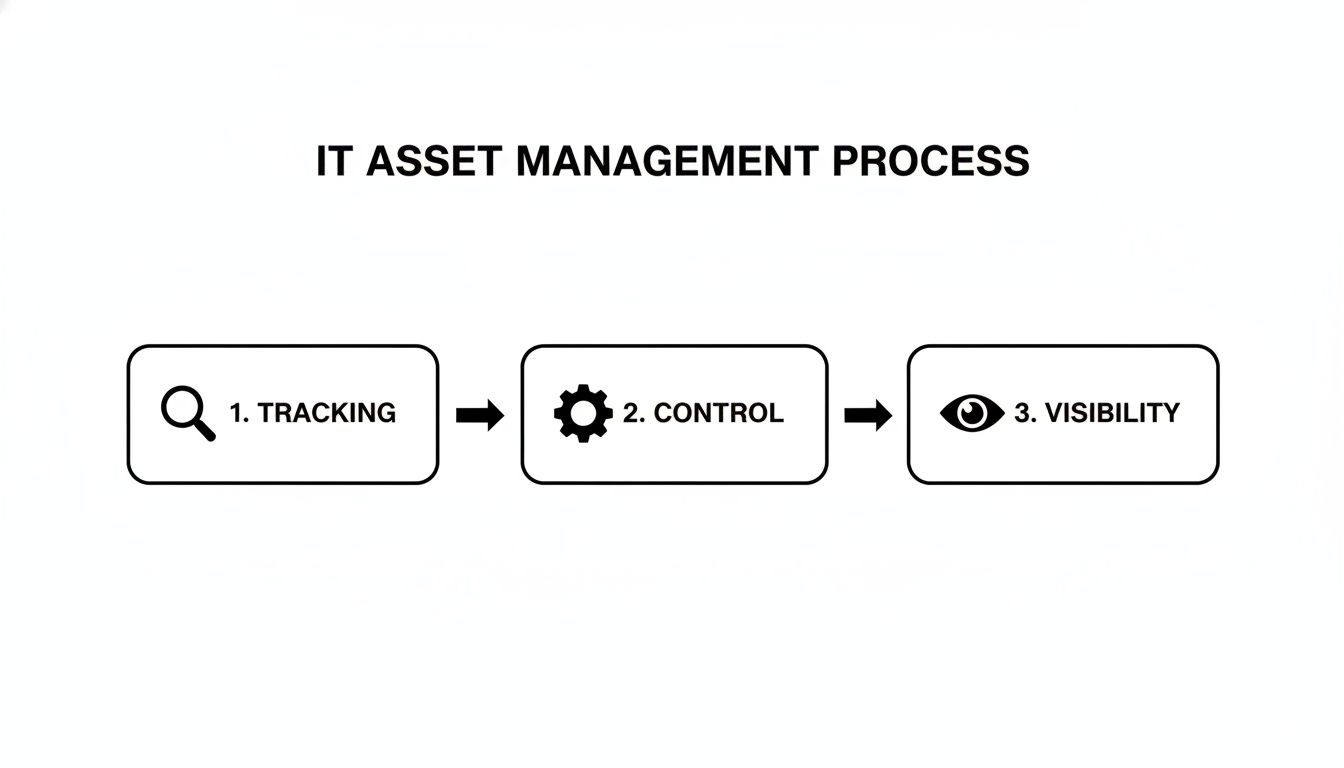
As you can see, effective maintenance isn’t a standalone task. It relies on a solid foundation of tracking and control to give you true visibility into the health and status of all your assets.
This proactive approach isn't just good practice; it's an economic necessity. Even the Philippine government has flagged the growing challenge of lifecycle costs. In its National Asset Management Plan, the Department of Budget and Management (DBM) highlighted that "maintenance liabilities expand as the asset base grows." This is the exact same problem private businesses face, especially with device fleets growing by 30–50% since the pandemic pushed everyone towards remote work.
Expert Tip: An asset’s performance is directly tied to its maintenance schedule. Putting off patches or ignoring performance warnings always costs more in the long run—through higher support tickets, frustrated employees, and gaping security holes.
Picture this: A luxury hotel in Palawan lives and dies by its guest reviews, and a spotty Wi-Fi network is a sure way to get a bad one. For them, proactive maintenance is a must. Their managed IT provider keeps a 24/7 watch on all the network gear, pushing firmware updates during off-hours and swapping out failing hardware before it can ever cause an outage. It’s a core part of a smart maintenance strategy, something we dive deeper into in our guide to preventive and corrective maintenance.
Stage 4: Retirement And Disposal
Nothing lasts forever, and that includes your IT assets. When a device reaches the end of its useful life, you need a plan to take it out of service securely, legally, and responsibly. Just tossing old hardware in the bin is a massive risk you can't afford to take.
This final stage is more than just unplugging a machine. It involves:
- Data Wiping: Using certified methods to completely and permanently erase all sensitive company and customer data.
- Software License Reharvesting: Deactivating software licenses so they can be reassigned to new devices, which stops you from paying for software you're not even using.
- Disposal: Getting rid of the physical hardware in an environmentally sound way that complies with all e-waste regulations.
Final scenario: A financial services firm in BGC is retiring a rack of old servers. Before that hardware even thinks about leaving the building, the IT team uses specialised tools to wipe the hard drives clean. This isn't optional; it's a critical step to ensure that sensitive client financial data is gone for good, protecting the firm from a disastrous data breach and staying on the right side of the Data Privacy Act.
Building Your ITAM Strategy from the Ground Up
Alright, you understand the lifecycle of your IT assets. Now, how do you actually build a system to manage it all? This is where a real strategy comes in. A solid information technology asset management plan isn't some fancy document that sits on a shelf; it's your company's playbook for handling technology. Without one, you’re basically flying blind, which almost always leads to lost equipment and wasted cash.
This is your shift from constantly putting out fires to being in control. A good plan sets clear rules for everything, from how an employee requests a new laptop to the right way to return an old one. For businesses in the Philippines, especially those with people working across different sites or from home, a formal policy is the only way to keep things organised and protect your investments.
Establish a Single Source of Truth
The heart of any ITAM strategy is a centralised asset database. Think of it as the official, definitive record for every piece of tech your company owns, leases, or looks after. It’s time to ditch the messy spreadsheets and outdated lists. This central hub becomes the one place everyone goes for accurate info.
Your database doesn't need to be massively complex from day one. What matters most is that it’s complete and always kept up-to-date. For any growing business, a secure, powerful database is non-negotiable for this kind of critical information. In fact, a good database is the backbone of so many business functions; you can learn more about what a top-notch relational database service looks like and see how it supports much more than just ITAM.
A single source of truth eliminates the confusion that costs businesses money. When everyone works from the same data, decisions about purchasing, security, and support become faster and much more accurate.
Implement a Foolproof Tagging System
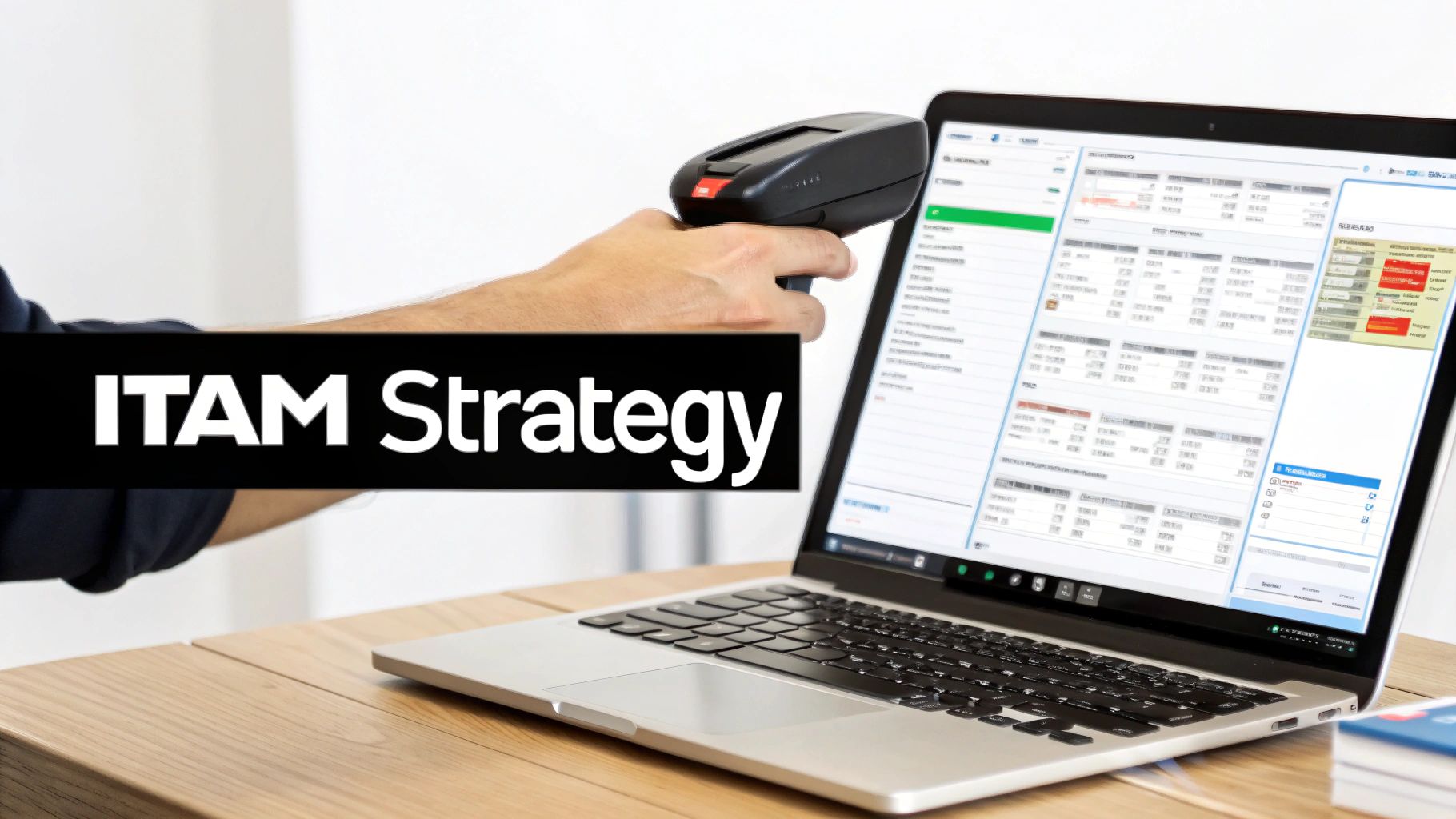
Once you've got your central database set up, you need a reliable way to link your physical gear to its digital record. That's where asset tagging comes in. Every single device needs its own unique tag—whether it's a simple barcode, a QR code, or even an RFID chip—physically attached to it.
This one simple step turns an abstract list of assets into a tangible, manageable inventory you can actually track in the real world.
Practical Example: Imagine a retail chain with five branches across Luzon. They use barcode scanners to keep tabs on all their point-of-sale (POS) machines. When a terminal acts up, a technician just scans the barcode with their phone. Instantly, they see the device's entire history—when it was bought, its warranty status, and any past repairs. This means a faster, smarter fix. It also turns the dreaded annual inventory count from a multi-day nightmare into a few hours of work.
Define Clear Ownership and Procedures
Technology doesn’t look after itself. Every asset, from a massive server in your office to a sales agent's smartphone, needs a designated owner. This clear line of responsibility means someone is always accountable for that device's condition, security, and eventual return.
Beyond ownership, you need simple, documented procedures for everyday tasks. Guesswork is the enemy of good ITAM. Your team should never be left wondering what the proper steps are for requesting, transferring, or giving back company equipment.
Here are a few essential procedures you need to write down:
- Equipment Request Process: A standard form or ticketing system employees must use to ask for new hardware or software.
- Asset Handover Protocol: A simple checklist that both IT and the employee sign when a device is issued, confirming it's in good shape and has all its accessories.
- Employee Offboarding Procedure: A mandatory part of the exit process where employees return all company assets, which are then checked against their records in your database.
Secure Employee Buy-In
Finally, remember this: the best ITAM strategy in the world is useless if your team doesn't follow it. The human element is everything. Getting your employees on board isn't about being strict; it's about explaining the "why" behind the new system.
Show them how these procedures make their lives easier. A clear request process gets them the tools they need to do their job faster. A proper return process protects them from being blamed for a missing laptop long after they've left. When you frame your ITAM strategy as a benefit for everyone, you'll find your team becomes an active partner in protecting the company’s valuable tech.
Measuring Your ITAM Success and Ensuring Compliance
A solid information technology asset management strategy is great on paper, but how do you know it's actually working? If you can't measure your efforts, you can't improve them. This is where key performance indicators (KPIs) come in, turning your day-to-day ITAM tasks into tangible business results you can track, analyse, and report on.
Think of KPIs as the dashboard for your company's technology engine. They’re the gauges that tell you what’s running smoothly, what needs a tune-up, and where you’re saving money. These numbers are the hard evidence that shows your ITAM programme is delivering real value, shifting the conversation from simple inventory counts to strategic financial and operational oversight.
Key Metrics That Matter
To get a real sense of your ITAM programme's impact, you need to zero in on a few crucial metrics. These KPIs paint a clear picture of your efficiency, costs, and risks across your entire IT estate.
Here are a few essential KPIs you should start tracking:
- Asset Utilisation Rate: This simple number tells you how much your assets are actually being used. A low rate is a huge red flag for wasted money. For a call centre, this could reveal that 20% of your expensive software licences are tied to inactive accounts—an instant opportunity to cut costs.
- Mean Time to Repair (MTTR): This tracks the average time it takes to fix a broken asset, from the moment it goes down to when it’s back online. In a hotel relying on its guest Wi-Fi network, a low MTTR is absolutely critical for keeping customers happy and protecting revenue.
- Licence Compliance Rate: This is the percentage of your software that is correctly licensed. A high compliance rate—think 98% or more—is your best defence against surprise audits and the steep fines that can cripple a business.
Part of measuring financial success means constantly keeping an eye on software spending. Using a good software license cost calculator can be a massive help here, allowing you to maintain a healthy compliance rate while keeping your budget firmly in check.
Connecting ITAM to Compliance and Risk Management
Beyond just saving a few pesos, a mature information technology asset management system is a cornerstone of modern security and legal compliance. Here in the Philippines, this has never been more important. With the government’s National Cybersecurity Plan 2024–2028 and stricter enforcement of the Data Privacy Act, every untracked laptop or server becomes a major liability. Global research shows only 43% of organisations have a complete view of their IT estate, a gap that is likely even wider in the local market.
Your ITAM database is more than just a list of equipment; it's your first line of defence in a compliance audit. It provides the concrete proof needed to show you're a responsible steward of data and security.
Picture this: a healthcare clinic in Manila is facing an audit from the National Privacy Commission. The auditors are asking tough questions about how patient data is protected on company devices. Because they have a robust ITAM system, the clinic’s IT manager can instantly pull a report showing:
- A complete list of every laptop and mobile device that has ever accessed patient records.
- Proof that each one of those devices is encrypted with company-mandated security software.
- A detailed log from the retirement stage, confirming that old hard drives were securely wiped clean before disposal.
That’s the power of linking ITAM directly to your compliance strategy. The clinic passes the audit without any issues, avoiding huge potential penalties and protecting its reputation. This real-world scenario shows that effective information technology asset management isn’t just an operational nice-to-have—it’s an essential shield against legal, financial, and reputational risk.
Your Practical Roadmap for Implementing ITAM
Getting started with an information technology asset management programme can feel like a massive project, but it doesn't have to be overwhelming. When you break it down into manageable phases, any Philippine business—whether you’re a lean startup or a large-scale BPO—can get a firm grip on its technology. This roadmap is designed to guide you through the process, turning what seems like a complex goal into a series of clear, actionable steps.
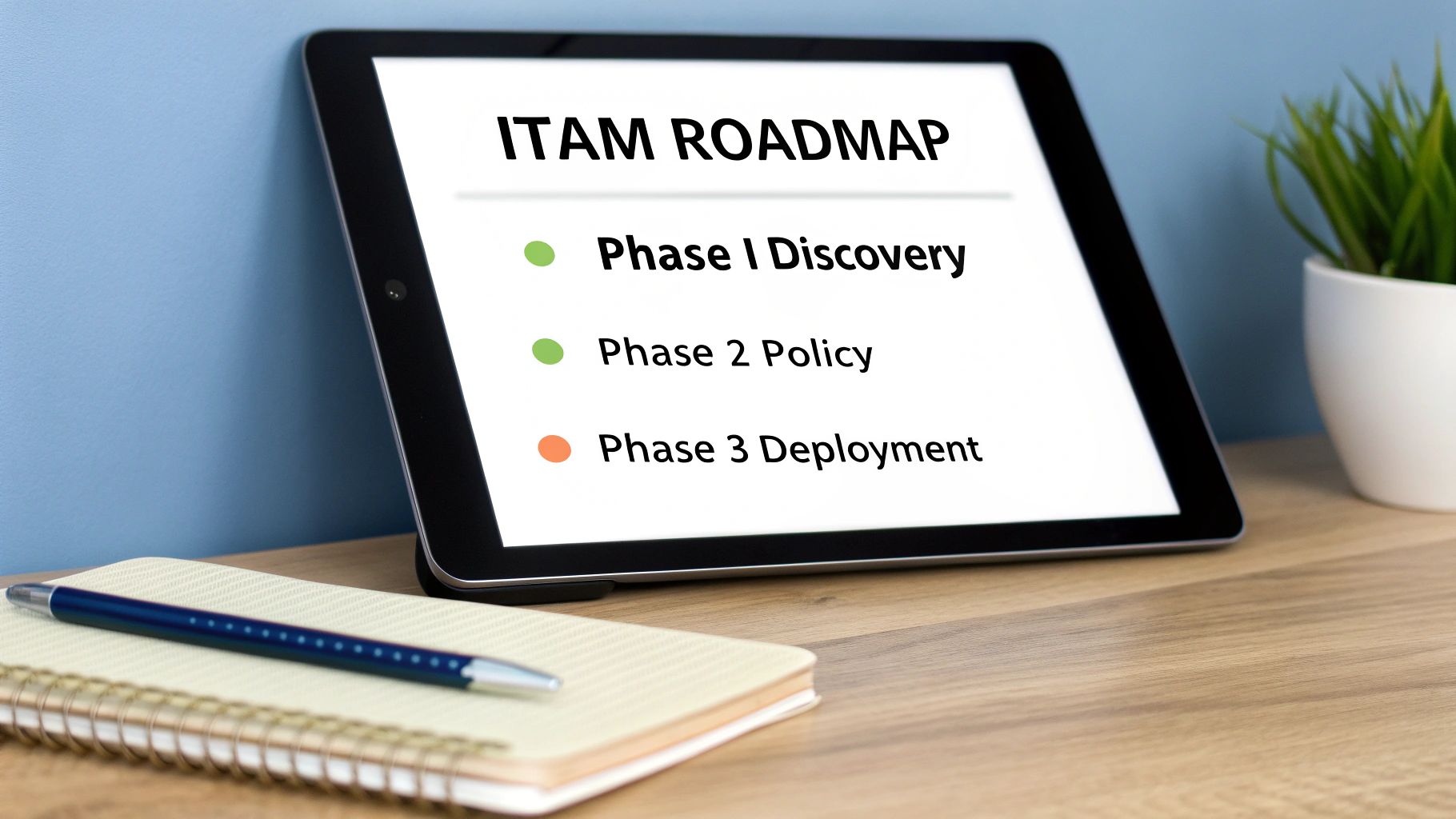
Think of it like building a house. You don't just start throwing up walls. You begin with a blueprint (Discovery), lay a solid foundation (Policy and Tools), build the structure (Deployment), and then commit to regular upkeep (Optimisation). Each phase builds on the last, guaranteeing a stable and effective system in the end.
Phase 1: Discovery and Inventory
First things first: you need to figure out what you actually have. You can't manage what you don't know exists. This discovery phase is all about creating a complete inventory of every single piece of hardware and software your business relies on, from servers and laptops to mobile phones and cloud subscriptions.
- For a small startup: This could be as simple as a detailed, well-organised spreadsheet. The key is to be meticulous—list every laptop, monitor, and software license, and make a note of who has what.
- For a larger BPO: You'll almost certainly need automated discovery tools. These can scan your network and find every connected device, including those used by your remote agents.
The goal here is to establish a baseline—a complete snapshot of your current IT environment. This initial list will almost always uncover "ghost assets" you're still paying for and unapproved software that poses a security risk.
Phase 2: Policy Creation and Tool Selection
With a clear inventory in hand, you can now define the rules of the road. This phase involves creating your official ITAM policy and choosing the right tools to enforce it. Your policy should clearly outline procedures for how assets are requested, deployed, returned, and eventually retired.
Next, you’ll select your ITAM software. The market for these tools is booming, which reflects a massive need for better control. In fact, the Philippine IT Asset Management Software Market is projected to hit around USD 3.6 billion by 2031, growing at a rate of over 13%. This surge is fuelled by the complexities of remote work and cloud adoption, making robust tools more critical than ever. You can learn more about these market growth drivers and trends.
Practical Tip: When picking a tool, think about integration. For a large BPO, choosing an ITAM system that connects directly with your existing IT helpdesk software is a game-changer. It links asset data to support tickets, giving your technicians instant context to solve problems much faster.
Phase 3: Deployment and Training
Now it's time to put your plan into action. This phase is all about rolling out your new ITAM tool, tagging your assets, and—most importantly—training your team. A new system is only effective if people actually use it correctly.
Your training needs to be practical and tailored to different roles. While your IT team will need in-depth training on the new software, your general employees just need to understand the new procedures for requesting and returning equipment. Keep it simple and explain the "why" behind the changes; it helps secure their buy-in and cooperation.
Phase 4: Ongoing Optimisation
Information technology asset management isn't a one-and-done project. It’s a continuous cycle of improvement. Once your system is up and running, the final phase is about monitoring, reviewing, and refining your processes. Regularly check your ITAM data to spot trends, find cost-saving opportunities, and make sure you're meeting your compliance goals.
This is also when you step back and evaluate your overall strategy. Are you spending too much time on manual tasks? Is your internal team stretched too thin? This is where many businesses weigh their options.
The Big Decision: DIY vs. Managed Services
Implementing ITAM on your own gives you total control, but it also requires significant internal resources and expertise. For many businesses in the Philippines, this can be a major hurdle.
Partnering with a managed services provider offers a compelling alternative. An experienced information technology company can handle the entire ITAM lifecycle for you, from discovery and tool management to ongoing monitoring. This approach comes with several key advantages:
- Expertise on Demand: You get access to a team of specialists without the high cost of hiring them full-time.
- Predictable Costs: Services are often bundled into a fixed monthly fee, which makes budgeting much easier.
- Scalability: As your business grows, your provider can scale your ITAM programme right alongside you, ensuring you always have the support you need.
For many startups and SMEs, this managed approach makes robust ITAM an achievable goal. It frees them up to focus on their core business, all while knowing their technology assets are in expert hands.
Frequently Asked Questions About ITAM
Jumping into the world of IT asset management can feel a bit daunting, and it naturally brings up a lot of questions. This is especially true for business leaders here in the Philippines who are juggling growth with the need to be efficient. Let’s tackle some of the most common queries with practical, real-world answers.
Is My Business Too Small for a Formal ITAM System?
Not a chance. In fact, it’s often the smaller businesses that feel the pain of a lost laptop or an unused software subscription the most. Putting good habits in place early on is one of the smartest things you can do—it’s a foundation that will pay for itself many times over as you scale.
An ITAM system for a small company doesn't have to mean a massive, complicated software suite. It can start with something as simple as a well-organised spreadsheet paired with a few clear policies everyone understands.
Practical Example: Imagine a startup in Makati that leases all its employee laptops. Many leasing services already include basic asset tracking. This simple decision helps you avoid common headaches, like ex-employees walking away with company hardware or continuing to pay for software licences for people who've already left. All of that, without a huge upfront cost or management burden.
What's the Difference Between an Inventory List and ITAM?
This is a really important distinction. Think of it this way: an inventory list is just a static headcount of your gear, while IT asset management is a living, breathing strategy that tells you the complete story behind every single item.
An inventory list might tell you, "We have 100 laptops."
An ITAM strategy, on the other hand, answers the critical business questions that an inventory list can't. It's what allows you to track value, manage risk, and truly optimise costs from the day you buy an asset to the day you retire it.
ITAM gives you the deeper, actionable information you need, answering questions like:
- Who has this? (John in Sales is assigned laptop #78.)
- What’s its story? (Its warranty is up in three months, and it’s been sent for repair twice.)
- Is it safe and compliant? (It has the latest security updates, but someone installed unapproved software last week.)
- What is it actually costing us? (We're halfway through its lease, with a remaining cost of ₱18,000.)
Basically, inventory is a list. ITAM is the business intelligence you need to manage that list properly.
How Do I Start ITAM on a Tight Budget?
You don't need a huge budget to get started. The trick is to start smart and focus on what will give you the biggest bang for your buck. First, create a simple, central record of your most critical or high-risk assets—things like servers, laptops for key personnel, and your most expensive software subscriptions.
Next, set up clear and simple policies for how employees request new equipment and how they return it when they leave. This costs nothing but instantly cuts down on the risk of assets disappearing.
For a really cost-effective approach that grows with you, think about partnering with a managed IT provider. Services like hardware leasing wrap the cost of asset management into a predictable monthly fee. This gives you full control over your IT assets without tying up your cash flow, freeing it up for other parts of your business.
At REDCHIP IT SOLUTIONS INC., our goal is to make professional ITAM a reality for businesses of all sizes across the Philippines. Whether it's through hardware leasing with built-in tracking or our full managed IT services, we have the tools and expertise to help you protect your assets and scale smarter. Find out how we can build a solution for you at https://redchipcomputers.com.


