Choosing a professional security system installation service is the most important decision you'll make when protecting your business. It's tempting to think a DIY setup will save money, but I've seen it time and again—it often creates gaping holes in coverage and leaves your network wide open to risks. A pro, on the other hand, delivers a complete, integrated system designed around how your business actually operates.
Your Blueprint for Business Security
For any business owner, BPO manager, or hotel operator here in the Philippines, deciding to invest in a security system feels like a massive undertaking. It's so much more than just sticking a few cameras on the wall. It’s about building a cohesive security ecosystem where every piece of technology works together to solve your unique challenges. A professional service lays out this entire journey, starting with a meticulous on-site assessment and finishing with reliable, long-term support.
This approach isn't just about selling you hardware; it's about explaining the 'why' behind every recommendation. You'll understand how high-definition CCTV, controlled access points, and solid network security measures connect to create a single, powerful defence.
Think about a common scenario I've encountered: a growing BPO in Metro Manila tries to handle installation in-house to cut costs. Before long, their network grinds to a halt from the camera feeds, they discover critical blind spots in hallways and entryways, and their system has major cybersecurity flaws. They quickly learn the hard way that a professional, end-to-end installation provides immense value, not just for security but for keeping the whole operation running smoothly.
The Professional Installation Process
A true professional follows a proven, structured process to make sure nothing gets missed. This approach simplifies the entire project into three core phases: assessment, integration, and support.
This flow shows exactly how a professional service moves from understanding your needs to deploying the right technology and, finally, to providing ongoing support.
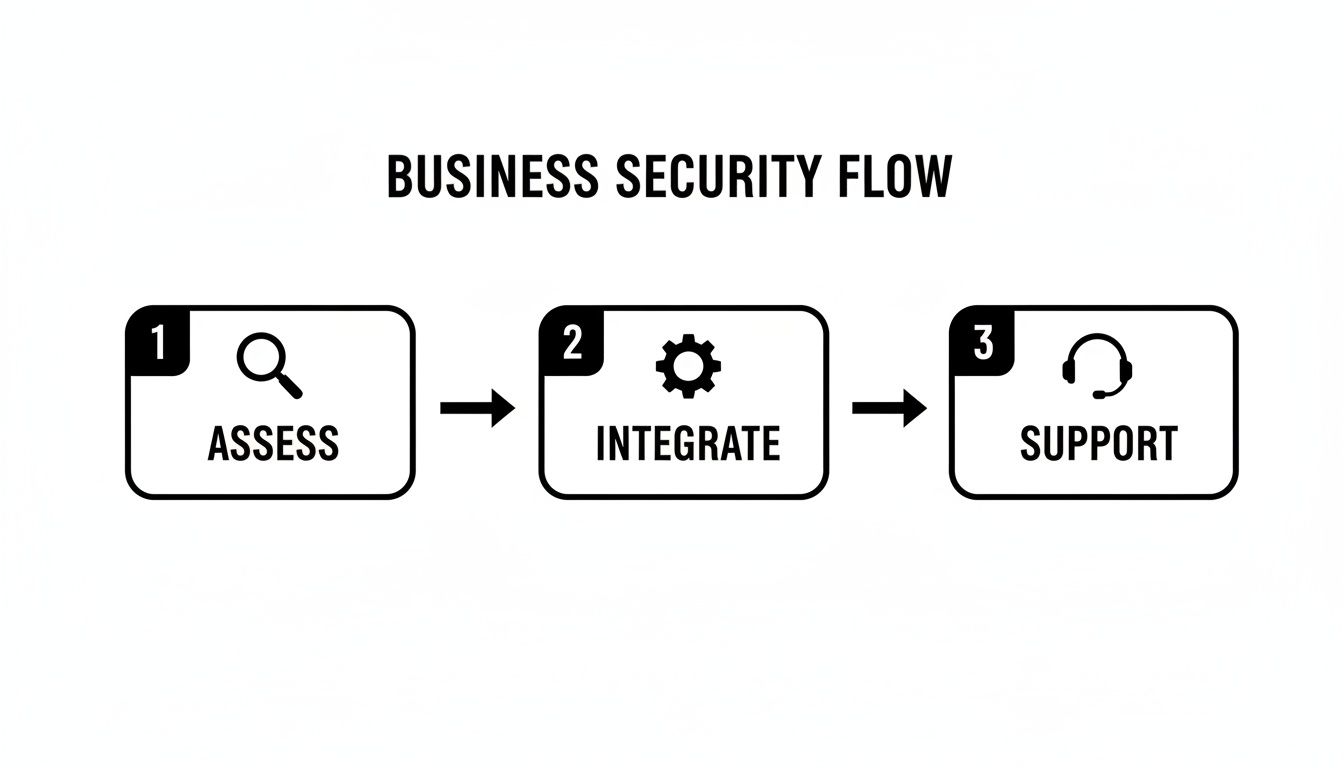
What this really highlights is that good security isn't a one-and-done project. It’s a continuous cycle of evaluation, implementation, and maintenance to keep you protected.
Why a Strategic Roadmap Matters
Without a clear plan, your security investment can easily become a messy, ineffective patchwork of devices. You might end up with hardware that doesn't talk to each other, a network that can't handle the data load, or a system so complicated your staff can't even use it properly. A strategic roadmap is your defence against these common pitfalls.
By mapping everything out from the start, you can:
- Define Clear Objectives: Get specific about what you need to protect, whether it's physical inventory, sensitive company data, or employee safety. For example, a warehouse's primary objective might be preventing theft from the loading bay, while a hotel's is ensuring guest safety in public areas.
- Align Technology with Needs: Make sure every camera, sensor, and door lock serves a purpose. This stops you from wasting money on features you'll never use. For instance, a small office doesn't need a high-speed pan-tilt-zoom (PTZ) camera designed for monitoring large perimeters.
- Future-Proof Your Investment: Plan for growth. A good system should scale with your business without needing a complete and costly replacement down the line. A practical example is installing a 16-channel recorder for a business that currently only needs 10 cameras, allowing for easy expansion.
- Empower Your Team: Build training and support into the plan from day one. This turns your staff from passive observers into an active part of your security.
A well-planned security installation is proactive, not reactive. It anticipates vulnerabilities and addresses them systematically, rather than waiting for an incident to expose your weaknesses.
This guide is that strategic roadmap. It’s built to help you ask the right questions and make smart decisions from the very beginning. As you weigh your options, you might also want to dig deeper into choosing the right security system supplier for your business.
Assessing Your Unique Security Needs
A truly effective security system isn't something you can just buy off a shelf. It has to be designed from the ground up, starting with a deep dive into what makes your business tick—and what makes it vulnerable. Before a single camera is mounted or a wire is pulled, any professional security system installation service worth their salt will start with a comprehensive needs assessment and a meticulous site survey.
This initial discovery phase is, without a doubt, the most important part of the entire process. Think of it as creating the architectural blueprint for your security. It’s not just a quick walkthrough; it’s an investigation. We’re there to understand your daily operations, the physical layout of your space, and the specific risks you face. The goal is to move beyond a vague idea like "we need better security" to a concrete, actionable plan that protects what matters most to you.
We aren't just looking for places to hang cameras. We're figuring out the why behind every single component to solve your real-world challenges.

Identifying Critical Assets and Vulnerabilities
Every business protects different things. The very first step is to sit down and clearly define your critical assets and pinpoint where you’re most exposed. Remember, assets aren't just physical stock—they include sensitive data, expensive equipment, and, most importantly, your people.
A great way to do this is to literally map these things out on a floor plan. This simple visual exercise often brings risks to light that you might have otherwise missed.
Let's look at some real-world examples:
- Retail Store in a Manila Mall: The obvious assets are high-value items and cash registers. Key vulnerabilities? Shoplifting near entrances and exits, or concealment in fitting rooms. The site survey would focus on camera placement to cover these specific zones without any blind spots.
- Multi-Floor BPO in Cebu IT Park: Here, the assets are digital—client data on servers and employee information—plus the expensive IT hardware itself. The biggest risk is unauthorised access to server rooms or secure production floors. The assessment would naturally prioritise access control systems for elevators and key doors, backed by CCTV in common areas.
- Beachfront Hotel in Palawan: Assets here are guest safety, high-end amenities like pools, and back-of-house operations. Vulnerabilities include unmonitored beach access points and managing the flow of non-guests through the lobby. Critically, the survey must also consider environmental factors like saltwater corrosion when choosing outdoor equipment.
Mapping High-Traffic Zones and Blind Spots
Once you know what you're protecting, you need to understand how people move around it. Analysing foot traffic is crucial for placing cameras and sensors where they’ll actually do some good. A proper survey means walking the exact paths your employees, customers, and even delivery personnel use every single day.
This process quickly reveals the natural chokepoints, busy corridors, and overlooked blind spots. For instance, a loading bay might feel secure, but what about that unseen corner behind a stack of pallets? That’s a thief’s best friend. A practical example is placing a camera with a wide-angle lens to specifically cover that corner, eliminating the blind spot.
A thorough site survey shows you not just where your weaknesses are today, but where they're likely to pop up during normal operations. It’s all about anticipating risk, not just reacting to it.
Considering Environmental and Structural Factors
Finally, the physical environment itself has a huge say in the final system design. A one-size-fits-all solution rarely holds up in the diverse business landscapes across the Philippines. A professional assessment digs into these critical, on-the-ground details.
- Lighting Conditions: How does your carpark look at night versus during the day? An area that’s perfectly lit at noon might need cameras with powerful infrared (IR) night vision to capture clear footage after dark. For example, a restaurant's back alley, used for deliveries, would require a camera with strong IR to identify license plates even in complete darkness.
- Existing Infrastructure: What’s the state of your network cabling? Can it handle the bandwidth from multiple high-definition IP cameras, or do we need to plan for new structured cabling to guarantee a stable connection? In an older building, existing telephone lines won't work, so a plan to run new Cat6 Ethernet cables is a must.
- Environmental Challenges: As with the Palawan hotel example, coastal humidity can destroy electronics that aren't properly rated. A dusty warehouse is no different—it demands cameras with a high IP (Ingress Protection) rating to keep them from failing. A practical choice would be an IP67-rated camera, which is fully dust-tight and can withstand being submerged in water.
By layering an understanding of your assets, traffic flow, and physical environment, the site survey provides the raw intelligence needed to engineer a security system that truly works for your business.
Choosing the Right Security Components
Once the site survey has laid bare your weak spots, it's time to choose your hardware. A modern security system installation service is about more than just cameras; it’s about creating a unified team of devices that work together to form a solid defence. The real trick is to match the technology to the specific risks you've already identified.
The sheer number of options can feel like a lot to handle, but it all boils down to three core pillars of business security: surveillance, access control, and alarms. For some businesses, a straightforward setup focused on one area might be enough. But for others, like a multi-floor BPO or a hotel with dozens of rooms, a layered approach combining all three is the only way to get real peace of mind.
It’s all about making smart, purposeful choices. You wouldn't use the same tools to secure a small retail kiosk as you would for a massive warehouse complex. Each piece of equipment has to serve a clear function that directly counters a potential threat.
Here’s a quick overview of how these core systems compare and where they fit best in a business setting.
Comparison of Security System Components for Businesses
| System Type | Ideal Use Case | Key Benefits | Example Application |
|---|---|---|---|
| IP Cameras (CCTV) | Visual monitoring of high-traffic areas, perimeters, and critical assets. | Provides visual evidence, deters criminal activity, and enables remote monitoring. | A retail store using AI-powered cameras to monitor entrances and cash registers for theft and suspicious behaviour. |
| Access Control | Securing sensitive areas like server rooms, inventory storage, and executive offices. | Restricts entry to authorised personnel only, creates a digital audit trail of movement. | A BPO office using biometric scanners for the server room and RFID keycards for general office access. |
| Alarms & Sensors | Protecting the premises after hours or detecting specific threats like fire or break-ins. | Provides immediate alerts to breaches, deters intruders with sirens, and notifies a monitoring centre. | A warehouse using motion detectors and door contacts that trigger an alarm and notify security if breached after closing time. |
Each of these systems plays a crucial role. Now, let's break them down a bit further.
The Foundation: Surveillance with IP Cameras
High-definition Internet Protocol (IP) cameras are the eyes of your operation. Forget the grainy, old-school analogue footage; modern IP cameras deliver crisp, clear video and plug right into your network. This opens up a world of advanced features that turn them into active security tools, not just passive recorders.
As you start looking at hardware, it's smart to get familiar with what's out there. This guide on Choosing the Best Security Camera Systems for Small Business is a great resource to help you make sense of the options.
For any serious business setup, these are the features you absolutely need to look for:
- AI Analytics: This is a total game-changer. AI can tell the difference between a person, a car, and a stray cat, which drastically cuts down on those annoying false alarms. You can also set it up for things like line-crossing detection (getting an alert if someone enters a restricted zone) or loitering detection. A practical example is a manufacturing plant using line-crossing detection to get an instant alert if a worker enters a dangerous area around heavy machinery.
- Night Vision (IR): If you need 24/7 monitoring, infrared (IR) is non-negotiable. It lets cameras see in total darkness. Just make sure to check the effective range of the IR—it makes a huge difference. A camera with 10-meter IR might be fine for a small office, but a parking lot needs a model with a 50-meter range or more.
- Weather and Vandal Resistance: Outdoor cameras, especially here in the Philippines, take a beating from the weather. Look for high IP (Ingress Protection) and IK (Impact Protection) ratings to make sure they can stand up to heavy rain, dust, and even direct tampering. For instance, a camera installed in a public-facing area like an ATM vestibule should have a high IK10 rating, meaning it can withstand a heavy impact from a hammer.
Controlling Access to Your Premises
Think of access control as your digital gatekeeper. It's the system that decides who gets to go where and when, all while creating an electronic record of every single entry. For any business handling sensitive data, valuable stock, or that has restricted areas like a server room or cash office, this is simply a must-have.
An access control system does more than just lock doors. It provides granular control and invaluable data, allowing you to instantly revoke access for a former employee or track movement through a high-security zone in real-time.
Modern systems are a lot more sophisticated than the old keycard swipe.
- Biometric Scanners: Using a fingerprint or facial recognition is one of the most secure methods because the "key" can't be lost, stolen, or shared. These are perfect for high-stakes areas like server rooms. A practical example is a medical clinic using a fingerprint scanner to secure its records room, ensuring only authorized healthcare staff can enter.
- Mobile Credentials: Letting staff use their smartphone as a digital key is incredibly convenient. It makes managing access simple, and you can grant or revoke privileges remotely in seconds. For instance, a property manager could grant temporary access to a maintenance worker for a specific condo unit for a two-hour window, all from their phone.
- RFID/NFC Cards: The classic keycard or fob is still around for a reason. It's a cost-effective and very reliable solution for general staff access in offices and BPOs.
This push for stronger physical security isn't just a hunch; it's a major trend. In the Philippines, spending in the data centre physical security market is growing, with solutions like video surveillance and access control projected to make up over 63.2% of the market. This is being driven by companies installing AI-ready cameras and biometric gates to stop threats as they happen.
Intruder Alarms and Intelligent Sensors
While cameras watch and access control restricts, intruder alarms are built to react. When a security line is crossed, these systems create an immediate, impossible-to-ignore alert. This not only notifies your security team or a monitoring centre but also acts as a powerful deterrent to send intruders running.
A modern alarm system is really a network of smart sensors working together:
- Motion Detectors: These use infrared or microwave tech to spot any movement in a protected area after business hours. A practical example is placing detectors in a warehouse so they cover the main aisles, triggering an alarm if an intruder enters after closing.
- Door/Window Contacts: Simple but effective. These magnetic sensors trigger an alarm the second a secured door or window is opened. For a jewellery store, every single display case could be fitted with these contacts for an extra layer of protection.
- Glass-Break Sensors: These sensors are designed to listen for the specific sound frequency of shattering glass, adding another strong layer to your perimeter defence. They are ideal for businesses with large storefront windows, like a car dealership or a high-end boutique.
Getting all these different pieces to work together seamlessly is where a professional security system installation service really proves its worth. For more detail on camera types and strategies, you might find our guide on CCTV installation services helpful.
A properly designed system ensures that when a sensor is tripped at 2 a.m., the closest camera instantly swivels to that spot, records what's happening, and sends a video clip right to your phone. This is how you turn a collection of individual gadgets into a powerful, unified security force.
Designing Your Network Infrastructure
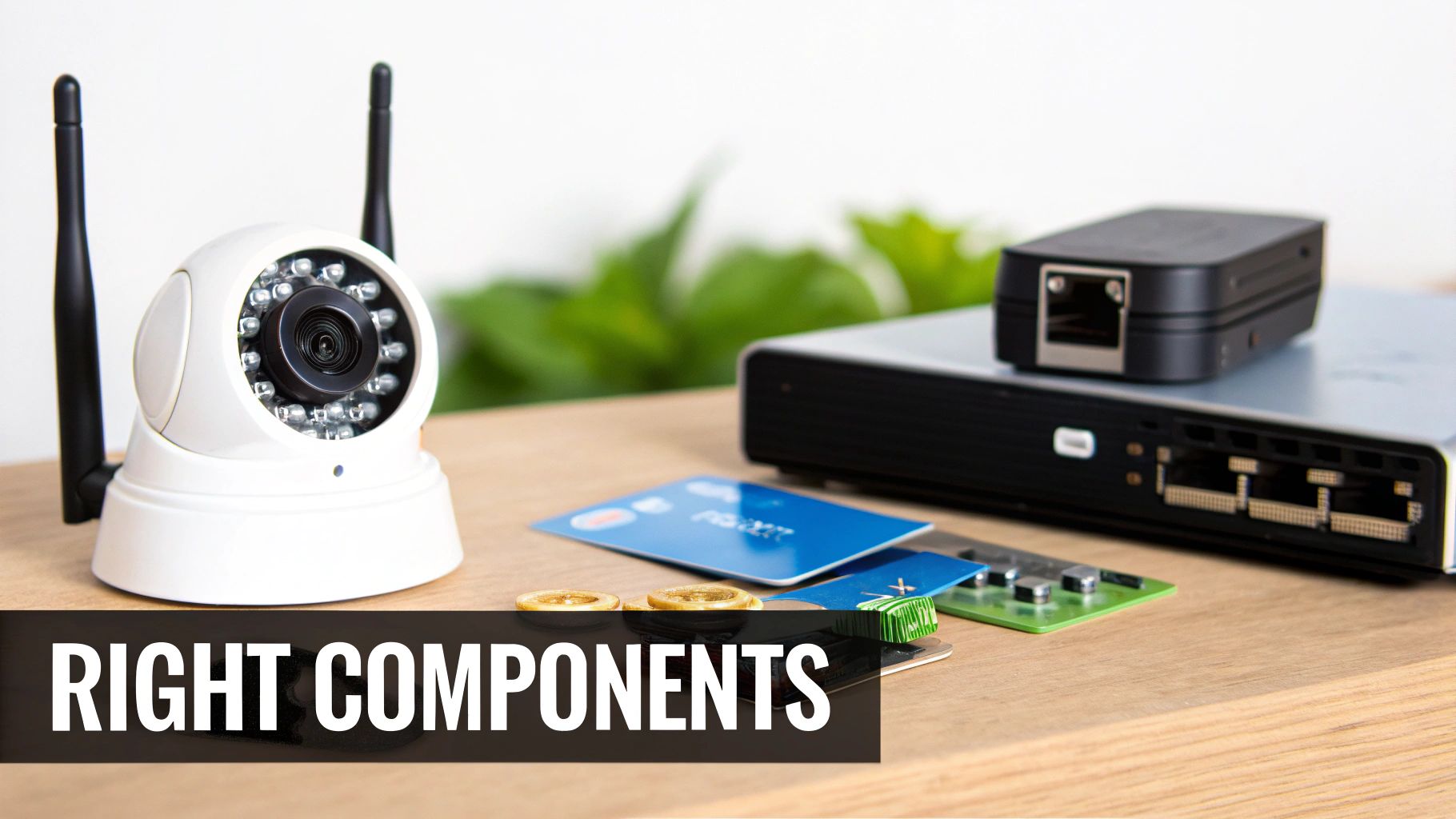
Your security system is only as good as the network it runs on. It's the central nervous system for everything—your cameras, sensors, and access points. If that network is slow, unstable, or wide open to attack, your entire security setup becomes practically useless. This is exactly why any professional security system installation service worth their salt will tell you that the real work begins with a rock-solid network design, long before a single camera is mounted.
Trying to skip this step is a recipe for disaster. You'll end up with laggy video feeds, constant connection drops, and gaping security holes. Think of professional structured cabling and network design not as optional add-ons, but as the very foundation of a dependable system. Getting this right from the start protects your investment and saves you from costly and frustrating reworks down the line.
The Critical Role of Structured Cabling
Structured cabling simply means installing your network wires in a planned, organised, and standardised way. It's the complete opposite of the "spaghetti junction" of wires you often see tangled behind a desk. For a security system, this organised approach is non-negotiable for performance and future-proofing.
Let's take a multi-story hotel in Metro Manila that needs 100% CCTV coverage. A proper cabling plan would map out the most efficient routes for every single Ethernet cable, ensuring cameras in far-flung hallways or isolated stairwells get a strong, clear signal. This methodical approach prevents signal loss over long distances and makes troubleshooting a specific camera a breeze, not an all-day nightmare.
A well-designed structured cabling system is the unsung hero of a great security installation. It’s what guarantees every device gets a stable, high-speed connection, which is absolutely critical for sending high-definition video without frustrating bottlenecks.
This focus on robust infrastructure is growing as local businesses upgrade their security. The market for security systems in the Philippines is projected to explode, jumping from an estimated USD 15.6 million in 2025 to USD 34.9 million by 2032. This surge is fueled by a demand for integrated systems—CCTV, access control, and alarms all working together—especially as security becomes a bigger priority in our cities. You can dig deeper into this trend in this detailed analysis of the Philippine security systems market.
Isolating Your Security Network with VLANs
One of the smartest moves you can make is to segment your network using a Virtual Local Area Network (VLAN). A VLAN lets you carve out a separate, isolated network just for your security devices, even though they're all physically plugged into the same switches as your office computers.
Imagine it as having a private, express highway just for your security traffic. All your CCTV footage, access control data, and alarm signals travel on this dedicated highway, completely separate from the everyday traffic of employee emails, guest Wi-Fi, and other business apps.
This separation gives you two huge advantages:
- Enhanced Security: If a hacker breaches your guest Wi-Fi or an employee's PC gets infected with malware, the VLAN acts as a digital fortress wall. The threat is contained and can't cross over to "see" or mess with your security cameras and recorders. For a hotel, this is crucial—it prevents someone on the guest Wi-Fi from even attempting to access the security camera network.
- Guaranteed Performance: High-definition video streams are bandwidth hogs. By putting them on their own VLAN, you ensure they don't slow down your primary business network. On the flip side, a sudden surge in office network usage won't cause your critical security footage to lag or drop frames. A BPO can continue its data-heavy operations without interference from the dozens of HD camera streams running 24/7.
Securing Remote Access with a Firewall
Many businesses, particularly BPOs and multi-site retail chains, need their managers to check in on the security system remotely. This is incredibly useful, but it can also be a major security risk if not handled correctly. This is where a properly configured firewall is absolutely essential.
For instance, a BPO's security chief needs to view camera feeds from home. Instead of just opening a direct port to the internet (a huge security no-no), the firewall is set up to only allow access through a secure Virtual Private Network (VPN). The manager first has to establish an encrypted, authenticated connection to the office network—only then can they access the NVR.
A firewall also allows you to enforce very specific rules, such as:
- Only allowing connections from pre-approved, static IP addresses. For example, access could be restricted to only the IP address of the company CEO's home.
- Blocking all incoming traffic to the security system by default.
- Keeping detailed logs of all access attempts for a clear audit trail.
This level of control makes remote access a powerful management tool, not a backdoor for attackers. When you combine structured cabling, VLAN segmentation, and a hardened firewall, you're building the secure and resilient foundation your business truly needs.
Bringing Your Security System to Life: Installation, Testing, and Training
So, all the planning is done. You've picked the right cameras, access control points, and alarms. Now comes the moment of truth: the actual installation. This is where a professional security system installation service turns those blueprints into a tangible, working reality. It’s a hands-on process of physically mounting hardware, methodically running cables, and carefully configuring the software that ties everything together. This isn’t just about screwing a camera to a wall; it’s about precision and expertise.
You can spot a professional job from a mile away. The cabling is immaculate—neatly managed and hidden from view. Cameras are anchored securely at just the right angle, and access readers are fitted cleanly without looking like an afterthought. This isn't just for looks; it's fundamental to the system's longevity. A messy install is a recipe for trouble, leading to kinked wires, loose connections, and hardware that fails when you need it most.
This whole phase is often called "commissioning." It's the technical process of bringing every individual component—cameras, sensors, door locks, network switches—online and making them talk to each other. The goal is a single, cohesive security ecosystem, not just a bunch of expensive gadgets.
Putting the System Through Its Paces with Standardised Testing
Once the hardware is physically in place, it’s time for some serious testing. We need to be absolutely sure that every single function works exactly as planned. This is non-negotiable, especially for businesses with multiple sites, like a BPO with offices in both Ortigas and Cebu IT Park. Without a standardised testing protocol, you could end up with wildly different levels of security from one location to the next.
A good installer works from a comprehensive checklist to make sure nothing gets missed. It’s a methodical, step-by-step verification of the entire system.
A typical testing checklist would cover things like:
- Camera Functionality Check: Is every camera sending a clear, stable picture? Is the focus sharp? Does night vision kick in properly? For example, a technician would physically cover a camera's light sensor to force it into night mode and verify the infrared LEDs turn on.
- Motion Detection and Alert Simulation: Let's walk through a restricted zone. Did the sensor pick it up? Did the alert go to the right person's phone or monitoring dashboard instantly? This involves physically walking in front of the camera and confirming the alert is received within seconds.
- Access Control Validation: We'll test every single RFID card and fingerprint scanner. Does it correctly grant access to authorised staff and, just as importantly, deny everyone else? A practical test is to try an unregistered fingerprint to ensure the system denies access as expected.
- Recording and Playback Verification: Is the Network Video Recorder (NVR) actually saving footage from all cameras? Can we pull up a recording from yesterday afternoon and is the playback smooth?
A professional installer doesn’t just switch the system on and leave. They stress-test it, actively trying to find weak spots. The idea is to discover and fix any potential failures before you're depending on it during a real emergency.
For our multi-site BPO, this means the technician in Ortigas and the one in Cebu are following the exact same script. This ensures a door sensor on the 10th floor in Manila performs with the same reliability as one on the 5th floor in Cebu, giving the company a consistent and predictable security posture.
Turning Your Staff into a Security Asset with Proper Training
Here’s a fact that’s often forgotten: a sophisticated security system is only as good as the people who use it. Training is the critical final step that transforms your employees from passive observers into a proactive line of defence. When your team knows how to operate the system confidently, they can respond to alerts correctly, follow protocols, and get the most out of your investment.
Of course, not everyone needs the same level of training. A front-desk receptionist has different responsibilities than a dedicated security manager.
- For Front-Desk and Admin Staff: Training usually focuses on the essentials. Think managing visitor access with the new system, checking entry logs, and knowing exactly how to trigger a lockdown or panic alarm. A practical example is role-playing how to register a visitor's keycard and assign it temporary access to specific floors only.
- For Security Guards and Managers: This is a much deeper dive. They need to learn advanced skills like actively monitoring live camera feeds, using PTZ (pan-tilt-zoom) controls to follow a person of interest, exporting video clips for the police, and even handling minor system troubleshooting. A hands-on training exercise would be to have them track a person walking across a parking lot using the joystick controls and then successfully save that specific video clip to a USB drive.
Imagine a training session at a hotel. A good trainer won't just talk; they'll simulate a real scenario. They might trigger a "forced entry" alert on a service door and walk the security team through the exact procedure: how to acknowledge the alarm on their screen, instantly pull up the right camera, and dispatch a guard to investigate—all while following the hotel's specific emergency plan. This kind of hands-on practice builds muscle memory, ensuring a fast, correct response when it really counts.
What Happens After Installation? Support and Maintenance
Getting your new security system up and running is a huge milestone, but it's really just the beginning. The real test of a security partner isn't just how well they install the gear, but how they support you for the long haul. Think of it this way: your security system is a living part of your business operations. It needs regular check-ups, updates, and immediate attention when something goes wrong to stay effective.
Without solid post-installation support, even the most expensive, top-of-the-line system can become a liability. A camera that goes offline or a server that fails needs a fast fix, not a ticket that sits in a queue for days.
Making Sense of Service Level Agreements (SLAs)
Your Service Level Agreement (SLA) is more than just a piece of paper; it’s the contract that holds your provider accountable. It's where the promises made during the sales pitch are put into black and white. You need to read this carefully, because the details here determine how quickly your business gets back on its feet after an issue.
Not all SLAs are built the same. Here’s what you absolutely need to look for:
- Response Time: How fast will they acknowledge your call for help? For a 24/7 BPO where security is non-negotiable, a four-hour response window is a must. This means if you report a critical failure at 1 AM, you should get a call back from a technician by 5 AM at the latest.
- Resolution Time: This is the big one—how long until the problem is actually fixed? A good SLA will have different targets for critical failures (e.g., the main recording server is down) versus minor issues (e.g., one camera has a blurry image). For example, a "critical failure" might have an 8-hour resolution time, while a "minor issue" has a 48-hour target.
- Preventive Maintenance: Proactive care is always cheaper than reactive panic. Your SLA should clearly state how often technicians will visit your site to physically clean camera lenses, test alarm sensors, and make sure all firmware is up to date. This is how you catch small problems before they shut you down. A practical schedule might be one full on-site check-up every quarter.
Don't mistake an SLA for a simple warranty. It’s your operational insurance policy. It guarantees a clear, enforceable timeline for restoring your security when you need it most.
Paying for Your System: CAPEX vs. OPEX
How you finance your system is just as important as the technology you choose. It boils down to two main financial models, each with its own pros and cons for businesses here in the Philippines.
1. Buying It Outright (CAPEX)
This is a Capital Expenditure. You pay for all the hardware and software upfront and own it from day one. It's a clean, straightforward approach if your business has the capital ready. The main downside? It requires a significant initial cash outlay, which can be tough for new or growing companies.
2. Leasing or Rent-to-Own (OPEX)
This is an Operational Expenditure, where you pay a fixed monthly fee. This model is incredibly popular with Philippine SMBs and BPOs because it transforms a massive one-time cost into a predictable, manageable expense.
The OPEX model offers some serious advantages:
- Preserves Cash Flow: A startup hotel can get a world-class access control and CCTV system without draining its operating funds. Instead of a P500,000 upfront cost, they might pay P15,000 per month.
- Simple Budgeting: No surprise costs. You know exactly what you’ll pay each month, which makes financial planning much easier.
- Stay Current, Not Obsolete: Many leasing deals include tech refresh clauses, allowing you to upgrade to newer, better equipment at the end of your term. For example, after a 3-year lease, you could swap out your 4-megapixel cameras for the latest 8-megapixel models.
The Vendor Evaluation Checklist: Looking Beyond Day One
Choosing the right partner is about more than just a competitive quote for the installation. The team that installs your system must also be the team that has your back for the next five years.
Before you sign anything, use this checklist to gauge their long-term support capabilities:
- 24/7 Helpdesk: Do they have a real, round-the-clock support desk? For a hotel or manufacturing plant, a problem at 2 AM needs an immediate response, not an answering machine. A practical test is to call their support number late at night before signing the contract.
- In-House Technicians: Does the vendor have their own field technicians, or do they subcontract support? An in-house team means better training, faster deployment, and direct accountability.
- Local Track Record: Ask for references from businesses like yours—another multi-site retailer, a BPO of a similar size, or a residential condominium. Prove they’ve handled your specific challenges before.
- Clear SLA Terms: Are the response and resolution times clearly defined in hours, not just vague promises like "prompt service"?
- Spare Parts Inventory: Do they stock common replacement parts locally? Waiting weeks for a new server or a specific camera to arrive from overseas is a business risk you can't afford. A good vendor might keep spare NVR power supplies and popular camera models in their local office.
Ultimately, a security system is only as good as the support team behind it. To get a deeper understanding of what quality support looks like, it helps to know about the differences between preventive and corrective maintenance and why a solid plan needs both.
A Few Common Questions We Hear
When you're looking to get a professional security system installed here in the Philippines, a few questions always come up. It's a big decision, so let's get you some straight answers based on what we see in the field every day.
What’s a Realistic Cost and Timeline for Installation?
This is the big one, and the honest answer is: it really depends. There's no flat rate because every project is different.
Think about it this way: a small coffee shop in Makati that needs four solid IP cameras and a simple alarm system? We can usually get that done in a day or two. But if you're a BPO with multiple floors in BGC, needing 50 cameras, structured cabling from scratch, and access control on ten different doors—that's a whole different ball game. A project like that could take a few weeks from the first site visit to handing everything over.
A quick tip: Your quote should never be just a single number. A pro installer will always give you a detailed breakdown—separating the cost of hardware (cameras, NVRs, servers) from the labour, cabling, and any software licenses. That way, you know exactly what you're paying for.
How Do We Keep Our Security Footage and Data Private?
This is a huge concern, and rightly so. Keeping your video footage private is non-negotiable. We tackle this with a few layers of security.
First off, your entire security system should live on its own separate network, what we call a VLAN. Picture it as a digital fence that isolates it from your main office network or your public guest Wi-Fi. No cross-traffic, no unauthorised peeking.
Then there's remote access. If you or your managers need to check the cameras from home, that connection has to be locked down. We always set this up through a secure VPN (Virtual Private Network). This encrypts the entire data stream, making it unreadable to anyone who might try to intercept it.
Finally, we control who can see what. Your provider should help you configure user roles. For example, your front desk staff might only need to see the lobby camera, but they shouldn't have access to HR records or be able to change system settings. We make sure those permissions are set up from day one.
Will This System Still Work for Us as We Grow?
It absolutely should, but this has to be planned for from the very beginning. This is one of the key benefits of getting it done professionally instead of just buying a kit off the shelf.
For example, if you think you'll need eight cameras to start, we'd probably recommend a Network Video Recorder (NVR) that can handle 16. The small extra cost upfront means you can simply plug in new cameras down the line without having to rip out and replace your main recording unit. It’s the same idea with access control; we can use a controller that supports 20 doors even if you’re only securing five right now.
Thinking ahead like this protects your initial investment and makes sure your system can keep up as your business expands.
Ready to secure your business with a system designed for your specific challenges? REDCHIP IT SOLUTIONS INC. delivers professional security system installation services across the Philippines, backed by expert IT support and maintenance. Protect your business today by visiting us at https://redchipcomputers.com.



