Choosing a security system supplier is about more than just buying cameras and door locks. You're bringing in a partner to install the vital infrastructure that protects your business assets. Get it right, and you gain operational continuity, data protection, and long-term peace of mind. A poor choice, on the other hand, can open the door to crippling downtime and serious security breaches. For example, selecting a supplier without 24/7 support could mean a critical access control failure at your office on a Saturday night leaves your facility vulnerable until Monday morning.
Why Your Choice of Security System Supplier Matters
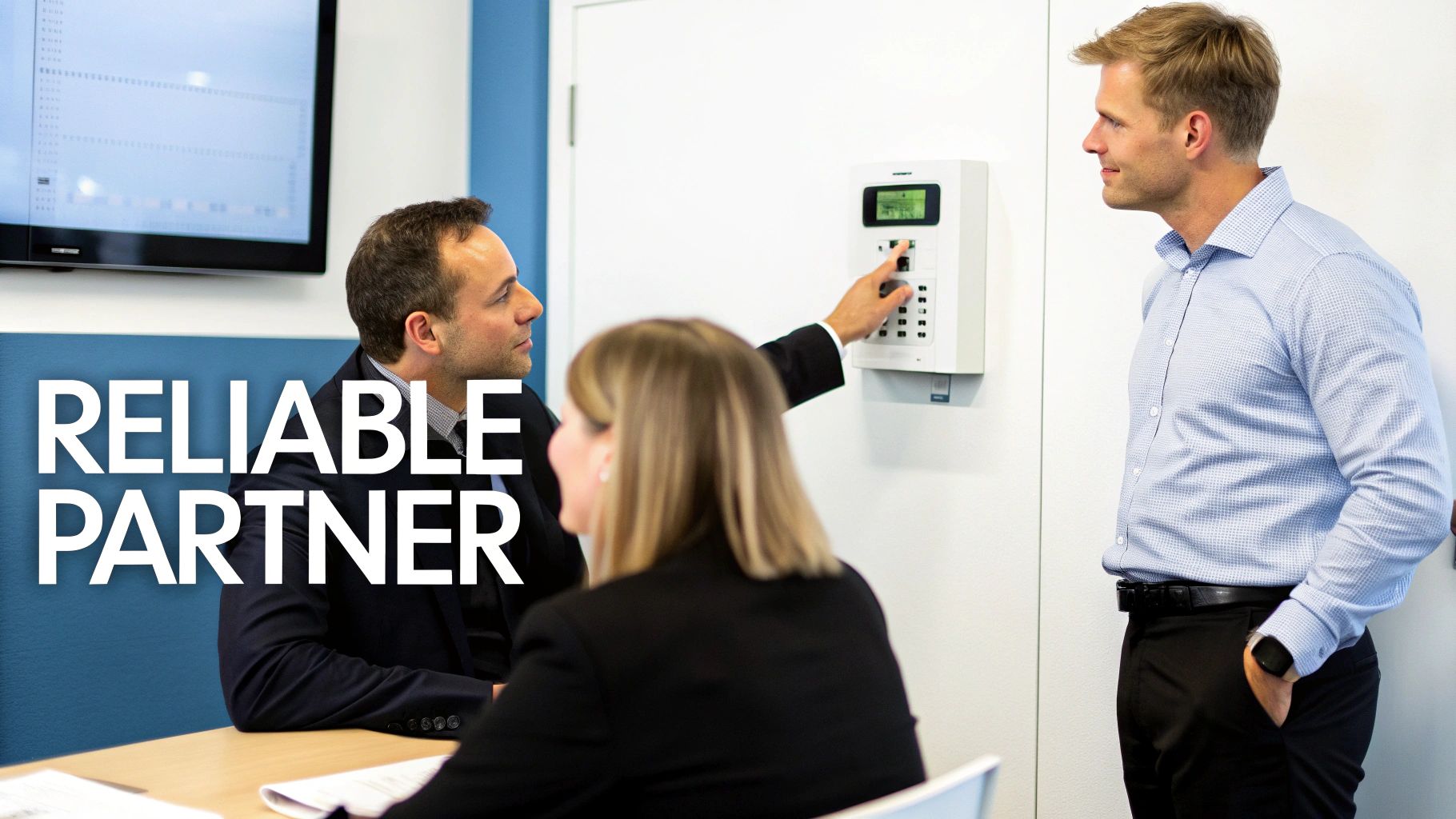
Think about it. A BPO in Manila losing precious operational hours because its access control system suddenly fails. Or a retail chain discovering a security breach hours after the fact because the system wasn't properly configured. These aren't just hypotheticals; they're the real-world consequences of a bad supplier partnership. Your supplier isn't just selling you equipment; they're laying the foundation for your entire physical and digital defence strategy.
For businesses here in the Philippines, the challenges are unique. We deal with managing security across multiple sites, protecting sensitive customer data, and making sure we're compliant with local regulations. A top-notch security supplier gets these local nuances and offers solutions that actually work on the ground.
The Value of an End-to-End Solution
I’ve seen it happen too many times: a company buys cameras from one vendor, gets access control from another, and hires a third for the network cabling. This piecemeal approach almost always creates more headaches than it solves. For instance, if a door reader stops working, the camera vendor will blame the access control company, who will then blame the cabling team. You end up with compatibility issues, endless finger-pointing, and a support nightmare.
A single, end-to-end provider simplifies everything by offering a cohesive solution.
- Unified Installation: One team handles it all, from the structured cabling in the walls to the final device configuration. This means the team running the network cable knows exactly where the camera needs to be for optimal coverage.
- Integrated Support: When an issue pops up, you have one phone number to call. No more run-around.
- Strategic Advice: A true partner does more than just install; they help you plan for future growth and stay ahead of new security threats.
This integrated approach is no longer a luxury—it's essential. The access control market in the Philippines alone hit USD 496.00 million in 2024 and is expected to reach USD 1,112.45 million by 2033. That growth is fuelled by rapid urbanisation and the pressing security needs of commercial hubs in Luzon and Visayas.
The selection process has to go deeper than just comparing spec sheets. The entire decision often hinges on the process of hiring a security agency, which forms the foundation of your protection strategy. It’s about building a trusted relationship.
Getting to Grips with the Tech Specs of Modern Security Systems
When you start getting proposals from security system suppliers, the technical jargon can be a real headache. You’ll see terms like “AI analytics” and “security hardening” thrown around, but what do they actually mean for your business on a day-to-day basis? Let’s cut through the noise and look at what really matters.
Managed Services vs. Do-It-Yourself Hardware
One of the first big decisions you'll face is whether to go for a fully managed service or buy the hardware and manage it yourself. There's no single "best" answer here; it all boils down to your company's resources and what you need the system to do.
Think about a BPO in Ortigas. For them, any system downtime is a potential disaster. A fully managed service makes perfect sense. They have a professional team monitoring their system 24/7, jumping on alerts, and handling all the technical heavy lifting. The supplier guarantees uptime, which is a lifesaver for a business that never sleeps.
On the other hand, a growing tech startup might have a sharp in-house IT team. They'd likely prefer a robust self-managed hardware setup. This puts them in the driver's seat, allowing them to customise everything, integrate it with their existing tech stack, and manage security on their own terms without being tied to monthly service fees.
Smart Cameras (AI) vs. Standard CCTV
The next thing to consider is the "brain" behind the cameras. Your standard CCTV setup is great for recording what happens. It’s reactive—if something goes wrong, you can go back and review the footage. But it relies on someone either watching the screens constantly or spending hours digging through recordings.
An AI-powered system is a completely different beast. It's proactive. It's smart.
- Picture a logistics warehouse in Laguna: An AI system knows the difference between a forklift operator on their shift and an unknown person in a restricted area at 3 AM. It doesn't just record the event; it sends an immediate alert to the security manager's phone.
- In a busy corporate office lobby: The system can spot unusual behaviour, like someone loitering near the entrance for too long, and flag it for the guards to check out.
- For a hotel in Cebu: It can use facial recognition to let authorised staff into secure areas while instantly identifying individuals on a blacklist.
This kind of intelligent analysis transforms your security from a passive recording tool into an active watchdog, which can drastically cut down on manpower costs and make your response times much faster.
This is where a good IT consultant earns their keep. They'll walk through your actual site, look at your floor plans, understand your daily workflow, and identify your biggest risks. Only then can they tell you if a standard setup will cut it or if investing in AI-driven analytics will genuinely pay for itself.
Why You Can't Ignore Security Hardening
Finally, let’s touch on security hardening. This has nothing to do with making your cameras bulletproof. It’s all about locking down the network that your security system runs on—the firewall, the routers, all of it. If you skip this step, your fancy new system is a sitting duck.
It's simple, really. If your high-tech cameras are plugged into a router that’s still using the default "admin/password" login, any half-decent hacker can waltz right in. They could shut down your cameras, spy on your live feeds, or worse. A practical example is an attacker gaining access to your network through an unsecured camera and then using that access to deploy ransomware on your company servers.
Security hardening is the process of closing these digital backdoors. It means changing all default passwords, shutting down any unnecessary network ports, and keeping the firmware updated to patch any security holes. Any supplier worth their salt will insist on security hardening as a standard, non-negotiable part of the installation. It ensures your digital front door is just as secure as your physical one.
Looking Beyond the Sticker Price: Service Agreements and Total Cost
When you get a quote from a security supplier, your eyes naturally jump to the bottom line. But that initial price tag? It's just the tip of the iceberg. The real cost of a security system is its Total Cost of Ownership (TCO) over its entire life.
A low upfront price can be deceptive, often hiding a world of expensive long-term headaches. It’s the ongoing costs—maintenance, software updates, and what happens when you need emergency support—that really separate a sound investment from a future liability. The supplier's commitment to service is where you'll find the real value.
To Buy or To Lease? That Is the Question
For any scaling company in the Philippines, especially in the BPO sector, cash flow is king. Imagine you’re setting up a new 50-seater office. Buying all the security hardware outright is a massive capital expense (CAPEX) right out of the gate.
This is where leasing becomes a smart alternative. It flips that big upfront hit into a predictable monthly operating expense (OPEX). Suddenly, you’ve freed up capital for other things your business desperately needs, like hiring top talent or running a marketing campaign. Yes, the total cost over a few years might be a bit higher, but for a growing business, that financial breathing room is often priceless.
This comparison breaks down the difference between a self-managed system (often purchased) and a managed service (which often involves leasing).
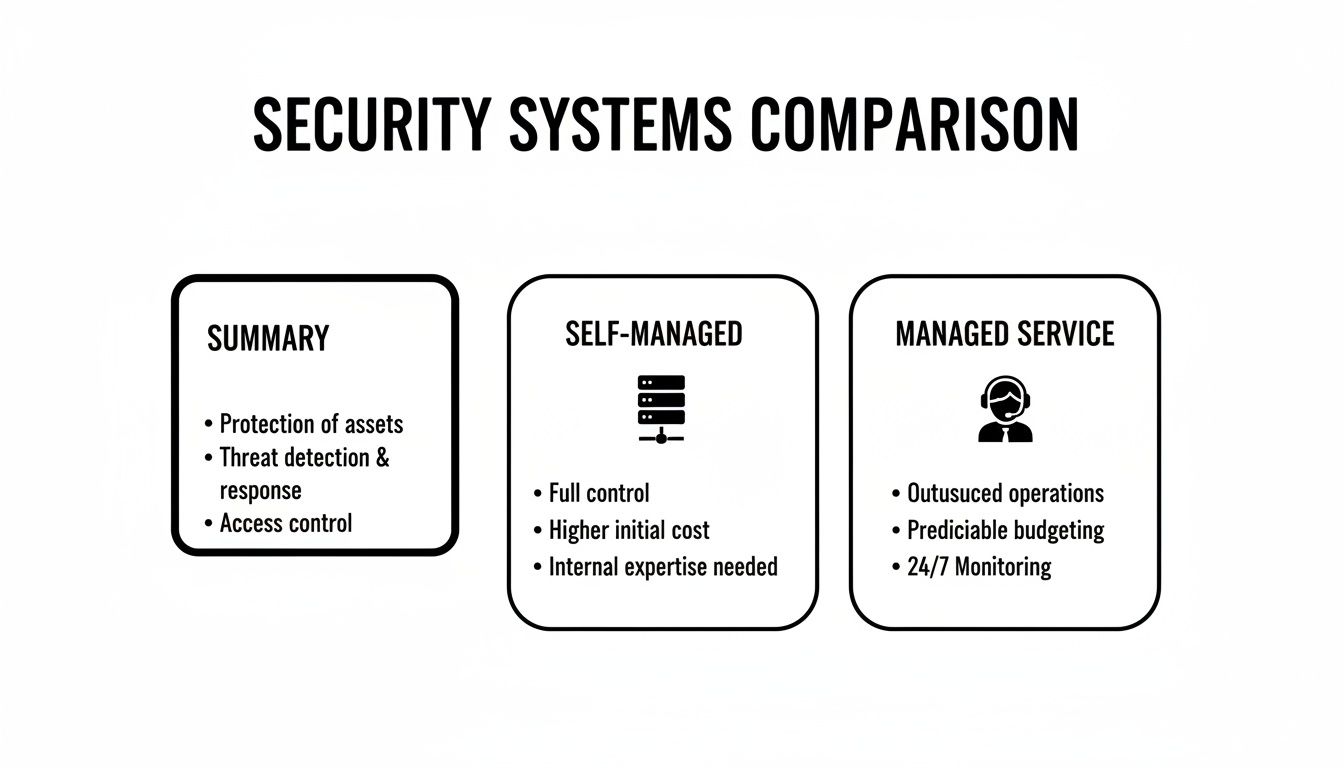
Ultimately, managed services give you predictable costs and an expert team on your side, while self-managed systems offer more hands-on control but require you to have the expertise in-house.
Decoding the Service Level Agreement (SLA)
A Service Level Agreement (SLA) is more than just a document; it’s your supplier's written promise. Without one, you’re just crossing your fingers and hoping for the best when something breaks. But you absolutely have to read the fine print.
A supplier might promise a "4-hour response time." That sounds fantastic, right? But what does "response" actually mean? Is a technician coming to your site in four hours, or are they just going to send an automated email acknowledging your ticket?
Think about it: the access control to your server room fails at 2 AM on a Saturday. A four-hour email acknowledgement does you no good. What you need is an SLA that specifies a four-hour resolution time for critical failures, guaranteeing a technician will be there, tools in hand, to get you back online within that window, 24/7. A serious provider will have clear, tiered SLAs that spell out both response and resolution times for different problems.
Spotting the Hidden Costs Before They Bite You
Beyond the shiny new cameras and access readers, a number of other costs often get left out of the initial quote. These can blow up your budget if you aren't prepared for them.
- Structured Cabling: This is the nervous system of your security setup. Shoddy, unprofessional cabling is a recipe for signal loss, constant glitches, and unreliable performance.
- Installation Fees: The cost of labour can vary wildly between suppliers. Make sure it's clearly itemised on your quote, not bundled into a vague "setup" fee.
- Ongoing Maintenance: What does the warranty actually cover? For example, does it include biannual on-site checks to clean camera lenses and test battery backups? Regular system health checks are non-negotiable. It’s worth digging into a supplier's approach to both preventive and corrective maintenance to understand what you’re really signing up for.
- Software Licences: Those cool AI-powered analytics or advanced features often come with recurring annual or monthly licence fees.
When you're comparing suppliers, you have to think about reducing Total Cost of Ownership, not just the initial purchase price. Always demand a quote that breaks down every single line item, from the hardware itself to the long-term support contract. No surprises, no regrets.
To help you compare apples to apples, we've created a simple checklist. Use this to fill in the details from each supplier's quote to get a true picture of what you'll be paying, both now and in the future.
Supplier Cost and Service Comparison Checklist
| Evaluation Criteria | Supplier A Details | Supplier B Details | REDCHIP IT SOLUTIONS |
|---|---|---|---|
| Upfront Hardware Cost | |||
| Installation & Cabling Fees | |||
| Monthly/Annual Licence Fees | |||
| Leasing Option (Monthly OPEX) | |||
| Standard Warranty Period | |||
| SLA: Critical System Resolution Time | |||
| SLA: Non-Critical Resolution Time | |||
| Preventive Maintenance Plan Cost | |||
| After-Hours Support Fees | |||
| Projected 3-Year TCO |
This exercise isn't just about finding the cheapest option. It’s about identifying the partner who offers the most transparent pricing and the most reliable service, ensuring your investment truly protects your business for years to come.
Getting from Shortlist to System Go-Live
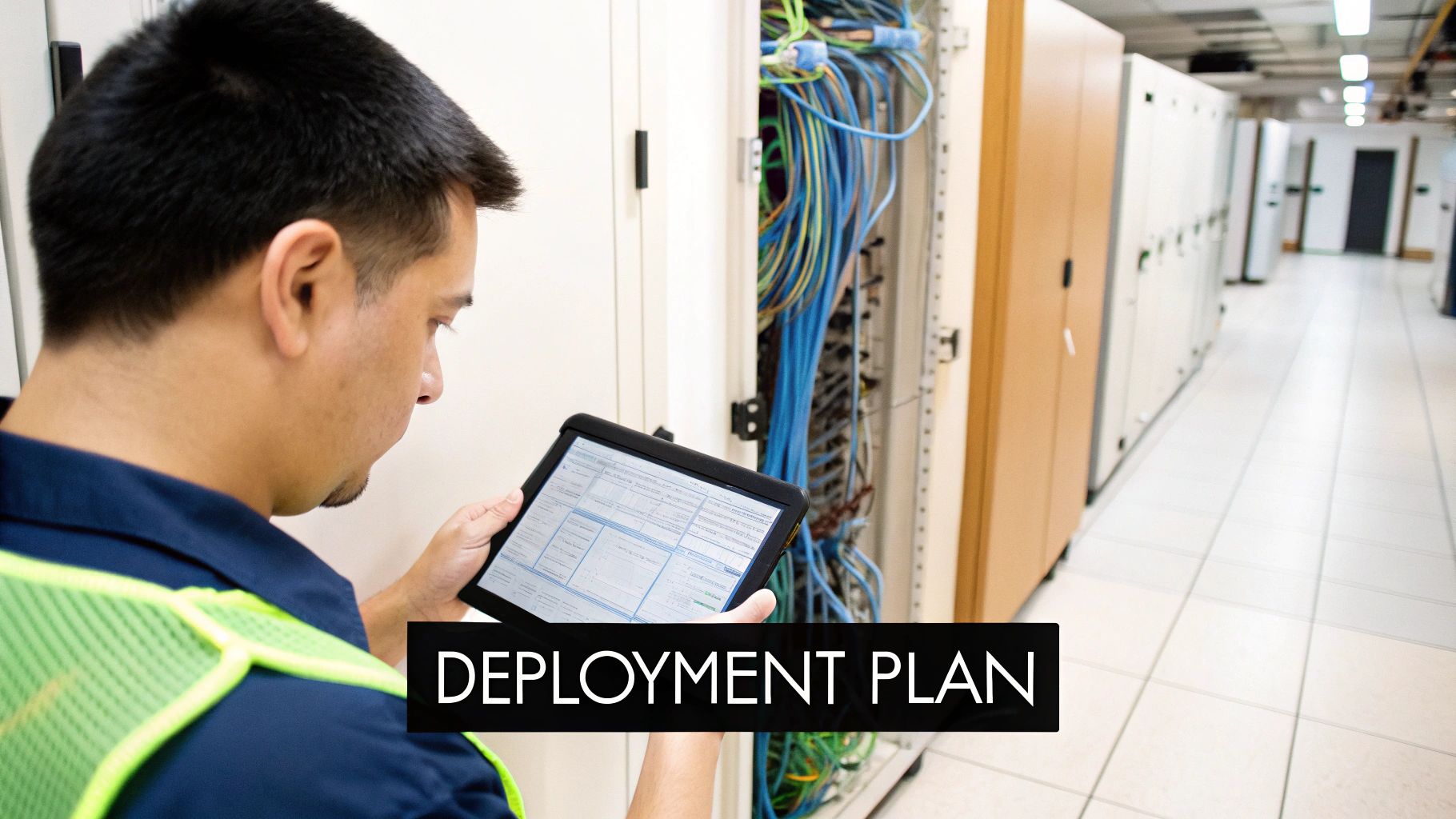
Alright, so you've shortlisted a few potential security suppliers. Now comes the real work: turning that choice into a fully functional system protecting your business. This is where a clear, structured plan becomes your best friend, guiding you from the initial paperwork to the final handover without causing chaos or costly delays.
It all starts with your Request for Proposal (RFP). A vague RFP will get you vague, unhelpful answers. Instead of just asking for a "CCTV system," get specific. For example, specify: "We require 12 indoor dome cameras with 4MP resolution, night vision up to 20 meters, and a Network Video Recorder (NVR) capable of storing 30 days of continuous footage." The more detail you provide, the better the proposals you'll get back.
Asking Questions That Reveal True Expertise
Forget the generic sales pitch. You need to push past the brochure and see how a supplier handles real-world problems. The best way to do this is by presenting them with practical, scenario-based challenges that test their on-the-ground capabilities. This is how you separate a true partner from a simple box-pusher.
Try weaving questions like these into your evaluation:
- "We have 10 branches across Luzon and Visayas. Talk me through your process for a multi-site rollout, specifically how you’d minimise operational downtime at each location."
- "Imagine an emergency access control failure at our 24/7 BPO facility. What's your standard procedure, and what are your guaranteed onsite response times?"
- "How would you integrate your security hardware with our existing network infrastructure without opening up new cybersecurity vulnerabilities?"
Their answers will tell you more than a price list ever could. You'll get a real sense of their experience, logistical muscle, and whether they genuinely understand business continuity.
Mapping Out the Deployment Timeline
Once you’ve made your choice, a professional supplier should hand you a clear, detailed project timeline. Every installation is different, but a well-managed deployment always follows a logical sequence to keep things organised and minimise disruption to your day-to-day operations.
Here's what a typical project map looks like:
- Initial Site Survey & Planning: Before a single cable is pulled, technicians should be on-site. They’ll confirm camera placements, map out cabling routes, and finalise the network design. This is the crucial step where they spot potential roadblocks—like a concrete wall where a cable was planned—and figure out solutions before work starts.
- Network & Cabling Work: This is the backbone of the entire system. Installers will run structured data cables to every camera, sensor, and access point. It's often the most disruptive part, so it’s smart to schedule this during off-peak hours or weekends if you can.
- Hardware Installation & Configuration: With the infrastructure in place, the team can get to work mounting cameras, installing access control panels, and setting up the central servers that will manage everything.
- System Integration & Testing: This is where it all comes together. The supplier connects all the pieces, configures the software, and runs a battery of tests to make sure every single component is talking to the others and performing exactly as it should.
- User Training & Handover: Finally, it's your turn. Their team should train your staff on how to operate the system, review footage, manage user access, and handle any minor issues that might pop up.
A structured process like this is non-negotiable, especially with the boom in high-tech security. In the Philippines alone, the data centre physical security market was valued at USD 25.31 million in 2024 and is expected to rocket to USD 77.63 million by 2030. This growth, fuelled by new AI-ready facilities in Metro Manila and Clark, means you need a supplier who can handle complexity. You can find more data on the physical security market on Mordor Intelligence.
Don't Forget About Life After Installation
The job isn't done when the last camera goes online. In fact, your relationship with the security system supplier is just getting started. It now shifts to a long-term support partnership, and you need to set clear expectations right from the start.
A reliable post-sale support structure is the true test of a supplier. The go-live date is the beginning, not the end. You need to know exactly who to call and what to expect when a problem arises months or even years down the line.
Your support agreement should spell out everything: helpdesk hours, scheduled maintenance visits, and how system upgrades will be handled. For a business that can’t afford any downtime, a 24/7 helpdesk is a must-have. If you're curious about what makes a great support team tick, our article on information technology help desk jobs offers some good insights. A solid support plan is what ensures your security investment keeps paying off for its entire lifespan.
Future-Proofing Your Security Investment
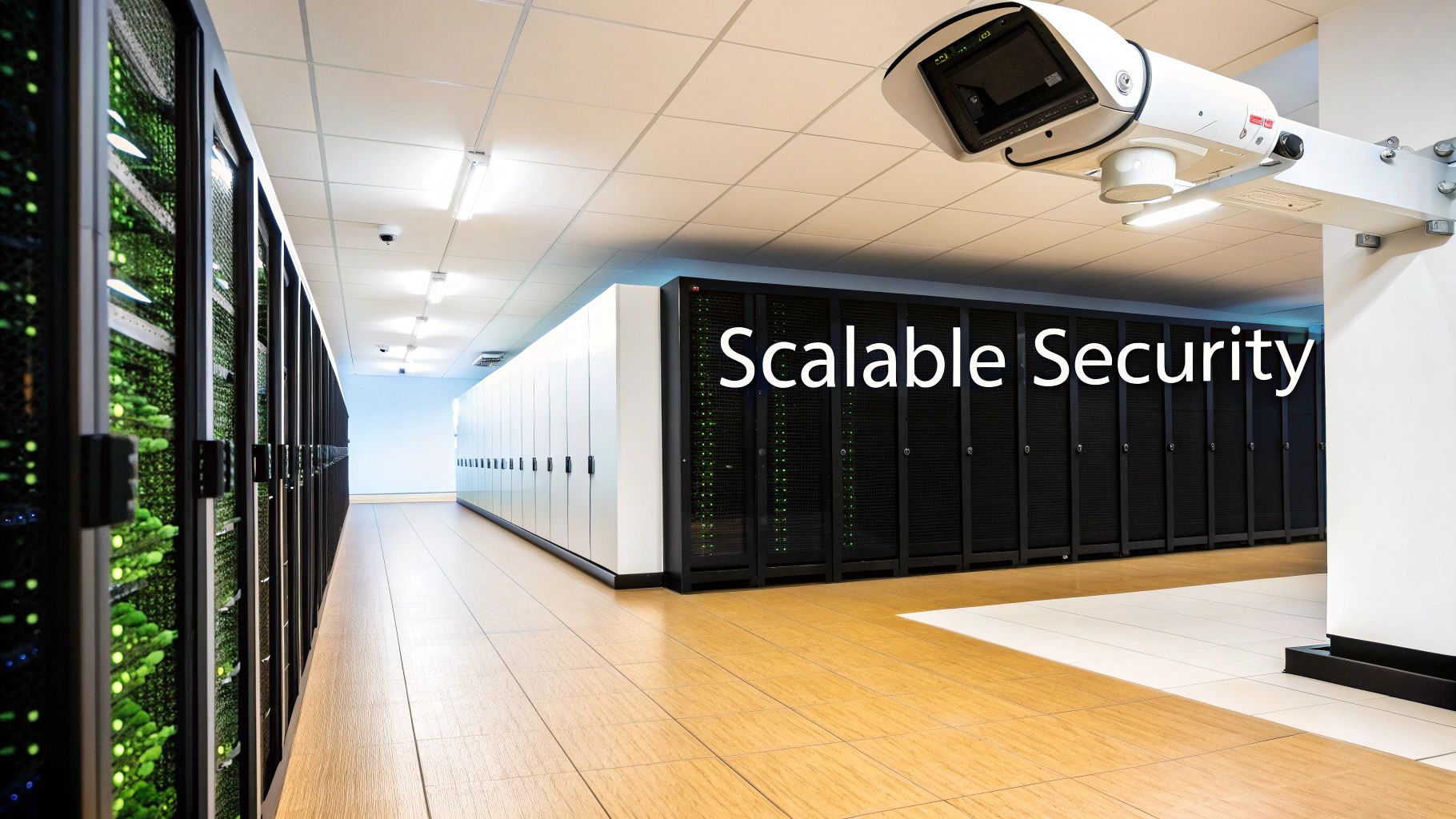
A security system isn't a one-and-done purchase. It's a core business asset that needs to work for you for years to come. The last thing you want is to invest heavily in a system that becomes obsolete in 12 months. That’s why picking the right security system supplier is less about a transaction and more about finding a partner who gets your long-term vision.
This strategic thinking has to start with compliance. If you're a BPO, a hotel, or any business in the Philippines that handles customer data, you absolutely must comply with the Data Privacy Act. A supplier who doesn't understand these local regulations is a massive liability, plain and simple.
They should be able to walk you through exactly how their system supports your compliance efforts, making sure your data collection and storage are above board from the get-go.
Building for Scalability and Integration
Future-proofing really boils down to this: can the system grow with your business and adapt to new technology? A truly consultative supplier won't just look at your current office layout. They’ll be asking questions about your growth plans for the next two, three, or even five years. That's how you protect your initial investment.
Let’s look at what this means in practice:
- Scalable Hardware: Maybe you only need 10 cameras right now. But what happens when you lease the floor above you? A good system lets you plug in new cameras, access points, or sensors without having to rip everything out and start over.
- Integration-Ready Platforms: Insist on a system built on an open platform. This is crucial. It means you can connect it to other technologies down the road—think advanced AI for spotting threats, IoT devices for managing the building, or even your HR software to automate access for new hires.
A system that can’t integrate is an expensive island. For example, integrating your access control with your HR system can automatically disable an employee's access card the moment they are marked as 'terminated' in the HR database, instantly removing a potential security risk.
The Strategic Value of a Forward-Thinking Supplier
Technology moves incredibly fast. What seems like a fancy add-on today will be standard in a couple of years. The Philippines is a particularly fast-moving market, and a supplier who understands the local trends in technology in the Philippines is an invaluable asset. They’re not just selling you boxes; they’re giving you a competitive edge.
For instance, a sharp supplier might advise a retail client to get cameras with AI analytics. Why? Not just for catching shoplifters, but to eventually analyse foot traffic and figure out the best store layout. Suddenly, your security expense becomes a business intelligence tool.
At the end of the day, a future-proof security system depends on the quality of advice you get from your supplier. They’re the ones who ensure the system you install today is a flexible foundation for whatever comes next, not a roadblock. That partnership is where the real, long-term value lies.
Answering Your Top Questions About Choosing a Security Supplier
When you're wading through the options for a new security partner, a few key questions always seem to pop up. It's completely normal. Getting clear, no-nonsense answers is what separates a good decision from a regretful one. Let’s tackle some of the most common questions we hear from businesses across the Philippines.
What's the Single Biggest Mistake I Could Make?
Honestly? Focusing only on the price tag of the hardware. The biggest pitfall we see is businesses getting fixated on the initial cost and completely overlooking the total cost of ownership and, critically, the quality of after-sales support.
A cheap system from a fly-by-night security system supplier might save you a few pesos today, but it often leads to a world of pain later. Think frequent downtime, surprise maintenance fees, and glaring security holes. It’s a classic case of "you get what you pay for." A practical example would be a camera that fails after 13 months, just outside its warranty, costing you more in replacement and labour than you initially saved.
The smarter approach is to look at the whole picture. Dig into the supplier's technical skills, check their Service Level Agreements (SLAs), and ask for proof they've successfully worked with businesses like yours. A genuine partner will give you transparent pricing, flexible options like equipment leasing, and solid support that guarantees your investment pays off for years to come.
Just How Important Is Professional Network Cabling, Really?
It’s everything. Think of it as the central nervous system for your security setup. Poorly installed, messy structured cabling is one of the top reasons we see for grainy camera footage, random data loss, and even total system failures. It’s simply not a place to skimp.
For businesses where security can't afford to blink—like BPOs or hotels—professional cabling is non-negotiable. It delivers:
- Rock-Solid Connectivity: Ensures every camera and sensor has a stable, uninterrupted link to your network.
- Room to Grow: Makes adding more devices down the road a simple task, not a massive rewiring project.
- Hassle-Free Maintenance: A clean, organised setup means troubleshooting is quick and painless.
Here's a pro tip: Find a supplier that manages both the security hardware and the network infrastructure it runs on. This creates a single point of accountability. You'll never get stuck in a frustrating blame game between your IT vendor and your security guy when something goes wrong.
Should We Lease or Buy Our Security Equipment?
This one really boils down to your company's budget and financial game plan. There’s no single right answer, just the right answer for you.
Purchasing means a larger upfront capital expense (CAPEX), but you own the hardware outright from day one. It's a straightforward, traditional approach.
On the other hand, leasing or a rent-to-own programme flips that big CAPEX into a predictable monthly operating expense (OPEX). This is a fantastic option for startups or growing SMBs in the Philippines that need to keep cash free for other parts of the business. For instance, a new restaurant could lease its entire CCTV and POS system, preserving cash to cover payroll and inventory for the first crucial months of operation. Good leasing deals often bundle in maintenance and support, so you're always using up-to-date tech without worrying about sudden upgrade costs. A truly flexible supplier will offer both paths, giving you a real choice that fits your finances.
At REDCHIP IT SOLUTIONS INC., we build security solutions that fit your business strategy, not the other way around. Learn how our end-to-end services can protect and grow with your operations by visiting us at https://redchipcomputers.com.
Article created using Outrank


