At its heart, Internet Protocol Version 6 (IPv6) is the next generation of the internet's addressing system. Think of it as the foundational language that allows devices to find and talk to each other online. It was built to replace its predecessor, IPv4, which is running out of space. For example, every time your smartphone connects to Wi-Fi to browse a website, it's using an Internet Protocol address to send and receive information. IPv6 is the modern standard for these addresses.
Understanding Internet Protocol Version 6
The best way to grasp the need for IPv6 is to think of the original internet protocol, IPv4, like an old telephone system in a rapidly growing city. When it was created, the 4.3 billion available addresses seemed like more than enough. Nobody predicted the explosion of internet-connected devices we see today—from the servers in your office to the smartphone in your pocket and the CCTV cameras on the wall.
We’ve simply run out of new IPv4 numbers.
This is where IPv6 steps in, and it's much more than a simple update. It's a brand-new system built for the long haul. By using a longer address format, IPv6 opens up an astronomical number of unique addresses—so many, in fact, that it's practically impossible to exhaust them. A practical example of this growth is a modern smart home, which might have 30+ connected devices (lights, speakers, TVs, security cameras). IPv4 struggles with this scale, while IPv6 can handle it effortlessly.
Why This Matters for Philippine Businesses
This isn't just a problem for big tech companies; address scarcity directly impacts growing businesses right here at home. Imagine a BPO in Cebu expanding its operations with 200 new agent workstations, or a new hotel in Manila wanting to equip every room with smart TVs and IoT-enabled climate controls. With IPv4, getting a unique public address for every device is a complex and often expensive headache.
IPv6 completely changes the game. It allows every single device to have its own unique, globally reachable address. This dramatically simplifies network setups and gets your business ready for the ever-expanding world of the Internet of Things (IoT).
The core idea behind IPv6 is to provide a vast, open field for digital growth. It removes the limitations of the past, allowing every device to have a direct and efficient connection to the global network, paving the way for innovation and scalability.
Unfortunately, the Philippines has been slow on the uptake. Recent data reveals that our country has only 17.66% IPv6 capability among internet users. That figure is a long way behind neighbours like Vietnam (60.18%) and Thailand (50.62%).
This gap presents a real opportunity. For forward-thinking local businesses, adopting IPv6 now isn't just about keeping up; it's about getting ahead. You can explore the latest regional IPv6 deployment statistics from APNIC to see the numbers for yourself. This guide will show you how making the switch is a strategic business decision, not just a technical one.
Why We're All Running Out of Internet Addresses
To get why Internet Protocol Version 6 is so important, we first have to talk about its predecessor. The original system, IPv4, was a brilliant invention for its time, but it was built for a much smaller, simpler internet. It had one massive, unforeseen blind spot.
Think of it like a city's telephone numbering system. When it was designed, a seven-digit number seemed like more than enough for everyone. But as the city grew, adding more homes, businesses, and mobile phones, they simply ran out of unique numbers. IPv4 is in the same boat, but on a global scale. It offered 4.3 billion unique addresses, which sounded like an infinite number back then.
Today, every single one of those addresses is spoken for. The internet’s explosive growth, driven by everything from your office laptop to the smart TV in your living room, has completely used up the entire supply.
Hitting the Wall of a Finite System
This isn’t some abstract problem for tech giants; it hits home for growing businesses right here in the Philippines. Imagine a BPO in Makati looking to expand with 200 new agent seats. Each of those workstations needs a unique address to get online. Or picture a new condo tower in Cebu City wanting to outfit every unit with smart home devices—that’s thousands of new gadgets all needing to connect.
With IPv4, the only way to handle this is with clunky, inefficient workarounds like Network Address Translation (NAT). NAT is like having a single-post office box for an entire office building; it gets the mail delivered, but it’s a complicated and slow process that creates bottlenecks. It was a clever patch, but it was never meant to be a permanent solution for the scale we operate at today. A practical example of NAT causing issues is with online gaming or video conferencing, where direct connections are ideal for low latency. NAT can introduce delays and connection problems.
The bottom line is simple: IPv4 has a limited number of addresses, and we've basically used them all up. For any business that needs to grow, this scarcity is a real bottleneck, forcing them into temporary fixes instead of a sustainable, future-proof solution.
A New Foundation Built for the Future
The funny thing is, engineers saw this problem coming a long time ago. The need for an IPv4 successor was clear decades before the last block of addresses was officially handed out. This foresight led to the creation of IPv6, a protocol designed not just to give us more addresses, but to build a more efficient, secure, and streamlined internet.
This isn't a new development. Here in the Philippines, the groundwork started back in the late 1990s with research from the DOST's Advanced Science and Technology Institute (ASTI). It became official with Executive Order No. 893 in 2010, which formalised the national strategy for deploying IPv6. You can read more about the long history of this initiative in the Philippine government's IPv6 adoption efforts.
Moving on from IPv4 isn't just a technical upgrade; it's an essential step forward. For any organisation that wants to stay competitive and ready for what's next, embracing its successor is no longer just an option—it’s a business necessity.
How IPv6 Addresses Actually Work
Alright, we've covered why the internet needed to evolve from IPv4. Now, let's get into the nitty-gritty of how these new IPv6 addresses are actually put together.
At first glance, an IPv6 address can look a bit intimidating—a long string of letters and numbers separated by colons. It's certainly a world away from the simple dotted numbers of IPv4 we're all used to. But once you break it down, there's a surprisingly simple logic to it.
While an IPv4 address is a 32-bit number, an IPv6 address is a massive 128-bit number. Instead of four blocks of numbers, it's written as eight groups of four letters and numbers (hexadecimal characters), separated by colons. This huge jump in length is exactly what gives us a practically endless supply of unique addresses.
A good way to think about it is like this: An IPv4 address is like a house number on a short street. An IPv6 address is more like a full, detailed mailing address for a massive corporate campus, complete with the building, floor, department, and even the specific desk. It’s built for precision.
Decoding the Structure of an IPv6 Address
Every IPv6 address is neatly split into two main parts, and each has a clear job to do. This structure is the secret to how it organises networks and routes traffic so well.
The first half is the Network Prefix. Think of this as the main street address and postal code for your entire company's network. It’s what identifies your network on the global internet and is usually assigned by your Internet Service Provider (ISP).
The second half is the Interface ID (sometimes called the Host ID). This part gets more specific, acting like the floor and desk number for a single device within your building. It uniquely points to one machine—be it a laptop, a server, or a security camera—on your local network.
Let's look at a practical example to see this in action:
2001:0db8:85a3:0000:0000:8a2e:0370:7334
- Network Prefix:
2001:0db8:85a3:0000(The "building" address) - Interface ID:
0000:8a2e:0370:7334(The specific "desk" number)
This clean separation is a game-changer for network management. It even allows devices to automatically generate their own unique addresses, which means less manual configuration work for your IT team. For example, a new employee's laptop could connect to the office Wi-Fi and assign itself a valid, unique IPv6 address without an IT admin having to manually intervene.
Understanding Different Address Types
IPv6 doesn't just give us more addresses; it also gives us smarter ways to communicate. While there are several types of addresses, the two you'll encounter most in a business setting are Unicast and Multicast.
Think of these address types as different ways of sending a memo around the office. You could hand a note directly to one person, or you could post an announcement on a bulletin board for a specific team. IPv6 does the same thing with data packets.
Unicast Addresses
A Unicast address is your standard one-to-one connection. It identifies a single, specific device on the network, and the communication goes directly from one point to another.
- Practical example: An employee sending a confidential report from their laptop straight to their manager's desktop. The data travels from one specific source to one specific destination. Simple and direct.
Multicast Addresses
A Multicast address is where things get really efficient. It creates a one-to-many connection, sending a single packet of data to a whole group of devices that have "opted in" to receive it. This is far better than sending thousands of individual copies of the same data.
- Practical example: Imagine the CEO wants to stream a live, company-wide video announcement. Instead of the server sending out hundreds of individual video streams (which would crush your network), it sends a single Multicast stream. All employee devices that have joined that Multicast group receive it at the same time, saving a huge amount of bandwidth.
By getting comfortable with these core ideas—the hexadecimal format, the network prefix, the interface ID, and the different ways of communicating—the seemingly complex world of Internet Protocol Version 6 starts to make a lot more sense. It's a system built from the ground up for scale, precision, and efficiency.
The Tangible Business Benefits Of Adopting IPv6
Knowing the technical ins and outs of Internet Protocol Version 6 is one thing, but the real question for any business owner or IT manager is, "What's in it for us?" When you look past the theory, adopting IPv6 brings some very real, measurable advantages that can directly affect your bottom line, streamline your operations, and open up future growth.
This isn't just about getting more addresses. Think of it as a strategic upgrade that gets your business ready for what's next. Let's break down the three biggest wins you can expect.
Effortless Scalability and IoT Readiness
The most obvious and powerful benefit of IPv6 is its practically endless supply of unique IP addresses. This single change completely shatters the growth ceiling that IPv4 imposes, letting your business expand without needing complex and often expensive network overhauls.
Think about a logistics company wanting to put GPS trackers on its fleet of 500 delivery vehicles. On IPv4, that's a networking headache. You'd likely be wrestling with complicated NAT setups just to manage the limited public addresses. With IPv6, every single tracker gets its own unique, globally accessible IP address. Suddenly, deployment is smooth and management is straightforward.
This readiness for growth applies to almost any scenario:
- Expanding Offices: Add hundreds of new workstations or VoIP phones without a second thought about running out of addresses.
- Smart Buildings: Equip a hotel or condominium with thousands of IoT devices—smart locks, thermostats, security cameras—and give each one a direct, manageable connection.
- Hybrid Work: Easily support a growing number of remote workers, ensuring every home setup can connect securely and efficiently to company resources.
Simplified Network Management
For years, IT teams have relied on a clever workaround called Network Address Translation (NAT) to make the small IPv4 address pool last. You can think of NAT as a busy switchboard operator for your internet traffic; it's constantly juggling one public IP address among dozens, or even hundreds, of internal devices. While it gets the job done, NAT adds a layer of complexity that can slow things down and create a single point of failure.
IPv6 was designed from the ground up to make NAT obsolete. By giving every device a unique public address, it brings back a much simpler, direct end-to-end connection model. A practical example is setting up a secure remote connection (VPN) for an employee. Without NAT, the connection is direct and less prone to configuration errors, making it faster and more reliable.
Removing NAT from your network is like replacing a tangled, manual switchboard with direct-dial lines for everyone. Communication gets faster, more reliable, and a whole lot easier to troubleshoot when something goes wrong.
This simplification leads to real operational gains. Your IT team can stop spending time wrestling with complex NAT rules and focus on more strategic projects. It also makes it much easier to set up services that need direct connections, like peer-to-peer applications and certain database systems. In fact, a well-structured network is crucial for supporting systems like a Relational Database Service.
Built-in Foundational Security
While you can certainly secure an IPv4 network, many of its security features were bolted on as afterthoughts. IPv6, on the other hand, was built with security as a core, mandatory piece of the puzzle. The best example of this is its native integration of IPsec (Internet Protocol Security).
IPsec provides powerful authentication and encryption for every single data packet travelling across your network. This means communication between devices is secure from end to end by default, making it much harder for an attacker to spy on or tamper with your data while it's in transit. For any business handling sensitive customer information—from BPOs in Manila to financial service providers in Cebu—this is a game-changing upgrade.
In the Philippines, IPv6 adoption is still hovering around a modest 18.5% as of late 2024, putting us well behind regional leaders. This means many local businesses are still stuck dealing with IPv4's limitations, risking connectivity problems as the number of devices continues to explode. For multi-site operations like hotels or condos, the built-in IPsec security of IPv6 could massively cut down on cyber threats across all their properties. Getting ahead of the curve provides a clear competitive edge in both scalability and security. You can find out more about these local IPv6 adoption efforts and their importance.
Your Practical Roadmap for IPv6 Migration
Making the switch to Internet Protocol Version 6 sounds like a massive undertaking, but it doesn't have to be a headache for your business. With a solid plan, the transition becomes a smooth, phased process that fortifies your network for whatever comes next. This is your action plan for getting it done right.
The journey starts with one crucial first step: a complete audit of your current network. You can't chart a course without knowing exactly where you're starting from. This means getting a handle on every single piece of hardware and software that touches your network. A practical example of an audit would be creating a spreadsheet listing every router, switch, and server, along with its model number, current firmware version, and a checkmark for IPv6 compatibility.
This initial deep dive is the bedrock of your migration strategy. It tells you what equipment is already IPv6-ready, what just needs a simple firmware update, and what might need to be replaced. For a proper review, effective information technology asset management is non-negotiable for keeping track of every device and what it can do.
Choosing Your Migration Strategy
Once you have a clear inventory of your network assets, it’s time to decide how you’ll make the switch. Thankfully, you don’t have to do it all at once. Most businesses opt for a gradual approach to minimise risk and keep operations running without a hitch.
The most common—and highly recommended—strategy is called Dual Stack.
Think of it like this: you have a road built just for cars (IPv4). Instead of shutting it down completely to build a new one for motorcycles (IPv6), you simply add a new, dedicated motorcycle lane alongside the existing one. That's the essence of Dual Stack. Both protocols run at the same time on the same network, letting your devices use whichever one works best for any given connection.
The Dual Stack approach is the safest way forward. It lets your business become IPv6-capable right away without breaking any of your existing IPv4-dependent apps or services. This ensures a seamless transition for both your team and your customers.
Practical Dual Stack Example
Imagine a growing BPO in Ortigas that needs to prepare for future expansion but can't afford any downtime for its current operations, which rely on older, IPv4-only client software. By implementing a Dual Stack network, their new IP phones and modern workstations can connect using the efficient, scalable IPv6 protocol. At the same time, that legacy client software keeps running perfectly over IPv4, ensuring it's business as usual.
Your Step-by-Step Migration Checklist
A successful migration all comes down to careful planning and precise execution. Following a structured checklist makes sure no critical detail is missed, turning what seems like a complex project into a series of manageable tasks.
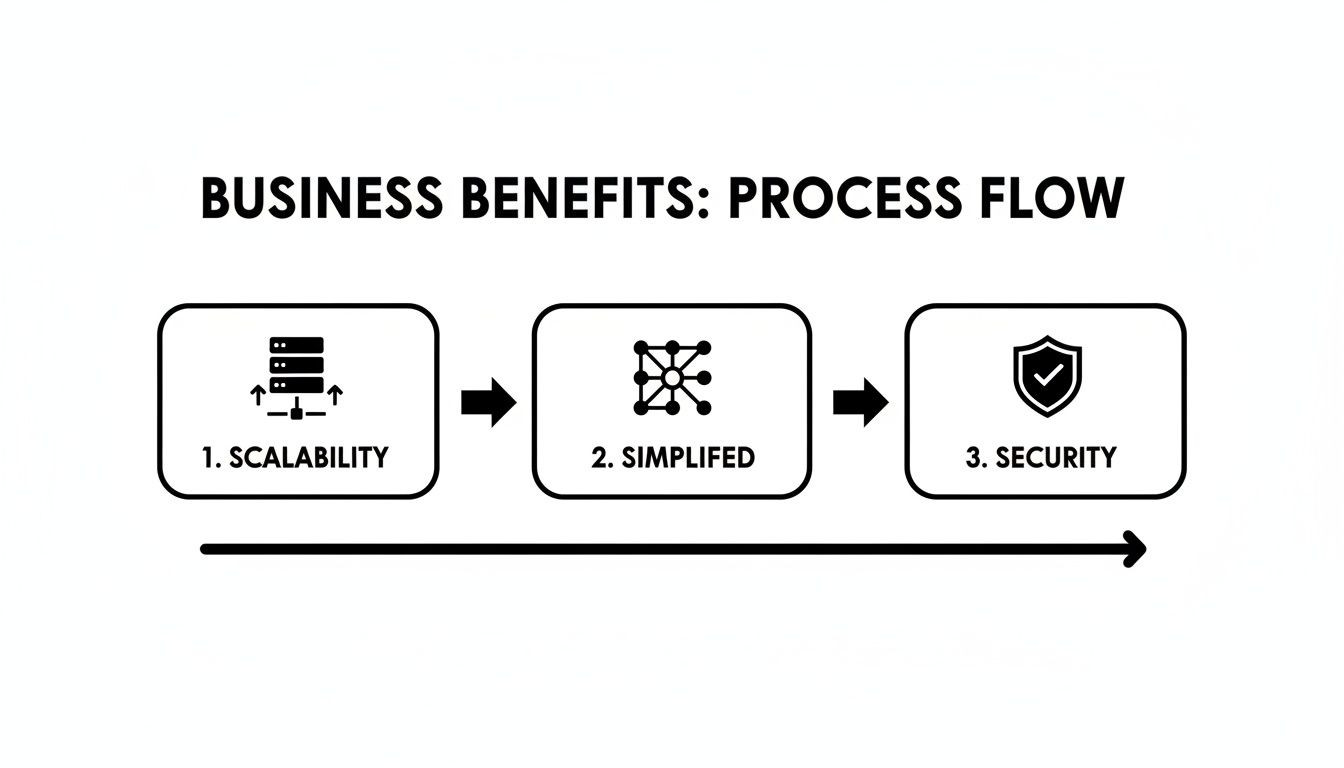
The checklist below will guide you through the practical steps, turning this plan into reality.
IPv6 Migration Checklist for Philippine SMBs
This table breaks down the entire process into clear phases and actionable steps, helping you stay organised from start to finish.
| Phase | Action Item | Key Consideration / Practical Example |
|---|---|---|
| 1. Planning | Conduct a Full Network Audit | Itemise every router, switch, firewall, and server. We check model numbers and firmware for IPv6 compatibility. |
| 1. Planning | Verify ISP Readiness | Call your ISP (e.g., PLDT, Globe) and ask their business support team if they provide native IPv6 service for your plan. |
| 1. Planning | Develop an Address Plan | Design a logical IPv6 addressing scheme. For instance, you could assign different subnets for different departments, like marketing, sales, and IT. |
| 2. Implementation | Update Hardware Firmware | Systematically update firmware on all network gear, starting with core routers and firewalls, to enable IPv6 features. |
| 2. Implementation | Enable Dual Stack on Core Network | Configure your main routers and switches to run both IPv4 and IPv6 simultaneously. |
| 2. Implementation | Test Key Business Applications | Have your accounting team try to access your cloud-based financial software to ensure it functions perfectly over the new protocol. |
| 3. Go-Live | Phased Endpoint Rollout | Start by enabling IPv6 on a small group, like the IT department's workstations, to monitor for any issues before a company-wide deployment. |
| 3. Go-Live | Monitor Network Performance | Keep a close eye on traffic and performance metrics to ensure everything is running smoothly and to quickly spot any configuration issues. |
Working through these steps can be tricky, which is why partnering with a trusted IT provider makes all the difference. An experienced team can handle the entire process, from the initial audit to final testing, guaranteeing a risk-free migration that positions your business for future growth.
How To Future-Proof Your Business Network
When we put all the pieces together, it’s clear that moving to IPv6 is much more than a technical tick-box exercise. It's a strategic move that prepares your business for future growth, tightens up your security, and keeps you ahead of the curve.
The goal isn't just to complete the transition; it's to transform a complex challenge into a genuine business advantage. You’re effectively future-proofing your network, ensuring it’s ready for whatever you throw at it next—whether that's hundreds of new IoT devices or a major expansion of your remote workforce.
From Technical Task to Business Advantage
The real payoff from an IPv6 migration is in the opportunities it opens up. A modernised network means your business can finally scale without hitting the technical walls imposed by older systems.
Suddenly, adding a new floor of workstations for your BPO or rolling out smart sensors across your hotel properties becomes a simple, logical process, not a complex networking headache. This is exactly where having an expert in your corner makes all the difference, turning what could be a disruptive project into a smooth, seamless upgrade.
The core message is clear: while the move to IPv6 is inevitable, your business does not have to navigate it alone. Partnering with experts lets you scale smarter and operate with confidence.
With the right support, the entire migration—from the initial audit to the final switch-over—is handled with precision. This minimises disruption and lets you start reaping the benefits from day one.
Partnering for a Seamless Upgrade
A successful transition hinges on deep expertise in a few key areas. As you plan to future-proof your network, it's also the perfect time to strengthen your security measures. Understanding technologies like Internet Protocol Security (IPSec) is crucial for protecting your data, and this is where a partnership truly pays off.
Expert services are built to handle every part of the migration, guaranteeing a smooth and secure result. Think of it this way:
- Network Setup: We can design an IPv6-ready network from scratch, making sure your infrastructure is built for both performance and future scalability.
- Firewall Configuration: We’ll implement and fine-tune security rules that take full advantage of IPv6’s native strengths.
- Managed IT Support: You get ongoing monitoring and maintenance to keep your newly upgraded network running at its absolute best.
By working with an experienced information technology company, you get more than just a vendor; you get a partner invested in your long-term success. REDCHIP's services are designed to manage these complexities, so you can focus on running your business while we make sure your network is ready for tomorrow.
Got Questions About IPv6? We've Got Answers.
As you start thinking about what Internet Protocol Version 6 means for your business, it’s completely normal for questions to pop up. Here are some straightforward answers to the most common queries we get from business owners and IT managers across the Philippines.
Do We Really Need to Switch to IPv6 Right Now?
Let's be clear: there's no "off switch" for IPv4 on the horizon. But putting off the move to IPv6 can put your business at a serious disadvantage down the road. The pool of available IPv4 addresses is nearly empty, which means expanding your network or even just adding new devices will get more complicated and expensive.
A practical example is a new branch office. Securing a new block of public IPv4 addresses can be costly and time-consuming, whereas getting a vast range of IPv6 addresses from your ISP is typically straightforward and included in modern business plans.
The smartest move is to start now with a "dual-stack" approach. This simply means running both protocols side-by-side. It’s the perfect way to future-proof your network without having to scramble through a chaotic, last-minute migration later on.
Will Our Existing Computers and Devices Even Work With IPv6?
Here’s the good news: most of them probably will. Almost any piece of hardware and software made in the last ten years is already IPv6-compatible. Your team's computers running Windows 10/11, macOS, or modern Linux distributions? They’re ready to go.
Where you might run into trouble is with older network gear—think routers, switches, and firewalls—or some legacy business software that wasn't built with IPv6 in mind. For instance, an old office printer or a specialised piece of manufacturing equipment might only communicate over IPv4.
The first step is always a thorough audit of your entire hardware and software inventory. This quickly tells you what's good to go, what just needs a simple configuration update, and what might finally be due for a replacement.
Is IPv6 Actually More Secure Than IPv4?
Yes, and this is a big one. Security wasn't just an add-on for IPv6; it was baked right into its design from day one. It comes with mandatory, built-in support for IPsec (Internet Protocol Security), which gives you powerful end-to-end encryption for all your data as it moves across the network.
With the older IPv4 system, IPsec is just an optional extra. That fundamental difference makes it much tougher for an attacker to snoop on or mess with your data on a properly configured IPv6 network. A practical example is a remote worker connecting to the company server from a coffee shop Wi-Fi. With IPv6 and IPsec, that connection is encrypted by default, protecting sensitive company data from being intercepted on the public network. For any business handling sensitive information—like BPOs, financial services, or healthcare clinics—this is a massive security upgrade.
Ready to make your network scalable, secure, and ready for the future? REDCHIP IT SOLUTIONS INC. provides expert network design, firewall configuration, and seamless IPv6 migration support to ensure your business is ready for tomorrow's demands. Explore our managed IT services today.


